What Is Inkjet Printer? Step-by-Step Guide for Beginners
Published: 29 Oct 2025
Have you ever observed a printer and wondered why some people choose it over faster or more modern models? It can be difficult to choose which printer is right for home or office use. Don’t worry, this guide will guide you through all you need to know about inkjet printers, like how they function, the many types, major features, practical applications, benefits and drawbacks, setup advice, and FAQs to help you print easily and without stress.
What Is an Inkjet Printer?
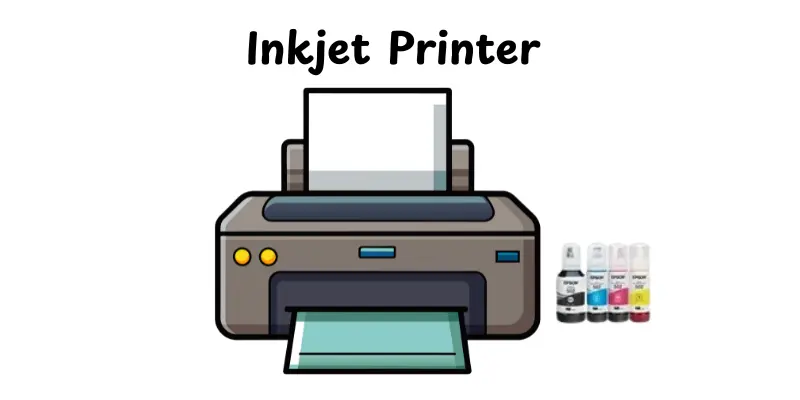
An inkjet printer produces messages and images by spraying small droplets of liquid ink directly onto paper. It creates high-quality prints with clear details and bright colors. Inkjet printers have become popular at home, in workplaces, and for creative purposes like photo printing. They can handle a variety of paper types and sizes, such as plain paper and glossy picture sheets. These printers are often small and simple to set up. Overall, an inkjet printer is a simple and accurate way to print documents, photographs, and other items.
History of Inkjet Printers
The history of inkjet printers is full of innovation and quick advancements. From early experiments in the 1970s to the high-quality models we use today, these printers have transformed how we print at home and in offices.
- 1970s – Early Development: The first concepts of inkjet printing emerged in the 1970s. Companies like IBM and Canon experimented with printing small droplets of ink directly onto paper.
- 1980s – Commercial Adoption: In the early 1980s, inkjet printers became commercially available for offices and homes. HP introduced models that were reliable and easy to use.
- 1990s – Key Milestones: Inkjet printers improved in speed, color quality, and resolution. Technologies like thermal inkjet (used by HP) and piezoelectric inkjet (used by Epson) became standard.
- 2000s – Advanced Features: Printers began supporting photo printing, wireless connectivity, and multifunction options like scanning and copying.
- Comparison to Older Technologies: Inkjet printers replaced many dot matrix printers for home and office use due to higher print quality and quieter operation. Compared to laser printers, they were more compact and better for small-volume, color prints.
How Inkjet Printers Work
Inkjet printers are popular because they can produce sharp text and colorful images right at home or in the office. Understanding how they work helps you use them more efficiently and troubleshoot issues easily.
1. Sending the Print Job
When you click “Print” on your computer or phone, the device sends the document or image to the printer. The printer software translates the file into a format the printer can understand.
2. Print Head Movement
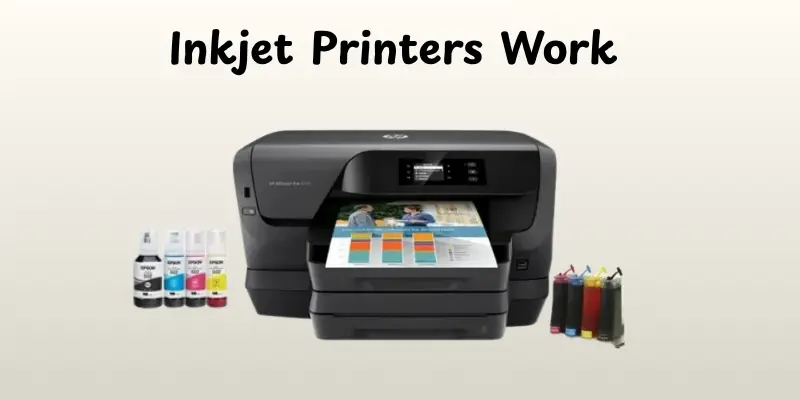
The printer uses a print head that moves back and forth across the paper. Tiny nozzles spray ink droplets in precise patterns to form letters, images, or graphics.
3. Paper Feeding
The paper advances line by line as the print head continues its work. Rollers or trays guide the paper smoothly to prevent jams.
4. Drying and Finishing
As the ink lands on the paper, it dries almost instantly. The final print emerges ready to use, with clear text and vibrant colors.
Types of Inkjet Printers
Inkjet printers come in different styles to suit various printing needs. Knowing the types helps you choose the right printer for home, office, or professional use.
- Single-function Inkjet Printers – Print only, simple and affordable.
- All-in-One Inkjet Printers – Print, scan, copy, and sometimes fax.
- Photo Inkjet Printers – Specially designed for high-quality photo printing.
- Portable Inkjet Printers – Small and lightweight for printing on the go.
- Wide-format Inkjet Printers – Can print large posters, banners, and wide documents.
Key Features of Inkjet Printers
Inkjet printers come with features that make them ideal for home, office, or business use. These features ensure high-quality prints, save time, and make printing convenient for daily tasks.
- High-Resolution Printing – Produces sharp text and vibrant photos.
- Multiple Paper Sizes Supported – Works with different paper types and sizes.
- Wireless and Mobile Printing Options – Print from phones, tablets, or laptops easily.
- Duplex (Double-Sided) Printing – Saves paper by printing on both sides automatically.
- Compact and Lightweight Design – Easy to place and move in any space.
Uses of Inkjet Printers
Inkjet printers are versatile tools used in homes, offices, and businesses. They provide high-quality prints quickly and efficiently, making them ideal for a variety of tasks.
- Home Printing – Print documents, homework, and photos easily.
- Office Work – Produce reports, memos, and presentations with clarity.
- Photo Printing – Create vibrant, detailed photographs at home or in studios.
- Marketing Materials – Print flyers, brochures, and small promotional items.
- Labels and Stickers – Make custom labels for products or personal use.
- Educational Use – Print assignments, handouts, and study materials.
- Art and Craft Projects – Produce artwork, designs, or craft templates.
- Business Documents – Print invoices, receipts, and proposals quickly.
Advantages and Disadvantages of Inkjet Printer
Inkjet printers are popular for their ability to produce high-quality prints quickly and efficiently. Like any device, they have benefits as well as some limitations. Understanding both helps you choose the right printer for home, office, or business use.
| Advantages |
|---|
|
| Disadvantages |
|---|
|
Tips for Using an Inkjet Printer
Using an inkjet printer the right way helps it last longer and keeps your prints sharp and clear. A few simple habits can save you time, ink, and maintenance costs.
- Keep the printer clean and dust-free
- Use the recommended paper for best results
- Replace cartridges before they run completely empty
- Perform regular nozzle cleaning to avoid clogs
- Avoid touching the print head or ink nozzles
- Turn off the printer properly when not in use
- Keep the printer in a cool, dry place
- Print a test page before important jobs
- Avoid overloading the paper tray
- Store ink cartridges in a sealed container when not in use
Conclusion
So, now you know everything there is to know about inkjet printers, particularly how they function, their multiple types, major features, applications, benefits, drawbacks, and setup advice. If you ask me, purchasing an accurate inkjet printer for home, business, or creative work is an excellent choice because it produces sharp prints and is simple to operate. Keep studying, people, and look out for more basic tech tips!
FAQs
Yes, inkjet printers can print high-quality photos with sharp colors and details, especially if you use photo paper.
Inkjet printers are generally slower than laser printers, printing around 5–15 pages per minute depending on the model.
With proper care, an inkjet printer can last 3–5 years, though heavy use may shorten its life.
Not really. Inkjet printers are better for small to medium tasks; printing large volumes can be slow and costly.
They can print on regular paper, but for best quality photos or documents, using the recommended paper is better.
Yes, most modern wireless inkjet printers are reliable if your Wi-Fi is strong and stable.
Inkjet printers spray tiny droplets of ink for detailed prints, while some regular printers like laser printers use toner and are faster for large documents.





- Be Respectful
- Stay Relevant
- Stay Positive
- True Feedback
- Encourage Discussion
- Avoid Spamming
- No Fake News
- Don't Copy-Paste
- No Personal Attacks
- Be Respectful
- Stay Relevant
- Stay Positive
- True Feedback
- Encourage Discussion
- Avoid Spamming
- No Fake News
- Don't Copy-Paste
- No Personal Attacks
