What Are Output Devices of Computers? Complete Guide
Published: 5 Nov 2025
Have you ever observed how your computer converts data into images, sounds, and printed pages? It can be confusing to see so many devices and not understand how they work. Don’t worry, everyone! In this article, we’ll look at computer output devices, how they help you get results, the many types, and why they’re important in everyday use. By the end, you’ll know how your computer works with you.
What Are Output Devices?
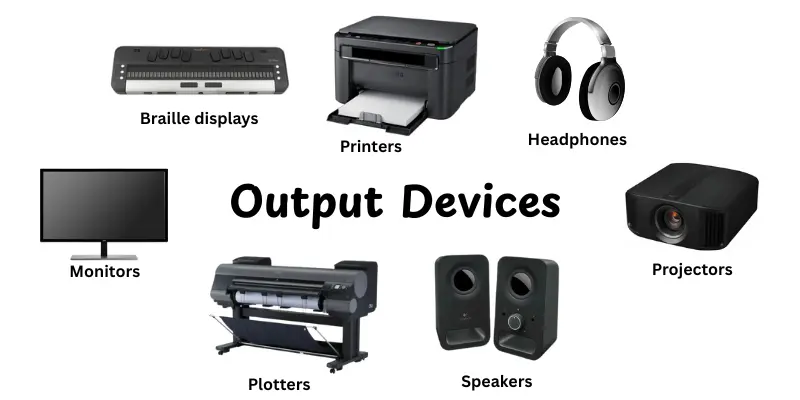
Output devices are parts of a computer which help you to see, hear, or feel the results of its work. They convert computer-processed data into an understandable format. Monitors, speakers, and printers are some common examples. These devices let you interact with the computer and receive feedback for your demands. Without output devices, you would be unable to see your work or hear the system’s sounds. In simple terms, output devices make the computer’s work visible and usable to you.
Importance of Output Devices
Output devices are necessary because they help you to see, hear, or receive the results of your computer’s work. Without them, you’d have no idea what the device was doing. Here’s why output devices are important.
- Show processed data in a form you can understand.
- Help users interact effectively with computers.
- Make learning, work, and entertainment possible.
- Provide real-time feedback from software or applications.
- Support accessibility for users with different needs.
How Output Devices Work
Output devices allow you to see, hear, and feel the results of your computer’s work. They convert the digital data produced by the computer into something that you can understand and use. Here’s a brief explanation of how output devices work:
- The computer processes data through its CPU or other processing units.
- The processed data is sent to the output device in a format it can understand.
- The device converts the data into human-friendly forms, like images, text, sound, or printed pages.
- You can then see the results on a screen, hear them through speakers, or get a printed document.
- Some output devices, like haptic devices, even let you feel vibrations or movements as feedback.
Types of Output Devices
Different output devices serve different purposes, from showing visuals to producing sound or physical results. Here are the main types:
Visual Output Device
Visual output devices are tools that enable you to view the information processed by your computer. They display images, text, video, and graphics, allowing you to interact with your work, games, or entertainment. These devices are required for practically all computer tasks because they give clear feedback for what the system is doing.
- Monitors
- Projectors
Monitors
A monitor is a display screen that presents information and visuals from a computer.It shows text, photos, movies, and graphics, allowing you to see what the computer is doing. Simply defined, a monitor helps you to observe and interact with your computer’s work.
Projectors
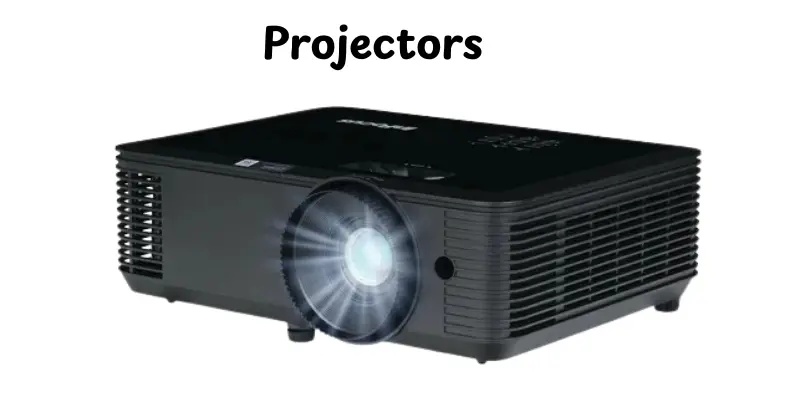
A projector is a device that shows images or movies from a computer on a big screen or wall. It allows a group of people to see the same information at once. In simple terms, a projector makes computer graphics larger and easier to see for everyone.
Audio Output Devices
Audio output devices help you to hear sounds and audio produced by a computer. They convert digital signals into sounds that humans can recognize, like music, speech, or system alarms. These devices make conversation, entertainment, and multimedia work by helping you to hear computer outputs clearly.
- Speakers
- Headphones
Speakers
Speakers are devices that output audio from a computer or other electrical device. They allow you to hear music, movies, and other audio clearly. In short, speakers convert digital sound into something you can listen to.
Headphones
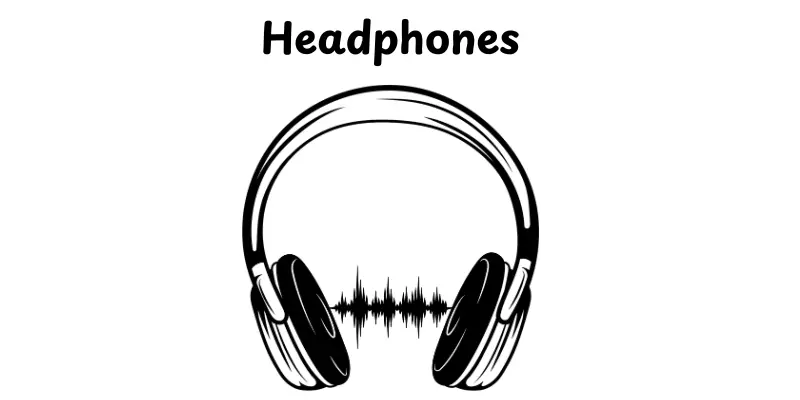
Headphones are devices that you place over your ears to listen to sound from a computer or other device. They let you listen to music, watch movies, or make phone calls carefully without disturbing others. Simply said, headphones direct sound to your ears, allowing you to listen clearly.
Print Output Devices
Print output devices are products that let you print a physical copy of information from your computer. They use digital data to print text, pictures, or designs on paper or other media. These devices are necessary for work, education, business, and artistic projects that need to convert digital content to become physical.
- Printers
- Plotters
Printers
Printers are devices that print physical copies of digital data or images on paper. They let you convert files from your computer into printed sheets for business, school, or personal use. Simply properly, printers make your digital content visible in the physical world.
Plotters

Plotters are output devices that produce huge, accurate drawings or patterns on paper. They are frequently used for engineering, architecture, and graphic design. Simply said, plotters convert digital designs into actual physical drawings.
Haptic/Physical Output Devices
Haptic or physical output devices enable users to receive feedback or physical sensations from their computer. Instead of simply displaying images or playing music, these devices provide touch, vibration, and movement. They are useful for accessibility, gaming, virtual reality, and situations that need physical feedback.
- Braille displays
- Vibration devices
Braille Displays

Braille displays are output devices that help visually disabled people in reading text from a computer. They turn digital text into raised dots that can be felt with your fingers. In simple words, braille displays let people “read” what is on the screen through touch.
Vibration Devices
Braille vibration devices are output tools that help visually impaired users get feedback through touch. They use vibrations to show information or alerts from a computer or device.
Applications of Output Devices
Output devices play a key role in everyday computer use by showing results, playing sounds, or producing physical feedback. They make it easy to understand and use the information processed by a computer. Here are some common applications:
- Education: Display lessons, presentations, and interactive content for students.
- Business: Print reports, charts, and documents for professional use.
- Entertainment: Play music, videos, and games through speakers or screens.
- Healthcare: Show patient data, test results, or imaging scans clearly.
- Engineering & Design: Produce blueprints, 3D models, or technical drawings.
- Communication: Display video calls or voice messages for real-time interaction.
- Accessibility: Provide Braille displays or audio feedback for differently-abled users.
Advantages and Disadvantages Of Output devices
Output devices make it easy for users to see, hear, or feel the results of computer processing. They improve efficiency, communication, and overall user experience. However, like all technology, they have both pros and cons.
| Advantages |
|---|
|
| Disadvantages |
|---|
|
How to Choose the Right Output Device
Choosing the right output device depends on what you need it for. The right choice makes your work easier, faster, and more comfortable. Here are some simple tips to guide you:
- Consider the task: Use monitors for visuals, speakers for audio, and printers for hard copies.
- Check quality: Look for resolution, sound clarity, or print speed depending on the device.
- Think about comfort: Ensure screens are easy on the eyes and audio devices don’t cause strain.
- Compatibility matters: Make sure the device works with your computer or system.
- Look at features: Extra ports, wireless options, or multi-function devices can be useful.
- Budget wisely: Balance cost with performance to avoid overspending.
- Test if possible: Trying the device in-store or reading user reviews can help make a confident choice.
Conclusion
So, in this article, we’ve looked over the different types of computer output devices, along with their applications, benefits, and current trends. I recommend choosing the right output device for your purposes, whether they are for business, gaming, or creative tasks, because the best devices make your experience smoother and more enjoyable. Keep learning, and stay tuned for more useful tech tips!
FAQs
An output device is any tool that shows the results from a computer. It takes information from the computer and presents it in a way we can see, hear, or touch. Examples include monitors, speakers, and printers. Without output devices, we wouldn’t know what the computer is doing.
Common output devices are monitors, printers, speakers, headphones, projectors, and haptic devices like vibration controllers. Each one shows or delivers information differently, like visuals, sound, or physical feedback.
The main types include visual devices like monitors, audio devices like speakers, print devices like printers, and haptic or physical devices like braille displays. Each type serves a different purpose.
Monitors display images and text using pixels that light up in different colors. Printers produce physical copies of documents by transferring ink or toner onto paper. Both take processed data from the computer and make it usable for us.
Output devices let us see, hear, or feel what the computer is doing. They help in work, learning, entertainment, and communication. Without them, the computer’s results would stay hidden and useless.
Output devices take processed data from the computer and present it in a human-friendly form. Monitors show visuals, printers make paper copies, and speakers produce sound. They turn digital information into something we can see, hear, or feel.




- Be Respectful
- Stay Relevant
- Stay Positive
- True Feedback
- Encourage Discussion
- Avoid Spamming
- No Fake News
- Don't Copy-Paste
- No Personal Attacks
- Be Respectful
- Stay Relevant
- Stay Positive
- True Feedback
- Encourage Discussion
- Avoid Spamming
- No Fake News
- Don't Copy-Paste
- No Personal Attacks
