Types of Storage Devices – A Complete Overview for Beginners
Published: 7 Nov 2025
Have you ever wondered where your computer or phone stores all of your images, movies and important files? You are not alone, many people are interested about how their data is kept safe and ready for use at anytime.That’s is why it is important to understand the different types of storage devices that enable it all.In this article, we’ll break everything down in a simple and easy way so you easily understand how different storage devices work and which one best meets your needs.
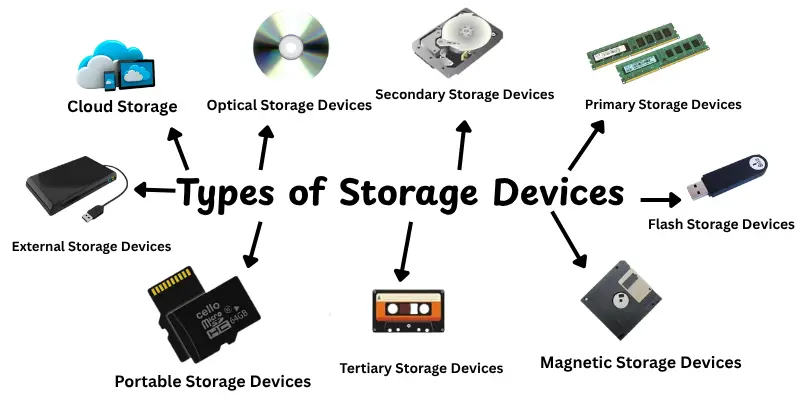
Types of Storage Devices
Understanding the many types of storage devices helps you to pick the best one for your needs,if you’re saving family images, storing work files or keeping backups.Each type serves a specific purpose and understanding how they differ makes for easier data management.Here are the primary types of storage devices:
- Primary Storage Devices
- Secondary Storage Devices
- Optical Storage Devices
- Flash Storage Devices
- Cloud Storage
- External Storage Devices
- Magnetic Storage Devices
- Tertiary Storage Devices
- Portable storage devices
1. Primary Storage Devices
UPrimary storage is the main memory of a computer that data is temporarily stored while being processed.It’s fast and easily available to the CPU, making it important to smooth functioning.However, When the power is switched off, all data is lost.
Features:
- Very fast access speed
- Temporary data storage
- Direct communication with CPU
Examples:
- RAM (Random Access Memory) – Used for running programs and processes.
- ROM (Read-Only Memory) – Stores essential instructions for starting the computer.
- Cache Memory – Helps the CPU access frequently used data quickly.
2. Secondary Storage Devices
Secondary storage stores files, software and operating system data permanently.It has more capacity than primary memory and keeps data long after the computer is shut off.
Features:
- High capacity for data storage
- Non-volatile (keeps data permanently)
- Slower than primary storage
Examples:
- Hard Disk Drives (HDDs) – Store data magnetically and offer large space at low cost.
- Solid-State Drives (SSDs) – Faster and more reliable than HDDs with no moving parts.
3. Optical Storage Devices
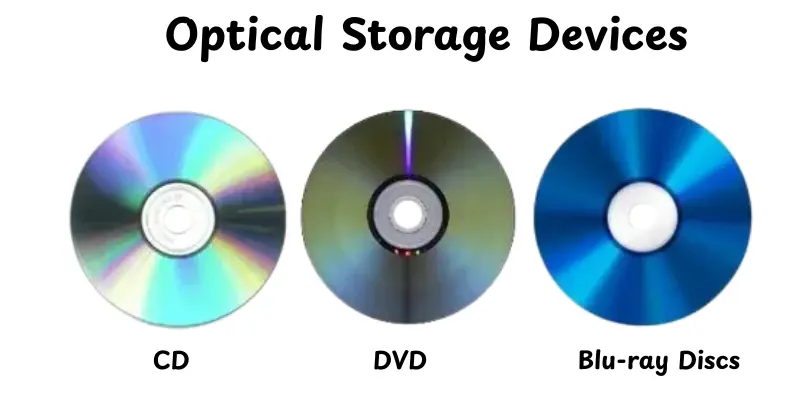
Optical storage devices are types of storage devicesuse laser light to read and write data on discs like CDs, DVDs and Blu-ray discs.They’re good for storing music, videos, games and software.These disks are portable, easily shared and provide long-term storage.However, carefully handling is needed to avoid scratches or damage.
Features:
- Data stored using laser beams
- Good for backups and media sharing
- Portable and affordable
Examples:
- CDs (Compact Discs) – Store music or small files.
- DVDs (Digital Versatile Discs) – Store videos and larger files.
- Blu-ray Discs – Used for HD video and large data storage.
4. Flash Storage Devices
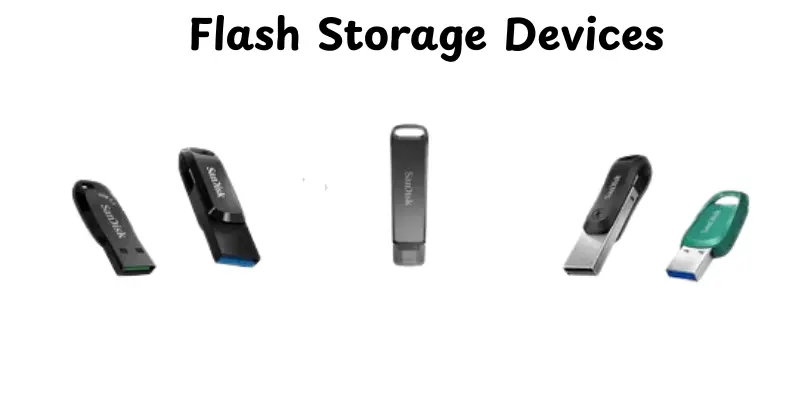
Flash storage devices are small, reliable and easy to use.They use electronic memory chips instead of rotating parts, making them more reliable.These devices are ideal for transferring files, storing photographs and making backups.Common examples are USB flash drives, SD cards and solid-state drives (SSDs).
Features:
- Compact and durable
- High-speed data transfer
- Works without power
Examples:
- USB Flash Drives – Plug-and-play devices for file transfers.
- Memory Cards (SD Cards) – Common in cameras and smartphones.
5. Cloud Storage
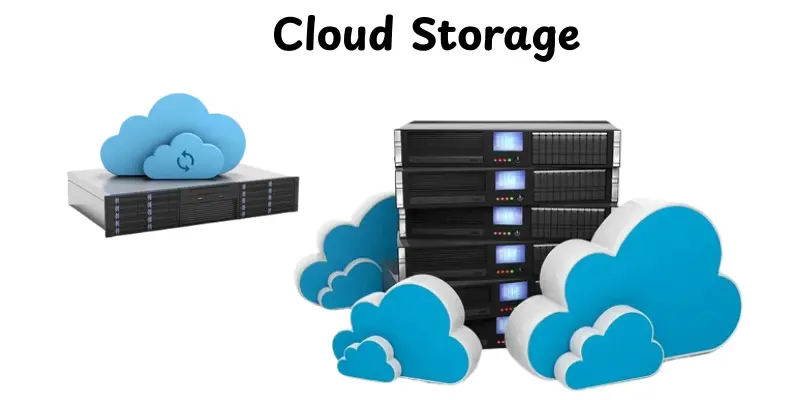
Cloud storage is types of storage deviceslets you save files safely on the internet instead of a physical device.You can access your data anytime using a phone, tablet or computer.Service providers manage security and backups to protect your files.It’s ideal for sharing, working together and maximizing device storage.
Features:
- Access from anywhere
- Automatic backup and sync
- Scalable storage options
Examples:
- Google Drive, Dropbox, OneDrive, iCloud
6. External Storage Devices
External storage devices are portable drives that connect into your computer through USB or other ports.They provide extra storage for huge data, backups and media projects.Many users depend on them to properly move data across platforms.They are useful, reliable and easy to use anywhere.
Features:
- Easy to connect and remove
- High storage capacity
- Portable for travel or sharing
Examples:
- External Hard Drives
- External SSDs
7. Magnetic Storage Devices
Magnetic devices use magnetic fields to store data on rotating disks or tapes.They’ve been around for decades and are known for their high storage capacity.While newer options are faster, magnetic storage is still important for long-term backups. It is still used in businesses that require accurate data archiving.
Features:
- Durable and reliable
- Good for large data storage
- Slower and less common today
Examples:
- Floppy Disks – Outdated but historically important.
- Magnetic Tapes – Still used in large-scale backups.
8. Tertiary Storage Devices
Tertiary storage is mainly used for long-term data backup and archiving.It works automatically by storing and receiving data from storage media like tapes or optical discs.These devices often appear in data centers or huge companies that manage a lot of information.
Features:
- Stores data for long periods
- Automated access using robotic arms
- Slower but reliable for backups
Examples:
- Magnetic Tape Libraries – Used for data backups in big companies.
- Optical Jukeboxes – Store multiple discs and retrieve data when needed.
9. Portable Storage Devices
Portable storage devices are small, light devices that enable you to easily transfer files between computers.They are useful for students, professionals and photographers who want data everywhere.
Features:
- Small and lightweight
- Fast data transfer speeds
- Reusable and durable
Examples:
- USB Flash Drives – Plug-and-play drives for quick transfers.
- External SSDs or HDDs – For large backups or media files.
- Memory Cards – Used in cameras, tablets, and phones.
Conclusion
So, people,we’ve covered the many types of storage devices, from primary and secondary to cloud and portable options.You now understand how each one saves data, its major features and where it’s most useful.Understanding various storage type, in my opinion, helps you to choose the best one for your needs, whether they be speed, safety or convenience.It’s all about keeping your data safe and easy to access at anytime.Keep studying, friends, because technology is always changing and there’s always something new to discover!
FAQs
The five main types of storage devices are primary, secondary, tertiary, optical and cloud storage.Each serves a different purpose.Primary storage like RAM is fast but temporary, while secondary and cloud storage keep your data safe for long-term use.
Three common storage devices are the hard disk drive (HDD), solid-state drive (SSD) and USB flash drive.These are used daily to store photos, documents and videos.They differ in speed, size and portability.
There are several types of storage including primary, secondary and tertiary storage.Cloud and virtual storage have also become popular for online data access.Each type offers different levels of speed, capacity and security.
A storage type refers to how and where data is stored in a computer or device.It can be physical, like a hard drive or digital, like cloud storage.Each type has unique features suited to different needs.
The main storage devices in a computer are RAM, ROM, hard drives (HDD), solid-state drives (SSD) and optical discs.These work together to store and manage your data efficiently.
The SSD (Solid-State Drive) is much faster than the HDD (Hard Disk Drive).It has no moving parts, so it loads files and programs almost instantly. HDDs are slower but still good for storing large files cheaply.
Cloud storage can be safer because it uses encryption and backup systems to protect data. However, it depends on the provider’s security.Physical storage gives more control but can be lost or damaged if not handled properly.
For long-term backup, external hard drives, SSDs or cloud storage are best.External drives offer full control, while cloud storage keeps data safe even if your hardware fails.Using both together gives extra safety.




- Be Respectful
- Stay Relevant
- Stay Positive
- True Feedback
- Encourage Discussion
- Avoid Spamming
- No Fake News
- Don't Copy-Paste
- No Personal Attacks
- Be Respectful
- Stay Relevant
- Stay Positive
- True Feedback
- Encourage Discussion
- Avoid Spamming
- No Fake News
- Don't Copy-Paste
- No Personal Attacks
