What is a Mechanical Keyboard? How It Differs from Normal Keyboards
Published: 10 Nov 2025
Have you ever wondered why some people can’t stop talking about how good their keyboard feels to text on?It may sound unusual at first, but try one for yourself.Don’t fear, we have you covered.In this guide, we’ll talk about everything you need to know about mechanical keyboards—how they operate, why people love them and how to choose the best one for your requirements.By the end, you’ll understand what makes them amazing.
What Is a Mechanical Keyboard?
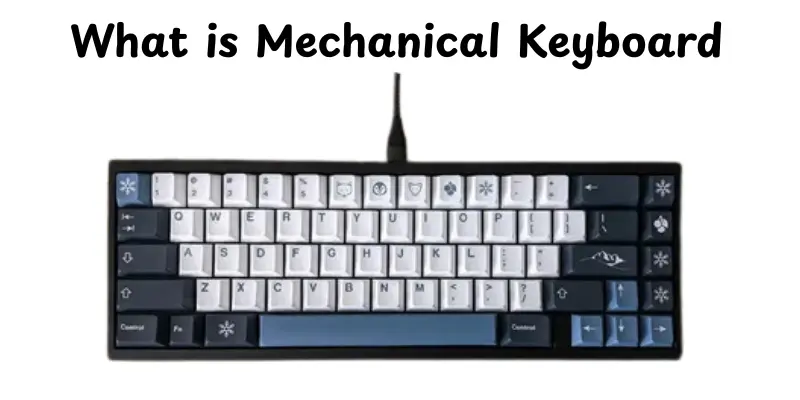
A mechanical keyboard is a type of keyboard that uses different mechanical switches under each key.When you press a key, it opens a physical switch, which transmits the signal to your computer.This provides an unique clicky experience that many people prefer over standard keyboards.Each important feature works separately, helping you to type more quickly and accurately.Mechanical keyboards are often more sturdy and can last for years. They come in a variety of switch types, each with its own particular sound and feel.Gamers, programmers and writers often pick them because of their quickness and comfort.In short, a mechanical keyboard makes typing more fun and accurate.
How does a Mechanical Keyboard Works
A mechanical keyboard works differently from a normal keyboard. Instead of thin rubber layers, each key has a tiny mechanical switch below. These switches make each push accurate and relaxing. Here’s how it works, step by step:
- Key Press- When you press a key, the stem inside the switch moves downward.
- Spring Compression- A spring inside the switch compresses as you push the key.
- Electrical Contact- The stem touches a metal contact, sending a signal to your computer.
- Key Release- When you lift your finger, the spring pushes the key back up.
- Signal Registered- Your computer receives the signal and shows the typed letter or command on the screen.
Key Components of a Mechanical Keyboard
A mechanical keyboard is made of several parts that work together to produce the smooth, clicky feel that many people enjoy.Each component serves specifically to the way the keyboard looks, sounds and works.Here’s a breakdown of the main parts:
- Switches- These sit under each key and determine how it feels when pressed.There are three types: linear (a smooth press), tactile (a small bump when pressed) and clicky (a bump that makes a clicking sound).
- Keycaps- These are the tops of the keys that you touch.They come in different materials like ABS or PBT, various shapes and even custom designs to match your style.
- PCB (Printed Circuit Board)- This is the heart of the keyboard. It connects all switches and sends signals to your computer when you press a key.
- Case and Plate-The cover keeps everything together, while the plate provides support under the switches.They work together to impact the keyboard’s sound, stability and typing feel.
- Stabilizers-These small parts sit under larger keys such as the spacebar or enter key.They help to make the keypress smooth and minimize wobbling or rattling.
Types of Mechanical Keyboards
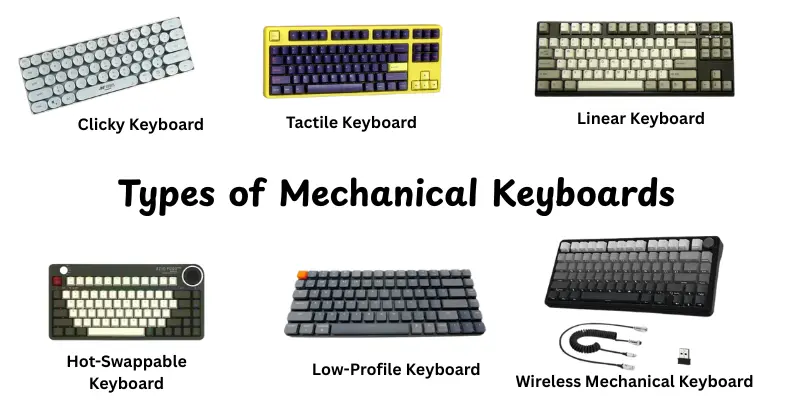
Mechanical keyboards come in a variety of types, each designed for specific typing or gaming experience.The main difference is how the keys feel, sound and respond when pressed.Here are the most common types you’ll find:
- Linear Keyboards- Keys push down smoothly, without any bumps or clicks, making them ideal for speedy typing and gaming.
- Tactile Keyboards- When pushed, these give a tiny bump, showing that the key has been recorded.
- Clicky Keyboards- You’ll hear and feel an accurate click with each press, which is ideal for people who enjoy the classic typing sound.
- Low-Profile Keyboards- They are slimmer in design, with shorter keys and faster reaction times for a more modern and compact feel.
- Hot-Swappable Keyboards- Lets you to easily change switches without the need for soldering, making it excellent for those who enjoy modifying their typing experience.
- Wireless Mechanical Keyboards- Work without cords, providing a clean desk setup and simple access.
Mechanical Keyboard Layouts
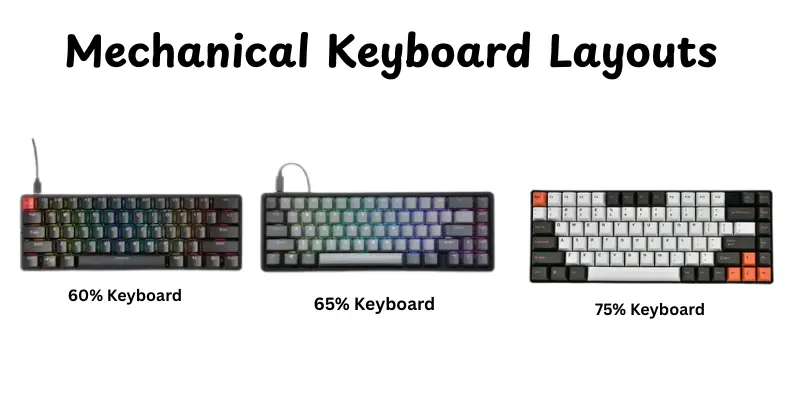
Mechanical keyboards come in a variety of layouts, each designed to meet certain demands and places.The layout determines how many keys your keyboard has and where they are situated.Here are the most typical types you could find:
- Full-Size Keyboard: Comes with all keys, including the number pad.Great for office work, data entry and gaming.
- Tenkeyless(TKL) Keyboard:Removes the number pad to save space while keeping the primary keys.Ideal for smaller settings.
- 75% Keyboard:Slightly smaller than TKL, but with function and arrow keys near together for ease.
- 65% Keyboard:Removes the function row and number pad, but keeps arrows and a few navigation buttons for balance.
- 60% Keyboard:Compact and simple, with only the necessary keys. Ideal for travel and tiny workplaces.
- 40% Keyboard:The smallest layout, reducing even more keys for portable use and good for advanced users.
Mechanical Keyboard Switches by Color
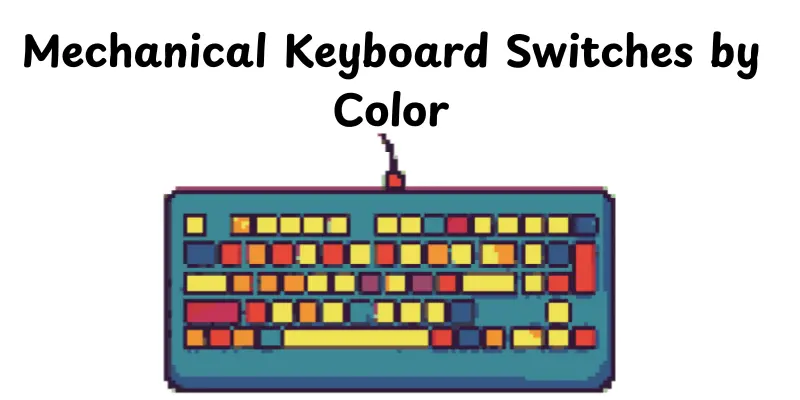
Mechanical keyboard switches are available in a variety of colors, each with its own unique feel and sound.Knowing the color codes helps you to select the appropriate switch for typing or gaming.This is a simple guide:
- Red Switches:Linear, smooth and quiet.Ideal for fast typing and gaming.
- Blue Switches:Clicky with tactile bump.Great for typing with audible feedback.
- Brown Switches:Tactile but quieter than blue.A balance between typing and gaming.
- Black Switches:Linear and stiff.Good for heavy typing and preventing accidental presses.
- Green Switches:Clicky and strong.Similar to blue but with firmer resistance.
- Clear Switches:Tactile with higher resistance.Preferred by typists who like firm feedback.
Applications of Mechanical Keyboards
Mechanical keyboards are useful for more than simply typing; they increase comfort, speed and accuracy in many types of applications.People use them for business, gaming and creative projects.Their reliability and physical input make them perfect for frequent use and specific activities.
- Gaming: Provides fast response and precise control for gamers.
- Office Work: Makes typing long documents easier and more comfortable.
- Programming: Helps coders type accurately and reduces fatigue.
- Content Creation: Ideal for writers, video editors and designers who need reliable keyboards.
- Custom Builds: Enthusiasts use them to create personalized keyboards with unique switches and layouts.
- Streaming: Streamers prefer mechanical keyboards for quick shortcuts and macros.
- Education: Students and teachers enjoy the tactile feedback for note-taking and assignments.
Advantages and Disadvantages of Mechanical Keyboard
Mechanical keyboards are popular because of the reliability and enjoyable typing experience, but they aren’t suitable for everyone. Knowing the advantages and disadvantages might help you determine which option is best for you.
| Advantages |
|---|
|
| Disadvantages |
|---|
|
How to Choose the Right Mechanical Keyboard
Choosing the correct mechanical keyboard can be difficult, but with a few easy tips, it becomes easier.Focus on what is most important to you, whether it is typing comfort, gaming performance or portability.Here’s how to choose the perfect one:
- Switch Type: Decide if you prefer linear, tactile or clicky switches based on feel and sound.
- Layout & Size: Choose full-size, tenkeyless or compact layouts depending on your desk space and usage.
- Keycaps & Material: Look for durable keycaps, smooth texture and easy customization options.
- Build Quality: Check for sturdy cases, metal plates and stable stabilizers for long-lasting use.
- Connectivity: Pick wired for fast response or wireless for flexibility and less clutter.
- Extras & Features: Consider backlighting, programmability and software support for macros or profiles.
Tips
Mechanical keyboards can help your typing and gaming experience, but a few helpful suggestions can make them even better. Follow these tips to get the most of your keyboard:
- Test Switches First:Try different switch kinds to find which one feels the most comfortable.
- Keep It Clean:To keep your keyboard operating smoothly, dust and clean it on a regular basis.
- Use a Wrist Rest:Helps to reduce strain during long typing or gaming sessions.
- Customize Keycaps:Replace keycaps for improved grip, style, or comfort.
- Adjust Backlighting:Use brightness or effects to reduce eye strain and increase visibility.
- Secure Stabilizers:Make sure that larger keys are stable for a longer, smoother press.
- Update Firmware:If your keyboard supports it, keep it updated for the best results.
Conclusion
So, guys, we’ve covered everything about mechanical keyboards, from key components and switch kinds to layouts, benefits and how to choose the best one.If you ask me, investing in a nice mechanical keyboard is useful because it can improve typing speed, make gaming more enjoyable and make longer use more comfortable.Continue playing with different switches and layouts when you discover the right combination.Stay tuned, friends and continue learning about amazing mechanical keyboards!
FAQs
Normal keyboards frequently use rubber dome switches that look soft and soft.Mechanical keyboards have small mechanical switches under each key, providing a more accurate and enjoyable experience.They’re also more durable and responsive.
Some people prefer to type on a mechanical keyboard, which is faster and more comfortable.The keys provide clear feedback, which reduces typing errors.It’s particularly beneficial for lengthy typing periods or gaming.
You can see if each key has a separate switch under it.Mechanical keyboards typically feel hard, clicky or tactile when pressed.You may also hear a particular sound, depending on the type of switch.
Mechanical keyboards have actual switches for each key.Automatic keyboards are membrane or hybrid keyboards that press down without a mechanical switch.Mechanical keyboards last longer and feel more accurate.
Yes, they can help you type more comfortably and lessen a lack of energy. Mechanical keyboards are strong and can stand up to long periods of use.They can be silent with specific switch types, making them suitable for use in offices.
Most mechanical switches can survive between 50 and 100 million keystrokes.That is much longer than standard keyboards, therefore they often last for many years without losing performance.
Yes, some switches, like red or silent switches, are meant to be quieter. To further minimize noise, consider using dampeners or softer keycaps.
Absolutely! Many users create mechanical keyboards from them.To create your own keyboard, you may modify the switches, keycaps, layout and even the frame.





- Be Respectful
- Stay Relevant
- Stay Positive
- True Feedback
- Encourage Discussion
- Avoid Spamming
- No Fake News
- Don't Copy-Paste
- No Personal Attacks
- Be Respectful
- Stay Relevant
- Stay Positive
- True Feedback
- Encourage Discussion
- Avoid Spamming
- No Fake News
- Don't Copy-Paste
- No Personal Attacks
