TOP 10 Differences Between RAM and ROM Everyone Should Know
Published: 12 Nov 2025
Do you ever wonder what speeds up your computer and what helps it boot up?You’re not a single one.A lot of people have these two important types of memory combined together. Don’t worry; this guide will help you understand.In basic terms, we’ll look at the 10 differences between RAM and ROM so you understand how each one works and why both are important for your mobile device.To learn more about how different memory types work inside your computer, you can also check out our detailed guide on the types of storage devices.
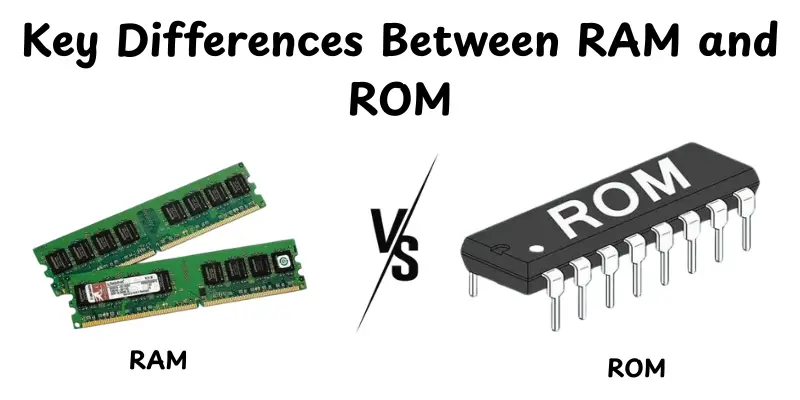
The 10 Key Differences Between RAM and ROM
Anyone who uses a computer or smartphone should know the difference between RAM and ROM.These two types of memory are important for a device’s performance, but they work in distinct ways.Let’s look at how they differ in function, use and purpose.
- Full form (RAM vs ROM)
- Nature of Data
- Function
- Data Retention
- Speed
- Storage Capacity
- Read/Write Access
- Upgradability
- usage
- Example
Full form (RAM vs ROM)
When we talk about computer memory, it helps to know what RAM and ROM stand for.It’s the first step to finding out how they work.
RAM(Random Access Memory)
RAM(Random Access Memory) is a type of memory that stores all of the data your computer or device is using right now. It helps you read and write quickly, which speeds up programs.When you power off the device, the data in RAM is lost.It is very important for multitasking and the general performance of the system.
ROM (Read-Only Memory)
ROMROM (Read-Only Memory) is a type of memory that keeps instructions and permanent data required for a device to start up. When the device shuts down, the data in ROM remains unchanged, unlike RAM. Firmware and important system instructions are the main components. ROM makes sure that the device can always power up and function properly.
Nature of Data
The nature of data stored in memory affects how it is used and accessed.Understanding this helps in distinguishing RAM from ROM.
RAM:RAM stores temporary data that your computer or device needs to run programs. This data can be quickly read and written, but it disappears when the power is turned off.
ROM:ROM saves permanent information that is required to start up and use the system. This data cannot be changed and remains even after the device is turned off.
Function
The function of memory determines how a computer stores and uses information.Knowing this helps to see the key differences between RAM and ROM.
RAM:RAM permanently holds the data and applications that the computer is now performing. It provides quick access to information, helping your device to work properly but the data disappears when the power is turned off.
ROM :ROM provides permanent instructions for starting the computer and managing basic features. Its data cannot be readily changed and remains safe even after the device is switched off.
Data Retention
The storage of data shows how long a memory can keep information saved.Understanding this explains why RAM and ROM are used differently.
RAM (Random Access Memory):When the computer is shut off, the RAM loses all stored data. It is just temporary and used while the apps are operating.
ROM (Read-Only Memory): ROM stores data always, even when the power is turned off It holds the key instructions required to start and run the system.
Speed
Speed speaks to how quickly a memory can read or write data.It impacts how quickly your computer operates programs and completes tasks.
RAM: RAM is very fast, allowing quick access to data for running applications.It helps your computer perform tasks smoothly in real-time.
ROM:ROM is much slower than RAM because it mostly stores permanent instructions. Speed is less important because it isn’t used for active processing.
Storage Capacity
Storage capacity refers to how much data a memory can keep at one time. It affects how much data your computer can access and keep.
RAM: RAM usually has a smaller storage capacity than ROM.It contains temporary data that applications need while working.
ROM: ROM contains limited but permanent storage for important instructions.It protects data even when the computer is shut off.
Read/Write Access
Read/Write Access controls whether you can read and update the data stored in memory. It determines the flexibility a memory type is for tasks.
RAM:RAM enables both reading and writing.You can instantly alter data while applications are running, making it highly adaptable.
ROM: ROM is mostly read-only.You can view the data, but it cannot be easily modified or erased.
Upgradability
Upgradability refers to whether a type of memory can be easily increased or replaced in a computer. It helps improve performance or add new features over time.
RAM: RAM is upgradable.You can add or replace RAM modules to increase system speed and handle more tasks at once.
ROM: ROM is not upgradable.Its data is fixed by the manufacturer, so you cannot increase or change it easily.
Usage
Usage shows how a memory type is used in a computer and what tasks it supports. It helps develop a better understanding of its practical role in everyday operations.
RAM: RAM is used to do temporary tasks like launching applications and opening files.It speeds up the computer’s performance but causes data loss when the power is turned off.
ROM:ROM is used for permanent instructions, such as powering up the computer and storing firmware.It stores data long when the computer is shut off.
Example
Example shows real-life situations where each type of memory is used, making it easier to understand their roles.
RAM: RAM is used when you run apps, play games or edit documents.It helps tasks run smoothly but clears all data once the computer is off.
ROM: ROM is used to store system firmware, BIOS or boot instructions.It keeps these essential programs safe even when the power is turned off.
RAM vs ROM: Feature Comparison
| RAM (Random Access Memory) | ROM (Read-Only Memory) |
| Stores data and programs currently in use | Stores firmware, system instructions, and essential boot data |
| Temporary (volatile), loses data when power is off | Permanent (non-volatile), data stays even without power |
| Very fast, used for real-time processing | Slower compared to RAM, mainly for startup tasks |
| Larger capacity (GBs) to handle multiple apps and programs | Smaller capacity (MBs) since it stores only essential instructions |
| Can read and write data freely | Mostly read-only; some ROM types can be updated with difficulty |
| Easily upgradable by adding or replacing modules | Usually fixed by the manufacturer; not easily upgradable |
| Used by CPU for running applications, multitasking, and active tasks | Used for system booting, firmware storage, and basic instructions |
| Examples: DDR4, DDR5, Laptop RAM modules | Examples: BIOS, Firmware chips, PROM, EPROM |
Conclusion
So, in this article, we’ve covered everything about the differences between RAM and ROM, from their full forms and functions to speed, storage and real-world applications. Understanding these differences, in my experience, is important because it helps you to select and use the right RAM for your machine.Continue exploring, friend and stay tuned for more useful tech tips!
FAQs
RAM is temporary memory that stores data your computer is using right now, while ROM is permanent memory that holds essential system instructions.RAM is fast and can be changed, but ROM is mostly read-only.Both are important for a computer to work properly.
RAM can usually be upgraded by adding or replacing memory modules, which makes your computer faster.ROM is built into the device and cannot typically be upgraded or changed. Its data stays fixed to ensure system stability.
If your computer doesn’t have enough RAM, it will slow down.Programs may lag or take longer to open.You might notice delays when switching between apps.Large files or games can freeze or crash.
RAM is much faster than ROM because it stores data that your computer needs immediately.ROM is slower since it mainly holds permanent instructions for startup and basic functions.Speed matters more for RAM since it handles active tasks.
Yes, devices use both types of memory.RAM handles running programs and active tasks. ROM keeps essential instructions for the system to start and function properly.
RAM is designed for quick reading and writing to keep your computer responsive.ROM is read-only and not meant for speed.That’s why RAM feels much faster in daily use.
Computers need RAM for running apps, opening files and multitasking smoothly.ROM is needed to store system firmware and startup instructions so the device can boot properly. Together, they make sure your computer works efficiently.
If RAM is low, your computer will slow down, programs may lag and large files or games could freeze.ROM won’t help because it only stores permanent data.Upgrading RAM or closing unused apps can improve performance.






- Be Respectful
- Stay Relevant
- Stay Positive
- True Feedback
- Encourage Discussion
- Avoid Spamming
- No Fake News
- Don't Copy-Paste
- No Personal Attacks
- Be Respectful
- Stay Relevant
- Stay Positive
- True Feedback
- Encourage Discussion
- Avoid Spamming
- No Fake News
- Don't Copy-Paste
- No Personal Attacks
