Top 10 Examples of Secondary Storage Devices You Should Know
Published: 13 Nov 2025
Ever wonder where your computer stores all of your photos, movies and information even after you turn it off?That is the role of secondary storage devices.These devices are important for permanently storing data and keeping your system organized.Knowing the top 10 examples of secondary storage devices helps you to choose the best one for your needs, if they are for backup, more capacity or better performance.Understanding them also allows you to manage your digital life better.
Examples of Secondary Storage Devices
Secondary storage devices allow you to keep your data safe and available at all times. Knowing the top ten examples makes it easy to select the best option for your data, backups and daily use. These devices allow you to store and handle data properly.
- Hard Disk Drive (HDD)
- Solid State Drive (SSD)
- USB Flash Drive
- Compact Disc (CD)
- Digital Versatile Disc (DVD)
- Blu-ray Disc
- Memory Card (SD / MicroSD)
- External Hard Drive
- Magnetic Tape
- Cloud Storage
Hard Disk Drive (HDD)
A Hard Disk Drive (HDD) is a permanent magnetic storage device for huge quantities of data.It stores information through spinning disks (platters) and a read/write head, making it suitable for storing files, applications and backups for long times.
Key Features:
- Large storage capacity, ranging from 500GB to 20TB for personal and enterprise use.
- Cost-effective compared to other storage types per gigabyte.
- Slower than SSDs due to mechanical parts, but reliable for storing big files.
- Compatible with most desktop and laptop computers.
- Can be used in RAID setups for data redundancy and protection.
Examples:
- Storing movies, music, and documents on a personal computer.
- Backing up company data in servers or NAS (Network-Attached Storage) systems.
- Gaming PCs with high-capacity storage for large game libraries.
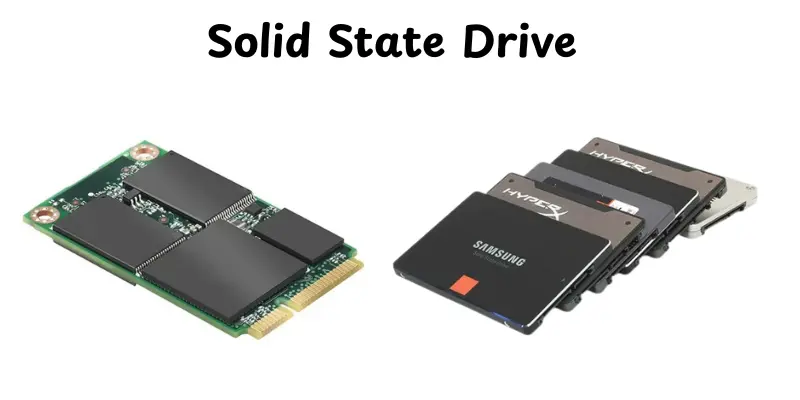
Solid State Drive (SSD)
A solid state drive (SSD) is a type of storage device that stores data using flash memory. Unlike traditional hard drives, it has no moving parts, making it quicker, stronger and energy-efficient.SSDs are perfect for increasing computer speed, reducing boot times and providing smooth running of apps.
Key Features:
- Uses NAND flash memory for fast data access
- No moving mechanical parts, reducing wear and tear
- High read/write speeds for quick file transfer
- Energy-efficient and produces less heat
- Lightweight and compact, suitable for laptops and desktops
Examples:
- Samsung 970 EVO Plus
- Crucial MX500
- WD Black SN750
USB Flash Drive
A USB Flash Drive is a portable storage device that connects to a computer through the USB port. It’s lightweight, small and easy to transfer files between devices.Flash drives are often used for data backup, document storage and fast information sharing.
Key Features:
- Portable and easy to carry anywhere
- Plug-and-play functionality, no installation required
- Fast read/write speeds for everyday file transfer
- Durable and resistant to minor physical shocks
- Available in various storage capacities, from 8GB to 1TB
Examples:
- SanDisk Cruzer Glide
- Kingston DataTraveler
- Samsung BAR Plus
Compact Disc (CD)
A compact disc (CD) is an optical storage media that holds digital data like music, software, and documents.CDs are fully compatible with computers, CD players and other multimedia devices.They are dependable for long-term storage and file transfer in physical format.
Key Features:
- Stores data using optical technology for durability
- Compatible with CD drives and many media players
- Can store up to 700 MB of data or 80 minutes of music.
- Resistant to magnetic interference
- Can be read many times without degrading the data
Examples:
- Music CDs from major artists
- Software installation CDs like Microsoft Office
- Data backup CDs for personal or office use
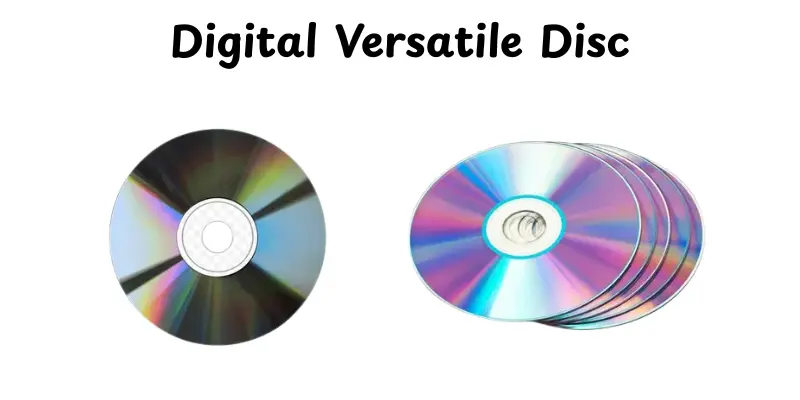
Digital Versatile Disc (DVD)
A DVD is an optical disk that can store much more data than a CD.It is commonly used for movie, software, game and data backups. DVDs are reliable for long-term storage and easy to share.
Features:
- Can store 4.7 GB to 8.5 GB of data depending on single or dual layer.
- Offers higher video and audio quality compared to CDs.
- Compatible with DVD players, computers and gaming consoles.
- Durable with proper care, resistant to minor scratches.
- Supports both read-only and rewritable versions (DVD-R, DVD-RW).
Examples:
- Movie DVDs like Avengers: Endgame or Frozen II.
- Software installation discs like Microsoft Office or Adobe Photoshop.
- Game DVDs for consoles such as PlayStation or Xbox.
Blu-ray Disc
A Blu-ray Disc is a high-capacity optical disk designed for high-definition video and huge data storage.It can store much more data than DVDs, making it useful for movies, applications and backups.Blu-ray discs are usually used for both personal entertainment and professional data storage.
Features:
- Can store 25 GB on a single-layer disc and 50 GB on a dual-layer disc.
- Supports high-definition (HD) and ultra-high-definition (UHD) video playback.
- Compatible with Blu-ray players, computers, and gaming consoles.
- Durable with scratch-resistant coatings for long-term use.
- Available in read-only (BD-ROM), recordable (BD-R) and rewritable (BD-RE) formats.
Examples:
- HD movies like Inception or Avatar.
- Software backups such as Windows OS installation discs.
- Game discs for PlayStation 4 or PlayStation 5.
Memory Card (SD / MicroSD)
Memory cards are small, portable storage devices that store data in cameras, smartphones, tablets and other electronic devices.They are small but capable of carrying a lot of data, making them ideal for on-the-go storage and transmission.Memory cards are available in a variety of sizes and speeds to suit different devices and demands.
Features:
- Available in different storage capacities, from 4 GB up to 1 TB.
- Compact and portable, easy to carry or insert into devices.
- Fast read/write speeds for transferring files quickly.
- Durable and often water, shock and temperature-resistant.
- Compatible with SD, SDHC, SDXC or MicroSD formats depending on the device.
Examples:
- MicroSD card for smartphones and tablets.
- SD card for DSLR cameras and camcorders.
- High-speed SDXC card for 4K video recording and professional photography.
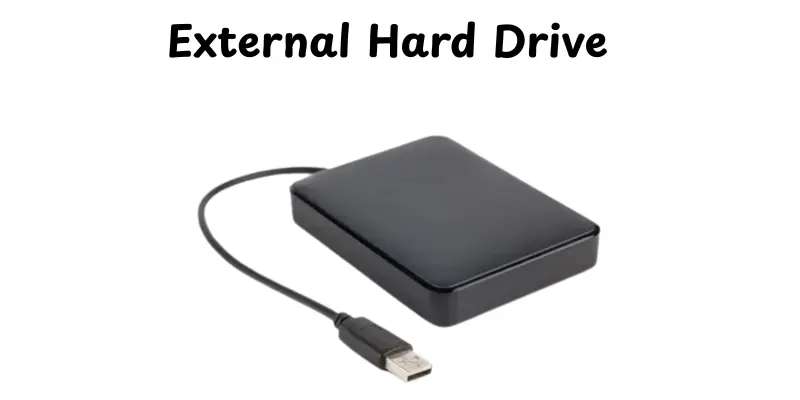
External Hard Drive
External hard drives are portable devices that can store huge amounts of data.They connect to PCs through USB, Thunderbolt or eSATA interfaces, making them suitable for backups, file transfers and storage extension.Their portability makes them an excellent choice for both personal and business use.
Features:
- Large storage capacity, often ranging from 500GB to several terabytes.
- Fast data transfer speeds depending on the interface (USB 3.0, USB-C, Thunderbolt).
- Portable and easy to connect to multiple devices.
- Can store multiple types of files like documents, videos, photographs and software.
- Durable and often shock-resistant for added protection.
Examples:
- Seagate Backup Plus Portable
- Western Digital My Passport
- Toshiba Canvio Basics
Magnetic Tape
Magnetic tape is a typical secondary storage technology that continually stores data on a long strip of magnetic material.Its huge capacity and long shelf life make it ideal for large-scale backups, file storage and disaster recovery.Though slower than current storage, it is actually cost-effective for storing huge amounts of data.
Features:
- Extremely high storage capacity, suitable for terabytes of data.
- Durable and long-lasting, ideal for archival purposes.
- Cost-effective for storing large datasets.
- Sequential access, which is slower than random access but efficient for backups.
- Resistant to physical shocks compared to hard drives.
Examples:
- IBM 3592 Tape Drive
- HPE StoreEver LTO Ultrium
- Quantum Scalar Tape Library
Cloud Storage
Cloud storage is an online storage solution that lets you save and access data by the internet. It gives flexibility, remote access and automatic backups, making it suitable for personal, commercial and team use Unlike hard disks, your data is kept on secure servers managed by cloud providers.
Features:
- Accessible from anywhere with an internet connection.
- Automatic backup and synchronization across devices.
- Scalable storage to increase or decrease based on your needs.
- High security with encryption and multi-factor authentication.
- Reduces the risk of hardware failure or physical damage.
Examples:
- Google Drive
- Dropbox
- Microsoft OneDrive
Conclusion
So, in this article, we’ve covered all of the most common examples of secondary storage devices, like SSDs and USB drives, cloud storage and magnetic tapes.Understanding these storage options enable you to select the best device for your data, job or personal needs.If you ask me, understanding how each storage type works is vital because it protects your data and simplifies your digital life.Continue exploring, friends and stay tuned for more tech tips!
FAQs
Secondary memory examples include hard drives, SSDs, USB drives, CDs, DVDs, Blu-ray discs, memory cards, magnetic tapes, cloud storage, and external hard drives. These devices store data permanently, even when the computer is off.
They are called secondary because they provide long‑term storage for data instead of the primary memory (RAM) which loses data when the system powers off.These are non‑volatile and hold files, applications and backups.
Yes, both USB flash drives and memory cards fall under secondary storage. They use flash memory to store data permanently and are very portable for transferring files between devices.
Look at storage capacity, speed, durability, portability, and cost. For example, choose large‑capacity HDDs for cheap storage or SSDs for faster access.Also ensure compatibility with your device and purpose.
Five common storage devices are hard drives, SSDs, USB flash drives, CDs and memory cards.They help you save and access data whenever needed.





- Be Respectful
- Stay Relevant
- Stay Positive
- True Feedback
- Encourage Discussion
- Avoid Spamming
- No Fake News
- Don't Copy-Paste
- No Personal Attacks
- Be Respectful
- Stay Relevant
- Stay Positive
- True Feedback
- Encourage Discussion
- Avoid Spamming
- No Fake News
- Don't Copy-Paste
- No Personal Attacks
