What Are Optical Storage Devices? From CDs to Blu-ray Discs
Published: 14 Nov 2025
Did you know that optical storage devices like CDs, DVDs and Blu-ray discs have been used for over 30 years to accurately store digital data? These discs use light technology to read and write data, making them suitable for long-term storage. In this article, we will look at what optical storage devices are, how they work, the many types, and where they continue to be used today.By the end, you’ll see why these devices are still relevant in the modern world.
What Are Optical Storage Devices?
Optical storage devices use laser technology to read and store data.They use light to store information on a reflecting surface, which is often made up of small holes and surfaces on a disk.These devices can store huge amounts of data, such as movies, music and software. Common examples are CDs, DVDs and Blu-ray disks.Optical storage is dependable, portable and suitable for long-term data storage.It is also a popular option for backup, media distribution and keeping important data.

Importance of Optical Storage Devices
Optical storage devices play an important role in the safe storage and distribution of digital data. They are reliable, simple to use, and help to save important details for a long time. Let’s see why these devices are still useful today:
- Provide long-term data storage without risk of sudden data loss.
- Portable and easy to share, ideal for movies, music and software.
- Cost-effective for storing large files compared to many other options.
- Durable and secure, resistant to electrical damage or magnetic interference.
- Useful for backups, media distribution and archival purposes.
How Do Optical Storage Devices Work?
Optical storage devices use light to read and write data.They use a laser beam to detect and record data on a glossy disk surface.The method is rapid, exact and allows for the secure storage of data over a long period of time.
- A laser beam shines onto the disc surface inside the drive.
- The surface of the disc has tiny pits and flat areas that represent data.
- The laser reads these patterns by detecting how light reflects back.
- The drive then converts the light signals into digital data your computer can understand.
- In writable discs, the laser burns data onto the surface, creating new pits to store information.
Types of Optical Storage Devices
There are several types of optical storage devices used to store and read data.Every type functions similarly, but has different capacities and purposes.Here are the key types you’ll come across:
- CD (Compact Disc)
- DVD (Digital Versatile Disc)
- Blu-ray Disc
- CD-ROM (Read-Only Memory)
- CD-RW (Rewritable Disc)
- DVD-R and DVD+R
- DVD-RW and DVD+RW
- MiniDisc
CD (Compact Disc)
A Compact Disc (CD) is one of the first optical storage media designed to save music, software and small data files.It can often contain up to 700 MB of data, making it ideal for basic music and document backups.
DVD (Digital Versatile Disc)
A DVD can store much more data than a CD, often up to 4.7 GB on a single layer.It is common for movies, software installation files and data that requires extra space without reducing portability.
Blu-ray Disc
A Blu-ray Disc is intended for high-quality video and big gaming files.It has a far greater capacity—25 GB to 100 GB depending on layers and provides better video quality and quicker data reading performance than DVDs.
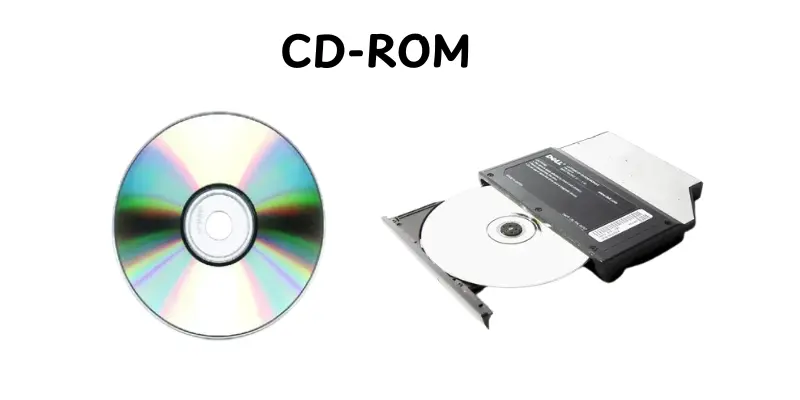
CD-ROM (Read-Only Memory)
A CD-ROM is a read-only disc that contains pre-recorded data.You can see the information but not modify or delete it.These are commonly used for software installation disks and databases.
CD-RW (Rewritable Disc)
A CD-RW allows you to write, delete, and rewrite data many times. It’s ideal for testing, temporary storing, and distributing data that may require updates in the future.
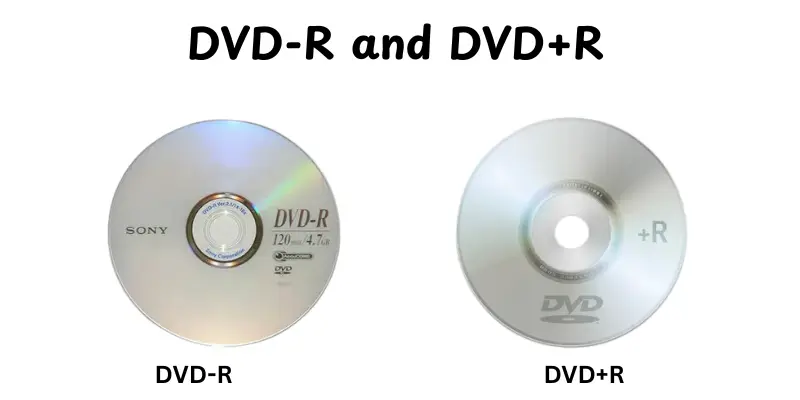
DVD-R and DVD+R
DVD-R and DVD+R are both write-once discs that can be used to record videos, make backups or store files permanently.Once data is written on these disks, it cannot be changed or removed.
DVD-RW and DVD+RW
These are rewritable DVDs, which allow users to reuse the disk several times.They are ideal for temporary backups or file transfers requiring frequent changes.
MiniDisc
A MiniDisc is a compact, portable optical disk designed mainly for storing and playing digital audio.Though less common now, it was previously popular for music players and pocket recorders because of its small size and durability.

Key Features of Optical Storage Devices
Optical storage devices have special capabilities that make them reliable and simple to save and share data.These properties help people understand why optical media continues to be used in many different types of applications today.Here are some of the main features:
- Laser Technology: Uses laser beams to read and write data with high precision and accuracy.
- Portability: Lightweight and easy to carry, making data sharing simple.
- Durability: Resistant to dust, scratches and magnetic fields, ensuring data stays safe for years.
- Cost-Effective: Discs like CDs and DVDs are inexpensive compared to other storage options.
- High Storage Capacity: Blu-ray and DVDs offer large storage sizes for videos, games and backups.
- Rewritable Options: Some discs (like CD-RW or DVD-RW) allow users to erase and rewrite data.
- Long Lifespan: Properly stored optical discs can last for decades without data loss.
- Plug and Play: Simply put into a suitable drive and you’ll have fast access to your data.
Uses of Optical Storage Devices
Optical storage devices have become common because they store data safely and enable easy sharing.They’re popular for both personal and professional reasons. Here are the main applications of optical storage devices:
- Music Storage- CDs and MiniDiscs are used to store songs and albums.
- Video Storage- DVDs and Blu-ray discs store movies, TV shows and high-definition videos.
- Software Distribution- Optical discs are used to install software and operating systems.
- Data Backup- CDs, DVDs and Blu-ray discs help keep important files safe for the long term.
- Gaming- Blu-ray discs store large video games for consoles like PlayStation and Xbox.
- Education & Learning- Optical discs are used to distribute e-learning materials and tutorials.
- Archival Storage- Companies use optical media to store records and documents securely.
- Multimedia Presentations- Optical discs are used to store slides, videos and interactive presentations.
Advantages and Disadvantages of Optical Storage Devices
Optical storage devices are widely used for storing and sharing data. They come with clear benefits but also have some limitations to consider.
| Advantages |
|---|
|
| Disadvantages |
|---|
|
Future of Optical Storage Devices
Optical storage systems have been around for decades, but the technology is continually changing.While newer storage technologies like SSDs and cloud storage are gaining popularity, optical media continues to play a role in some situations.Here is what the future looks like.
- High-Capacity Discs– Development of discs with larger storage, like archival Blu-ray discs holding hundreds of GBs.
- Archival and Backup Use– Long-term storage for data that needs to remain secure for years.
- Durability Improvements– Enhanced materials to make discs more scratch- and heat-resistant.
- Integration with Professional Media– Continued use in film, music and large-scale media distribution.
- Niche Markets– Specialized industries like medical imaging, government records, and legal archiving may continue using optical storage.
Conclusion
So, in this article, we’ve covered everything from optical storage device types and function to useful features, applications, benefits, drawbacks and future opportunities.If you ask me, understanding these devices is important because it helps you to select the best storage option for your data, whether it’s for backups, media or long-term storage.Continue exploring and stay tuned for more easy and valuable tech help!
FAQs
CDs, DVDs, and Blu-ray discs are common forms of optical storage.These discs can use light patterns to store data, are used for music, movies, software and backup purposes. They are suitable for long-term storage.
An optical device is computer hardware that reads or writes data with a laser.CD, DVD and Blu-ray drives are some examples.They allow you to access and save data on optical disks.
A DVD drive is a commonly used optical device. It can read DVDs and possibly CDs.Blu-ray players are another example of high-capacity storage.
Optical storage devices are used to save music, movies, software and data backups.They help to keep information safe and portable.Many people use them for long-term data storage and file sharing.
The most common types are CDs, DVDs, Blu-ray discs, CD-ROMs, CD-RWs, DVD-RWs, and MiniDiscs.Every type has a unique storage capacity and usefulness.They are all used to read and write data with lasers.
Yes, a DVD is an optical storage device.It saves data through laser technology.DVDs have a larger storage capacity than CDs, making them useful for movies and big files.
A laser beam beams on the disc’s surface, reading the pattern of holes and impacts.The tool then converts the patterns into digital data.This allows computers and players to access data, music and movies.






- Be Respectful
- Stay Relevant
- Stay Positive
- True Feedback
- Encourage Discussion
- Avoid Spamming
- No Fake News
- Don't Copy-Paste
- No Personal Attacks
- Be Respectful
- Stay Relevant
- Stay Positive
- True Feedback
- Encourage Discussion
- Avoid Spamming
- No Fake News
- Don't Copy-Paste
- No Personal Attacks
