What Is RAM? Types, Functions and Importance Explained
Published: 15 Nov 2025
Ever opened your computer and wondered why it slows down even when you only have a few apps running? It can feel confusing when you don’t know what’s happening inside your device.Do not worry, this guide will clarify everything. In simple steps we’ll explain what is RAM, how it works, why it’s important and how much you really need.If you want to learn more about how memory works, learn our guide on the differences between RAM and ROM to discover how these two types of memory have different purposes.
What Is RAM?
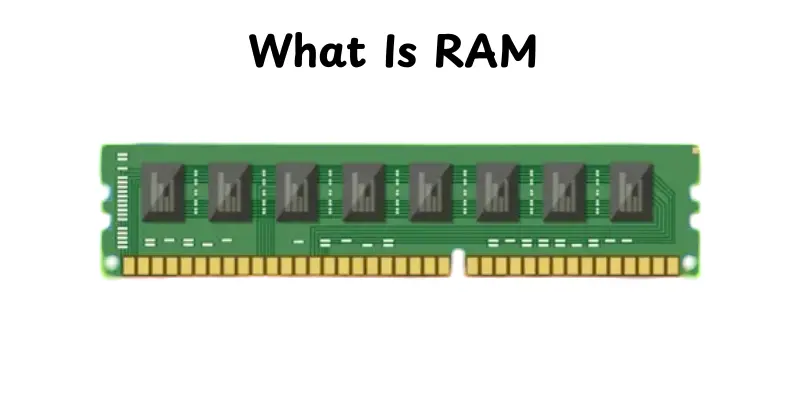
RAM stands for Random Access Memory. It is a part of computer memory that stores the data your device requires right now.The information in RAM is only stored while the device is powered on.When you open a software, it loads into RAM so that it can run quickly.More RAM allows your device to do many tasks at the same time.This makes your computer run more easily and quickly.
Why RAM is important
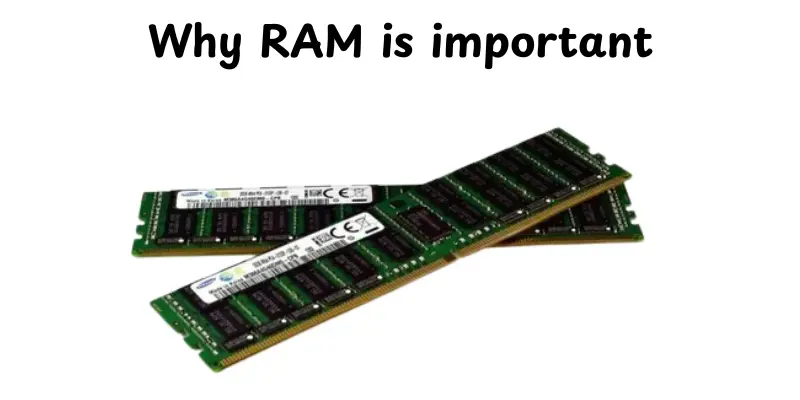
RAM has a major impact on how quick and smooth a device appears.It enables your computer to do multiple tasks at the same time.It also speeds up app loading and makes sure that they work smoothly.
- It supports fast multitasking.
- It helps apps open and respond quickly.
- It reduces lag during heavy tasks.
- It allows the system to run smoothly.
- It improves overall device performance.
How Does RAM Works
RAM helps the device run faster by storing the data it needs right now.It provides the computer with an easy method to store and use information.This makes all tasks feel smoother and easier.
- RAM stores data only while the device is on.
- It sends needed information to the CPU quickly.
- When you open an app, its data loads into RAM for fast use.
- It clears old data to make space for new tasks.
- More RAM lets the device handle more work at the same time.
Types of RAM
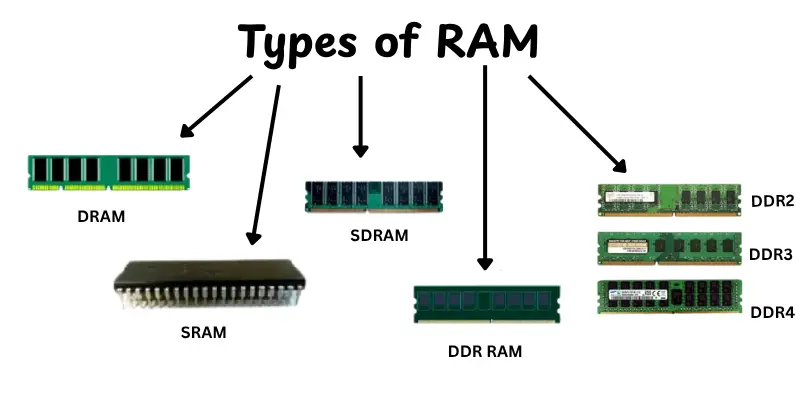
RAM comes in different forms and each type helps a device work in its own way.Knowing the different categories helps you understand how computers store and use temporary data. Here are the most popular types you’ll see these days.
- DRAM stores data for a short time and refreshes often.
- SRAM is faster and holds data longer without constant refreshing.
- SDRAM works in sync with the computer’s clock for smoother performance.
- DDR RAM is a faster version used in modern computers.
- DDR2, DDR3, DDR4, DDR5 are improved generations of DDR with higher speed and better performance.
Function of RAM
RAM makes your device run faster by providing a rapid area to read and use active data. It provides excellent performance when opening apps, switching tasks, or running programs. Without it, even basic tasks would feel slow.
- Holds active data your device needs right now.
- Supports multitasking by keeping several apps ready to use.
- Helps the CPU work faster by giving quick access to information.
- Loads apps and files so they open smoothly.
- Keeps the system stable during heavy tasks like gaming or editing.
RAM Size and Speed Explained
RAM’s size and speed determine how well the device performs daily activities.A greater size helps you to start many apps at once.A greater speed helps your computer to move data faster, making things feel smoother.
- RAM Size (GB) shows how much data your device can hold at one time.
- More RAM means better multitasking and fewer slowdowns.
- RAM Speed (MHz) tells how fast data moves in and out of the memory.
- Higher speed helps apps load quickly and respond faster.
- Both size and speed work together to improve overall performance.
Why RAM Matters for Performance
RAM has a major impact on how quick and smooth your device feels. It allows your computer to process tasks without waiting or slowing down. With proper RAM, everything from basic browsing to hard work becomes easier
- Keeps apps running smoothly without long waiting times.
- Helps with multitasking so you can switch between tasks easily.
- Reduces lag when using heavy apps or large files.
- Supports gaming and editing by giving fast access to needed data.
- Improves overall speed and makes the system feel more responsive.
How Much RAM Do You Need?
The right amount of RAM is selected by the purpose for which you use your device. Too little RAM can cause everything to slow down, but enough RAM keeps your computer running smoothly and responsive. Here’s a simple guide to help you select.
- Basic use (browsing, videos)– 4GB to 8GB is usually enough.
- Office work and students– 8GB to 16GB handles documents, spreadsheets and apps easily.
- Gaming and graphic design– 16GB to 32GB helps run games and editing software smoothly.
- Professional workloads– 32GB or more is best for video editing, 3D work or heavy multitasking.
How to Upgrade RAM
Upgrading RAM can speed up your computer and increase multitasking. Before buying more memory, make sure your device is suitable and there are sufficient spaces available. Follow these easy steps for a safe upgrade.
- Desktops– Open the case, remove old RAM if needed and insert new sticks into empty slots.
- Laptops– Open the back panel, locate the RAM slots and carefully add or replace modules.
- Check compatibility– Make sure the new RAM matches your system’s type and speed.
- Power off first– Always turn off and unplug the device before upgrading.
- Test after installation– Turn on the device and check if the system recognizes the new RAM.
Advantages and Disadvantages of RAM
In this part, we’ll look at the advantages and disadvantages of RAM.Understanding both helps you to understand why it is important and what limitations occur.
| Advantages of RAM |
|---|
|
| Disadvantages of RAM |
|---|
|
Conclusion
So, in this article, we’ve covered what is RAM, how it works, its many types, purposes and why it’s important for your device’s performance.I recommend keeping an eye on your RAM and make sure you have enough for your daily tasks, gaming or work, because it makes your computer look quicker and more fluid.Keep learning and exploring, everyone and make the most of your devices!
FAQs
RAM is a type of memory that stores the data that your computer is now consuming. It helps applications run faster and makes multitasking easier.
RAM stands for Random Access Memory.It temporarily holds information your device needs to work fast.
RAM is the memory that lets your computer perform applications and operations rapidly. It clears data when the device turns off.
If you use your computer for browsing and simple tasks, 8GB is enough.For gaming, editing, or heavy multitasking, 16GB works better.
Both are important but they perform different functions.The CPU performs tasks but RAM improves CPU performance by storing active data.
Yes, extra RAM allows your device to handle more programs at once and reduces slowdowns.It doesn’t speed up the CPU, but it improves overall performance.
Yes, RAM can fail over time.Faulty RAM can cause crashes, freezes or errors in programs.
DDR5 is faster and better for modern computers, especially for gaming or heavy work. For basic tasks, older DDR4 still works fine.





- Be Respectful
- Stay Relevant
- Stay Positive
- True Feedback
- Encourage Discussion
- Avoid Spamming
- No Fake News
- Don't Copy-Paste
- No Personal Attacks
- Be Respectful
- Stay Relevant
- Stay Positive
- True Feedback
- Encourage Discussion
- Avoid Spamming
- No Fake News
- Don't Copy-Paste
- No Personal Attacks
