Top 10 Functions of RAM That Make Your Computer Faster
Published: 16 Nov 2025
RAM helps your computer work fast by holding the data it needs right away.When you know the top 10 functions of ram, you understand why your device slows down or speeds up.It also helps you make better choices when buying a new computer.In this article, you will learn each function in simple words so you can understand how RAM really works.
Top 10 function of RAM
RAM plays a key role in helping your computer work smoothly.It boosts speed, reduces loading time and keeps apps running without freezing.When your RAM works well, your system feels faster and more responsive.It also helps you handle more tasks at the same time without slowing down.
- Temporary Data Storage
- Helps Run Programs
- Fast Data Movement
- Quick File Loading
- Stores Short-Term Cache
- Supports Multitasking
- Smooth Buffer Handling
- Quick Data Retrieval
- Boosts System Speed
- Runs Apps Smoothly
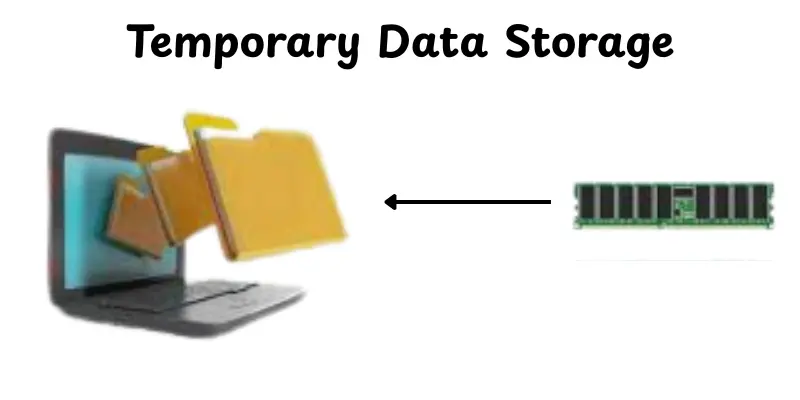
1. Temporary Data Storage
RAM keeps data for a short time while you work.It stores information your computer needs right now.This helps the system respond quickly.When you close the device, the stored data clears automatically.
- Holds active data
- Speeds up daily tasks
- Clears when the device shuts down
2. Helps Run Programs
Programs work smoothly because RAM gives them space to run.It keeps the necessary data ready for quick use.This reduces delays during work. It also helps apps stay stable.
- Supports program tasks
- Keeps apps steady
- Reduces extra start times
3. Fast Data Movement
RAM transfers data fast between different parts of the system.This enables the computer to complete tasks faster.The quick transfer keeps everything operating properly.It also minimizes waiting times.
- Moves data quickly
- Helps tasks finish faster
- Reduces delays
4. Quick File Loading
Files open faster when the data is handled by RAM.It decreases long waiting times.Larger files also load more quickly.This makes work feel easier.
- Opens files quickly
- Handles large files well
- Reduces loading time
5. Stores Short-Term Cache
RAM uses cache to store little pieces of repetitive data.This enables applications to load faster.The system does not need to collect data again and again.It keeps performance constant.
- Speeds up repeated tasks
- Holds cache data
- Keeps the system operating properly
6. Supports Multitasking
RAM helps you to operate many programs continuously without slowing down.It keeps the data from each running app.This makes switching between tasks easier.You can operate smoothly without freezing.
- Contains lots of app data.
- Helps smooth switching
- Prevents app crashes
7. Smooth Buffer Handling
RAM is responsible for buffering movies, music, and downloads.It provides continuous playback.This simplifies stopping and skipping.It also improves the viewing experience.
- Supports smooth playback
- Minimize the buffering time
- Keeps streams stable
8. Quick Data Retrieval
RAM provides the computer with quick access to important data.This saves time on jobs.The system does not need to look for deeper storage.Everything feels quicker and cleaner.
- Fast data access
- Reduces search time.
- Improves response speed
9. Boosts System Speed
More RAM makes your computer faster.It provides applications more space to operate.This increases overall performance.It also helps the system remain steady.
- Speeds up the device
- Improves app performance
- Keeps tasks active
10. Runs Apps Smoothly
Apps run better when RAM is available.It loads the info quickly.This lowers freezing and failures.It simplifies your job and reduces stress.
- Supports app loading
- Reduces impacts
- Keeps performance smooth
Conclusion
Understanding the top 10 functions of RAM helps you see how your computer handles speed, multitasking and daily tasks.We talked about how RAM stores data, supports apps, reduces lag and keeps everything running smoothly.Knowing these points helps you make better choices when buying or upgrading a device.It also reminds you that every function works together to keep your system stable and fast.Think smart before choosing.
FAQs
RAM’s main work is to hold data and instructions that your computer needs right now.It gives the CPU fast access to this active data.Because of this, tasks run more quickly and smoothly. Without enough RAM, your system slows down.
RAM stores data for all the apps you have open.This lets you switch between apps without long delays.It keeps different program data ready at the same time.So, you can run several apps without crashing or slowing down.
Games push lots of data, like graphics and backgrounds, into RAM.With enough memory, your system can load game files faster.This reduces frame drops and stutters.It also helps background game tasks run smoothly.
When RAM gets full, your computer can’t store more ‘working’ data there.It may use something called virtual memory, which lives on your hard drive.But hard drive memory is much slower, so performance drops.You’ll likely feel lag or delays.
No, RAM is volatile. When you turn off your computer, everything stored in RAM disappears.It only keeps data while the computer is on or in use.Long-term storage needs to go to your hard drive or SSD.
RAM is used for temporary storage, reading files, loading programs, executing instructions, buffering data, caching, multitasking, data transfer, storing intermediate results and quick access to active system data.
When a CPU runs a program, RAM holds the intermediate results of calculations so the processor can quickly use them in the next steps.This saves time compared to writing and reading back from slower storage.
RAM acts as a cache by storing frequently used data so the CPU can access it much faster than going to the main storage (like SSD or HDD). This speeds up system performance.
While programs are running, RAM temporarily holds the data being transferred between the CPU and storage or input/output devices. This makes the transfer process faster and smoother.





- Be Respectful
- Stay Relevant
- Stay Positive
- True Feedback
- Encourage Discussion
- Avoid Spamming
- No Fake News
- Don't Copy-Paste
- No Personal Attacks
- Be Respectful
- Stay Relevant
- Stay Positive
- True Feedback
- Encourage Discussion
- Avoid Spamming
- No Fake News
- Don't Copy-Paste
- No Personal Attacks
