What is Computer? Simple Explanation for Students and Beginners
Published: 3 Dec 2025
Did you know that over 5 billion people worldwide use computers daily, whether directly or through smartphones?Computers are part of almost everything we do today, from studying and working to shopping and talking with others. They help us complete tasks faster and manage information efficiently. Many people use computers every day but do not fully understand how they work.
This guide is made to clear that confusion step by step. In this guide, you will learn what is computer, how it works, and why it is helpful in daily life. We will also cover its main parts, common types, and basic uses. By the end, you will feel more confident using and understanding computers.
What is Computer?
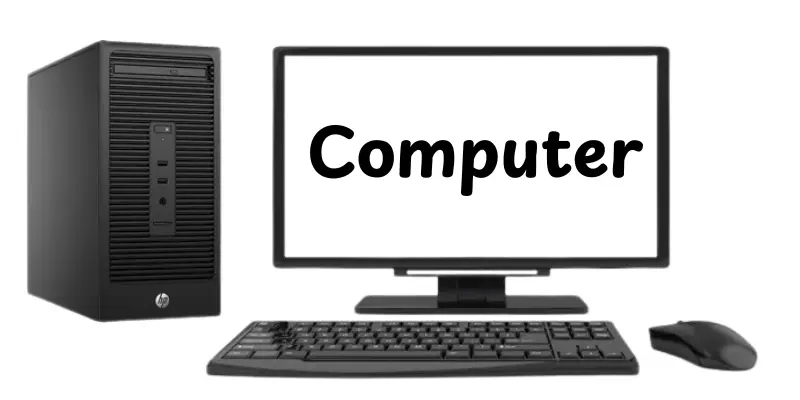
A computer is an electronic machine that helps people work with information. The word computer comes from the idea of calculating or counting data. It takes input such as text, numbers, or pictures from the user. The computer then processes this input by following instructions. After processing, it gives output in the form of results or information. People use computers to study, work, communicate and solve everyday problems.
History of Computers
The history of computers shows how they developed step by step over time. Each stage made computers faster, smaller and easier to use.
- 3000 BC – The abacus was invented as the first counting tool.
- 1600s – Mechanical calculators were made to solve fundamental math problems.
- 1800s – Charles Babbage designed the Analytical Engine, the first computer concept.
- 1822 – Charles Babbage designed the Difference Engine for calculations
- 1936 – Alan Turing introduced the idea of a universal machine
- 1943–1946 – ENIAC became the first electronic digital computer
- 1951 – UNIVAC I was the first commercial computer
- 1960s – Computers started using transistors instead of vacuum tubes
- 1971 – The first microprocessor was introduced
- 1980s – Personal computers became common in homes and offices
- 1990s – The Internet changed how computers were used
- 2000s to present – Computers became mobile, faster, and smarter
Importance of the Computer
Computers play a useful role in our daily life. They make work easier, faster and more accurate. Today, almost every field depends on computers.
- Computers save time by doing tasks quickly
- They help students learn and research easily
- Offices use computers to manage work and data
- Doctors use computers for tests and records
- Businesses use computers to track sales and money
- Computers help people communicate worldwide
- They store large amounts of information safely
How does a Computer work
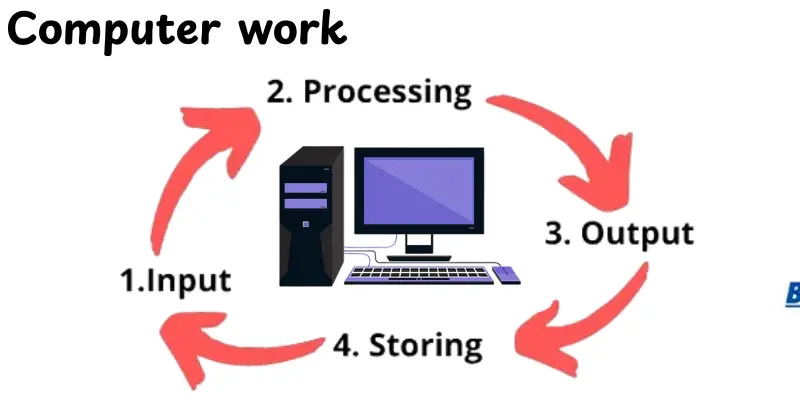
A computer works by following clear steps to complete any task you give it. It takes input, processes the information, and then shows the result in a simple and fast way.
- Input – The computer receives data through devices like a keyboard, mouse, or camera
- Processing – The CPU processes the data by following instructions from the Software
- Storage – Data is saved temporarily in RAM or permanently on a hard drive
- Output – The computer shows results through a monitor, printer, or speakers
- Control – The motherboard and system manage how all parts work together
Main Parts of a Computer
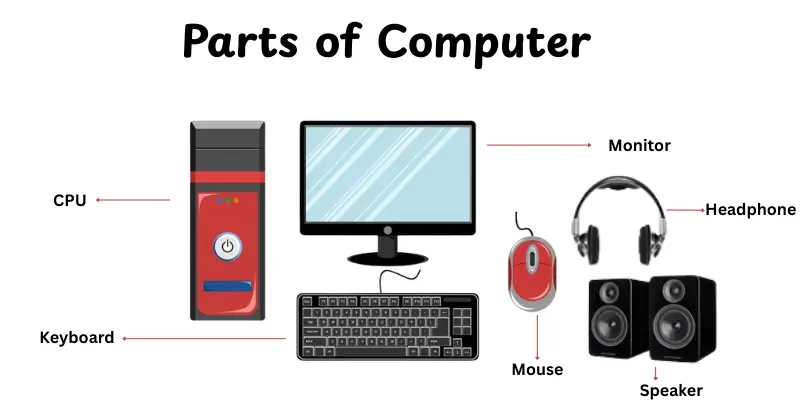
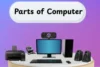
A computer is made up of different parts that work together to perform tasks. Each part has a special role in making the computer useful.Here’s are some useful parts of computer:
- Input Devices – Tools like a keyboard and a mouse that allow users to give commands.
- Output Devices – Devices like monitors and speakers that show results and sounds.
- Central Processing Unit (CPU) – The computer’s “brain” is responsible for data processing.
- Memory (RAM) – Stores data temporarily while the computer is working.
- Storage Devices – Hard drives, SSDs, or USBs that keep information for long-term use.
- Motherboard – The main circuit board that connects all computer parts.
- Power Supply Unit (PSU) – Provides power to run the computer.
Types of Computer
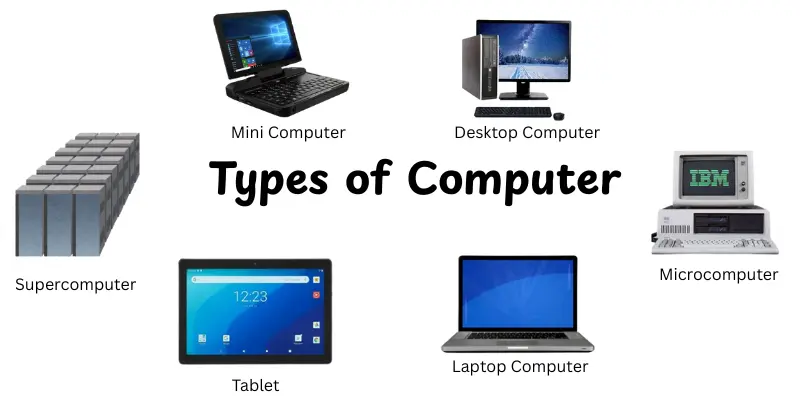
Computers come in different types based on their size, power, and use. Each type serves a specific purpose for work, study, or entertainment. Understanding these types of computers helps you choose the right one for your needs.
- Desktop Computer – A personal computer designed to stay on a desk for home or office use
- Laptop Computer – A portable computer you can carry and use anywhere
- Tablet – A touchscreen device for browsing, reading, and light work
- Smartphone – A small computer in your pocket for calls, apps, and the internet
- Supercomputer – A high-speed and powerful computer used for research and complex calculations
- Mainframe – Large computers used by big organizations to process lots of data at once
- Mini Computer – Mid-sized computers used by small organizations.
- Microcomputer (PC) – Common personal computers for home, school, and office use.
Uses of Computers in Daily Life
Computers are used in many areas of daily life and work. They help us complete tasks faster, store information and communicate efficiently. Here are some typical applications of computers:
- Education – Helps students learn, research, and complete assignments
- Office Work – Used for writing, data entry, and managing documents
- Banking – Manages accounts, transactions, and online banking services
- Healthcare – Assists in patient records, tests, and medical research
- Communication – Enables emails, video calls, and social media
- Entertainment – Used for games, movies, and music
- Science & Research – Performs calculations, simulations, and experiments
- Business & Marketing – Tracks sales, inventory, and customer data
- Government Services – Manages records, public services, and administration
- Transportation – Helps in traffic management, GPS, and logistics planning
Advantages and Disadvantages of Computers
In this section, we will look at the benifits and drawbacks of computers. Understanding both helps you use them wisely and avoid common problems.
| Advantages of Computers |
|---|
|
| Disadvantages of Computers |
|---|
|
Tips for Beginners
Starting with computers can feel confusing at first, but small steps make a big difference. These beginner tips will help you learn faster and use your computer with more confidence. Here are some simple tips to help you get started.
- Start with Basics – Learn how to turn on/off, use the mouse, and type with the keyboard.
- Keep Software Updated – Regular updates keep your computer safe and fast.
- Use Antivirus Protection – Protects your files from viruses and malware.
- Learn Shortcuts – Simple keys like Ctrl+C (copy) and Ctrl+V (paste) save time.
- Organize Files – Save documents in folders so you can find them quickly.
- Take Breaks – Avoid sitting too long; rest your eyes and stretch.
- Back Up Data – Keep backups of essential data on a flash drive or in the cloud.
- Explore Slowly – Don’t rush; practice daily to build confidence.
Computers in the Modern World
Computers shape how we live, work, and communicate in today’s fast world. They make daily tasks easier and help people stay connected everywhere.Modern computers connect people, store information, and make tasks faster and easier.
- Education – Students and teachers use computers for learning, research, and online classes
- Workplaces – Businesses rely on computers for communication, accounting, and project management
- Healthcare – Hospitals use computers for patient records, diagnostics, and treatments
- Communication – Computers enable emails, video calls, and social networking worldwide
- Entertainment – People watch movies, play games, and listen to music
- Science & Technology – Researchers use computers for simulations, experiments, and data analysis
- Banking & Finance – Computers manage accounts, transactions, and online banking securely
Conclusion
In this guide, we covered everything about what is computer, including its history, main parts, types, uses, advantages, and disadvantages. Computers are powerful tools that make learning, working, and communicating much easier. I recommend that you spend time exploring and practicing with computers, as they are essential for both daily life and future opportunities. So, folks, keep learning, stay curious, and enjoy discovering all the ways computers can help you!
FAQs
These are the often asked questions about what a computer is:
A computer is a machine that helps you work with information. It can take input, process it, and give output quickly. People use computers for learning, working, and having fun. It makes tasks easier and faster than doing them by hand.
Charles Babbage is known as the “Father of the Computer” because he designed the first model in the 1800s. Later, electronic computers were built in the 1940s. His ideas shaped the computers we use today.
A computer has several main parts that work together. The CPU acts as the brain, processing information. Input devices like a keyboard or mouse let you give commands. Output devices, such as a monitor or printer, display the results, and memory stores the data.
Computers are used for studying and learning new things. They help people communicate through emails, video calls, and social media. Businesses use them to manage work, money, and data. Computers also provide entertainment, such as games, movies, and music. Finally, they help with online shopping and banking.
Computers work very fast and save a lot of time. They help store and organize large amounts of information. Computers make tasks like calculations, communication, and research easier. They also allow people to learn, work, and entertain themselves efficiently.
Computers can cause eye strain and health problems if used too much. People may become too dependent on them and lose manual skills. They are also at risk of viruses and data loss. Some computers can be expensive to buy and maintain.
Yes, a smartphone is a type of computer. It can process information, store data, and run programs. Smartphones let you communicate, browse the internet, and do many tasks like a regular computer. They are small and portable but very powerful.
The word COMPUTER does not have an official complete form, but people often use a popular expanded version for learning purposes:
C – Common
O – Operating
M – Machine
P – Purposely
U – Used for
T – Technological
E – Educational
R – Research





- Be Respectful
- Stay Relevant
- Stay Positive
- True Feedback
- Encourage Discussion
- Avoid Spamming
- No Fake News
- Don't Copy-Paste
- No Personal Attacks
- Be Respectful
- Stay Relevant
- Stay Positive
- True Feedback
- Encourage Discussion
- Avoid Spamming
- No Fake News
- Don't Copy-Paste
- No Personal Attacks
