Powerful Types of Computers That Will Transform Your Work
Published: 4 Dec 2025
Imagine you’re looking for a new device and see options like laptops, desktops, tablets, and servers. It can be difficult to choose which one is best for you.Learning all types of computers helps you to choose the best device for business, gaming, or education without wasting money.In this article, we’ll look at the different types in simple, easy-to-understand language.
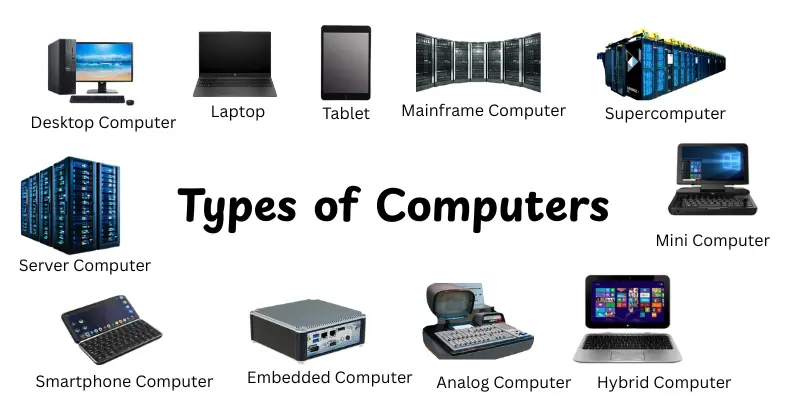
Types of Computers
Knowing the different types of computers allows you to choose the best one for work, study, or enjoyment. Each kind has unique features, capabilities, and practical uses.Here’s are many types of computer:
- Desktop Computer
- Laptop
- Tablet
- Server Computer
- Mainframe Computer
- Supercomputer
- Smartphone Computer
- Mini Computer
- Microcomputer (PC)
- Embedded Computer
- Workstation Computer
- Analog Computer
- Digital Computer
- Hybrid Computer
Desktop Computer
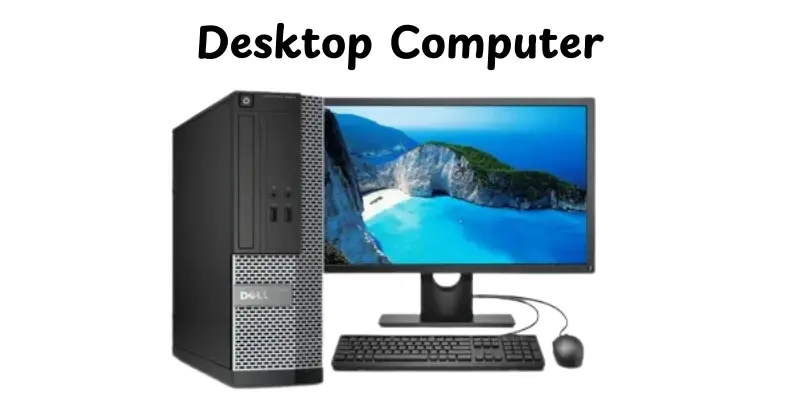
A desktop computer is types of computers that is designed for use in one location, commonly on a desk. It provides good performance and capacity, making it perfect for a variety of applications like work, gaming, and multimedia. Desktop computers can readily updated with new hardware parts.
Key Features:
- Large screen and separate keyboard/mouse setup for comfortable use.
- High processing power and memory for demanding applications.
- Easily upgradeable components like RAM, graphics cards and storage.
- Several ports for computers and external devices.
- A reliable cooling system for extended periods of continuous use.
Real-World Examples:
- Dell Inspiron Desktop – commonly used for home and office tasks.
- HP Pavilion Gaming Desktop – popular among casual and professional gamers.
- Apple iMac – an all-in-one desktop with high-end multimedia capabilities.
Laptop
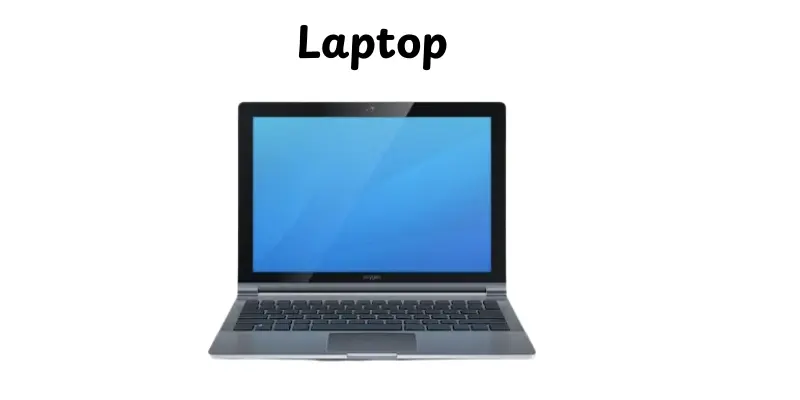
A laptop is a portable computer that like a monitor, keyboard, and batteries in a single small package. It enables users to work, learn, and play from practically anywhere. Laptops are designed to be user-friendly while providing enough power for regular tasks.
Key Features:
- Compact and easy to carry, perfect for travel or school.
- The built-in battery is enabled for use without a constant power connection.
- Integrated keyboard, touchpad, and display in one device.
- Variety of ports for USB devices, headphones and external monitors.
- Moderate to high processing power suitable for work, multimedia and casual gaming.
Real-World Examples:
- Dell XPS 13 – popular for professional and student use.
- MacBook Air – lightweight and efficient for everyday tasks.
- HP Spectre x360 – a convertible laptop with touchscreen functionality.
Tablet
A tablet is a portable, touchscreen computer that is smaller than a laptop and designed for simplicity and mobility. It is good for browsing, reading, watching videos and performing light computing tasks. Tablets are often lightweight and easy to carry anywhere.
Key Features:
- Touchscreen interface with a virtual keyboard for easy navigation.
- Lightweight and highly portable, it fits in a bag or backpack.
- Enjoy long battery life for hours of uninterrupted use without needing to charge.
- Supports apps for productivity, entertainment and social media.
- Optional accessories, such as stylus pens or detachable keyboards, provide added functionality.
Real-World Examples:
- Apple iPad – widely used for both entertainment and productivity.
- Samsung Galaxy Tab – An Android-based tablet popular for its multimedia capabilities.
- Microsoft Surface Go – a tablet with an optional keyboard, suitable for light work tasks.
Server Computer
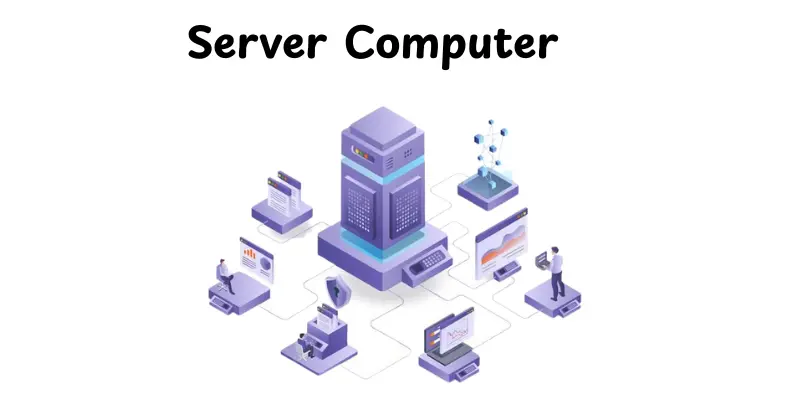
A server computer is a complex computer that can handle, store, and process data for a large number of users. It is commonly utilized in organizations, websites, and networks to handle large amounts of data safely. Servers are designed for continuous operation and good performance.
Key Features:
- High processing power and large memory to handle multiple requests simultaneously.
- Reliable storage solutions for data management and backups.
- Continuous use of strong cooling systems.
- Network connectivity to serve various clients or devices.
- Safety features are put in place to secure important information and prevent illegal access.
Real-World Examples:
- Dell PowerEdge T40 – used for small business and office servers.
- HP ProLiant DL380 – popular in enterprise environments for data storage and hosting.
- IBM System x – a high-performance server for large organisations and data centres.
Mainframe Computer
A mainframe computer is a large, powerful machine designed to handle large amounts of data and support hundreds or thousands of users simultaneously. It is commonly used by governments, banks and large organisations for important work. Mainframes are highly reliable and built for continuous, long-term use.
Key Features:
- Extremely high processing power for complex calculations and large-scale transactions.
- It can support thousands of users and applications simultaneously.
- Robust security features to protect sensitive data.
- Reliable and durable, designed for continuous operation 24/7.
- Large storage capacity for handling vast amounts of information.
Real-World Examples:
- IBM zSeries – widely used in banking and finance for transaction processing.
- Unisys ClearPath – used in government agencies and large enterprises.
- Fujitsu GS21 – common in large-scale corporate and scientific computing environments.
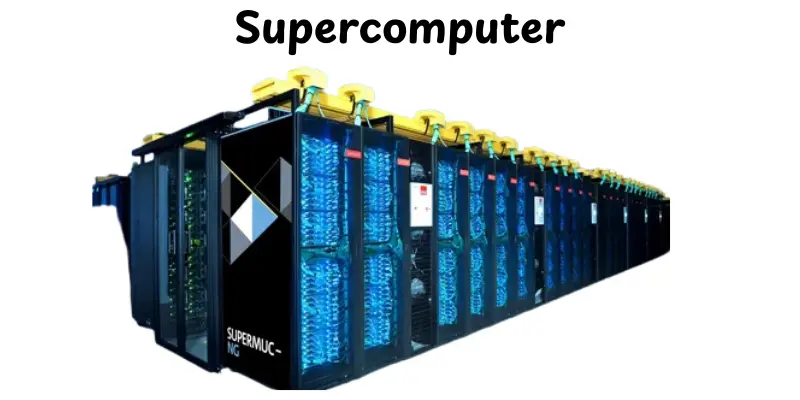
Supercomputer
A supercomputer is a powerful computer able to doing difficult calculations at highly rapid speeds. It is used for jobs that demand a lot of processing power, like scientific simulations, weather forecasts, and research. Supercomputers can handle billions of calculations per second.
Key Features:
- Extremely high processing speed for complex computations.
- Can handle massive amounts of data simultaneously.
- Designed for specialised tasks like climate modelling, physics simulations and artificial intelligence.
- Requires advanced cooling systems to manage the heat generated by high performance.
- Often consists of thousands of interconnected processors working together.
Real-World Examples:
- Fugaku (Japan) – used for scientific research and disaster prevention simulations.
- Summit (USA) – designed for AI research and large-scale simulations.
- Tianhe-2 (China) – used for scientific calculations, weather forecasting, and research projects.
Smartphone Computer
A smartphone computer is types of computers that combines mobile communication with computing capabilities.It helps users to make calls, browse the internet, run apps and perform many tasks like a regular computer. Smartphones are highly portable and designed for daily use on the go.
Key Features:
- Touchscreen interface for easy navigation and interaction.
- Portable and lightweight, fitting in a pocket or bag.
- Runs apps for productivity, social media, entertainment, and more.
- Built-in cameras, GPS, and sensors for versatile functionality.
- Connects to the internet via Wi-Fi or mobile data networks.
Real-World Examples:
- Apple iPhone 15 – popular for its performance and app ecosystem.
- Samsung Galaxy S23 – Android smartphone with high-end features.
- Google Pixel 8 – known for its camera and clean Android interface.
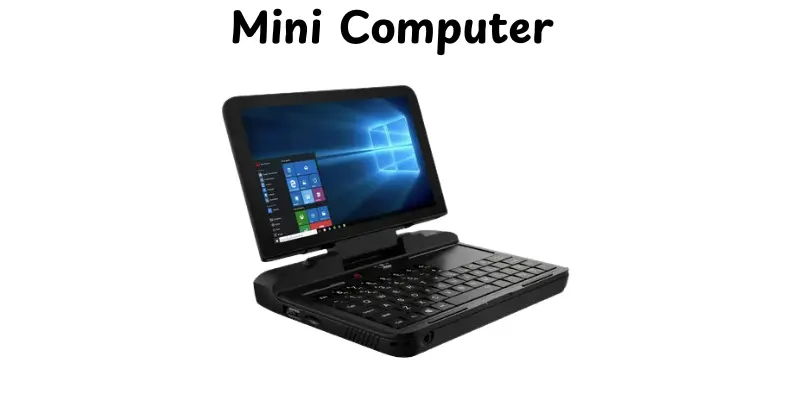
Mini Computer
A mini computer is a mid-sized computing device that is more powerful than a microcomputer but smaller than a mainframe. It’s built to manage several works and support multiple users simultaneously. Mini computers are often used in small to medium-sized businesses and scientific research.
Key Features:
- Moderate processing power suitable for multiple users.
- Supports multitasking and can run several applications simultaneously.
- Smaller and more affordable than mainframe computers.
- Reliable for business, education, or industrial applications.
- Can connect to networks and other devices for shared resources.
Real-World Examples:
- DEC VAX – used in universities and businesses for data processing.
- IBM AS/400 – popular in small and medium enterprises for enterprise applications.
- HP 3000 – widely used for industrial and business computing tasks.
Microcomputer (PC)
A microcomputer, commonly referred to as a personal computer (PC), is a compact, affordable computer designed for individual use.It is perfect for common works like browsing, word processing, and multimedia. Microcomputers are widely used at homes, schools and offices.
Key Features:
- Compact size and easy to set up on a desk or table.
- Runs general-purpose applications for business, education, and enjoyment.
- Includes input devices such as keyboards and mice and output devices like monitors and speakers.
- Can connect to the internet and external devices for expanded functionality.
- Affordable and widely available for personal and professional use.
Real-World Examples:
- Dell Inspiron – popular for home and office use.
- HP Pavilion – commonly used for work, gaming, and multimedia.
- Lenovo ThinkCentre – used in offices and schools for everyday computing tasks.
Embedded Computer
An embedded computer is a specific computing system that integrates into other devices to serve specific functions. Unlike general-purpose computers, it is intended for specific purposes and works as part of a larger system.Embedded computers are common in electronic devices, appliances and industrial equipment.
Key Features:
- Designed for specific tasks rather than general computing.
- Compact and energy-efficient for integration into other devices.
- Often runs real-time operating systems for precise control and timing.
- Reliable and durable, capable of continuous operation.
- It can include sensors, microcontrollers and connectivity for automation.
Real-World Examples:
- Automotive control systems – manage engine, braking and navigation functions.
- Smart home devices – like thermostats, smart TVs and security cameras.
- Medical devices – such as heart monitors and infusion pumps.
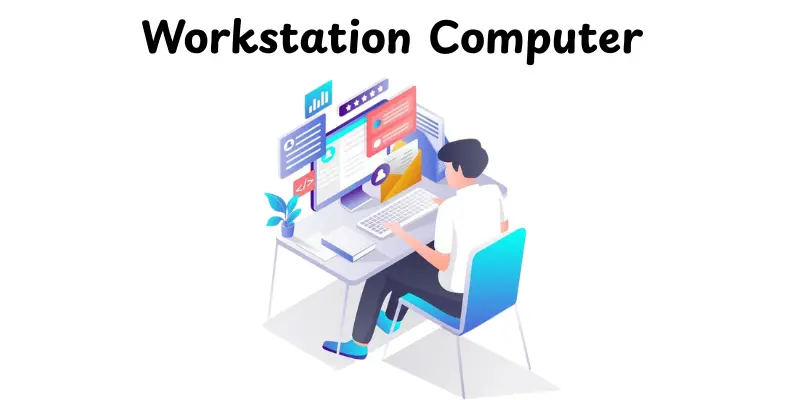
Workstation Computer
A workstation computer is a high-performance machine designed for professional use,like graphic design, 3D modelling and engineering tasks.It offers more power and reliability than standard desktops, enabling it to handle demanding software and large data sets.Workstations are built for efficiency, precision and continuous use.
Key Features:
- High processing power with multi-core CPUs for complex applications.
- Large memory (RAM) and advanced graphics capabilities.
- Enhanced storage options for efficiently handling large files.
- Reliable cooling systems to maintain performance during heavy use.
- Support for multiple monitors and professional-grade peripherals.
Real-World Examples:
- Dell Precision 5820 – used for CAD design and video editing.
- HP Z8 G4 Workstation – ideal for engineering simulations and 3D rendering.
- Lenovo ThinkStation P520 – commonly used in architecture and graphic design studios.
Analog Computer
An analogue computer processes data in the form of continuous physical quantities, such as voltage or mechanical motion, rather than digital integers. It is intended to address specific mathematical issues, mainly in simulations and engineering jobs. Analog computers are faster at doing specific calculations but less flexible than digital computers.
Key Features:
- Processes continuous data rather than discrete digital signals.
- Ideal for real-time simulations and scientific calculations.
- Can perform tasks like integration, differentiation and curve plotting quickly.
- Often used in control systems for monitoring and feedback.
- Limited memory and not suitable for general-purpose computing.
Real-World Examples:
- Slide rule – used historically for engineering calculations.
- Differential analyser – a mechanical analogue computer for solving differential equations.
- Flight simulators – early simulators used analogue systems to simulate aircraft behaviour.
Digital Computer
A digital computer is types of computers that processes data in discrete numerical format, often binary code (0s and 1s). It can handle a variety of jobs, from basic calculations to advanced programming and data processing. Digital computers are currently the most common type in homes, offices, and companies.
Key Features:
- Processes data in binary format for accuracy and speed.
- Can run multiple applications and perform complex calculations.
- Easily programmable for various tasks.
- Supports storage of large amounts of data.
- Reliable and widely compatible with software and peripherals.
Real-World Examples:
- Personal computers (PCs) – used in homes and offices for everyday tasks.
- Laptops – portable digital computers for work, study and entertainment.
- Servers – handle data processing and storage for websites and businesses.
Hybrid Computer
A hybrid computer contains parts from both analogue and digital computers to perform specialised tasks. It processes continuous data, similar to an analogue computer, but also handling discrete data, similar to a digital computer. Hybrid computers are commonly used in real-time systems where both speed and accuracy are crucial.
Key Features:
- Combines analogue and digital computing capabilities.
- Processes both continuous and discrete data efficiently.
- Ideal for real-time applications, such as medical monitoring or industrial control.
- Offers faster computation for complex simulations.
- Can interface with sensors and digital systems simultaneously.
Real-World Examples:
- ECG machines – monitor heart activity using analogue inputs and digital processing.
- Industrial process control systems – manage machinery with real-time data.
- Flight simulators combine sensor inputs with digital calculations to create realistic simulations.
Conclusion
In this article, we explored the various types of computers, their unique features, applications, and real-world examples. Understanding these types helps you choose the correct device for work, study, gaming, or specialised tasks. Select a computer that suits your requirements and budget, make sure you get the best performance and value for your money. Keep learning about new tech trends, and stay curious about how computers can make life easier!
FAQs
This FAQs section covers common questions people often ask:
The main types of computers include desktops, laptops, tablets, servers, mainframes, supercomputers, and embedded systems. Each type serves different purposes, from personal use to business and scientific tasks. Choosing the right type depends on what you need it for.
Computers are generally divided into around 10 major types based on size, purpose, and performance. These include desktops, laptops, tablets, servers, mainframes, supercomputers, smartphones, mini computers, microcomputers, and hybrid computers. Each kind has specific features for certain applications.
The two main categories of computers are analogue and digital computers. Analogue computers process continuous data, while digital computers handle discrete, binary data. Most modern computers you use daily are digital.
There are several types by size, including supercomputers, mainframe computers, minicomputers, microcomputers (such as PCs), and workstations.
A personal computer (PC) is an electronic machine people use for daily tasks.
It helps with work, study, internet browsing, and entertainment. A PC is designed for one user at a time. You can use it at home, school, or the office.
Large companies and banks utilise powerful and sophisticated computers. These include mainframe computers and servers. They handle large amounts of data and support multiple users simultaneously. These systems run essential financial and business operations.
Supercomputers are built to handle very complex and heavy calculations.They are used for tasks like climate research and space studies.Regular computers are made for everyday use like writing, browsing, and videos.Supercomputers are much faster, bigger, and cost far more than regular computers.
There are many types of computers because people have different needs. Some computers are designed for simple tasks, while others are capable of handling complex work. Size, speed, and power also change how computers are designed. This helps everyone choose the right computer for their job.




- Be Respectful
- Stay Relevant
- Stay Positive
- True Feedback
- Encourage Discussion
- Avoid Spamming
- No Fake News
- Don't Copy-Paste
- No Personal Attacks
- Be Respectful
- Stay Relevant
- Stay Positive
- True Feedback
- Encourage Discussion
- Avoid Spamming
- No Fake News
- Don't Copy-Paste
- No Personal Attacks
