Parts of a Computer You Must Know to Use Technology Confidently
Published: 3 Dec 2025
Did you know that a computer has many parts working together to perform tasks quickly and accurately? Knowing these parts can make using and troubleshooting your computer much easier. In this guide, we will explore the main parts of a computer, explain what each part does, and show how they all work together. By the end, you’ll feel more confident handling your computer for work, study, or fun.
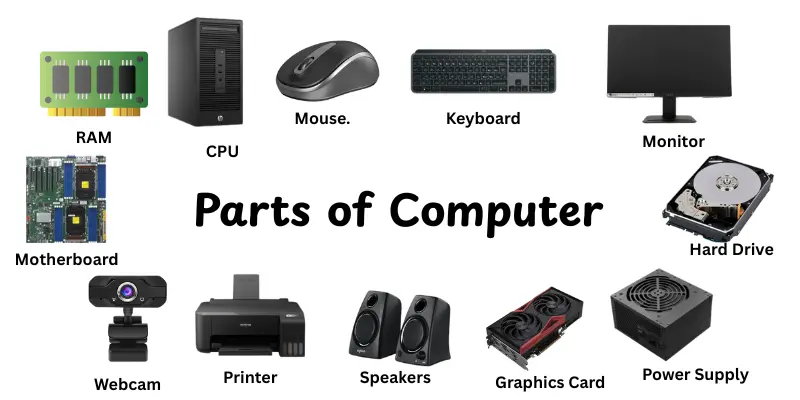
What are the parts of Computer?
The parts of a computer are the main components that help it work properly. Each part has a special job, like processing information, storing data, or showing results. The CPU acts as the brain, while memory stores data temporarily for quick use. Input devices like a keyboard and mouse let you give commands. Output devices such as a monitor or printer show the results. Knowing the computer parts makes it easier to use and understand how it works.
Main Parts of Computer
Understanding the main parts of a computer helps you see how it works from start to finish. Each part has a unique role that makes tasks faster and easier. In this section, we will look at the key components in simple, easy-to-understand terms.
- Monitor
- Keyboard
- Mouse
- CPU (Central Processing Unit).
- RAM (Random Access Memory)
- Hard Drive / SSD
- Motherboard
- Power Supply (PSU)
- Graphics Card (GPU)
- Cooling Fan / Heat Sink
- Speakers
- Printer
- Webcam
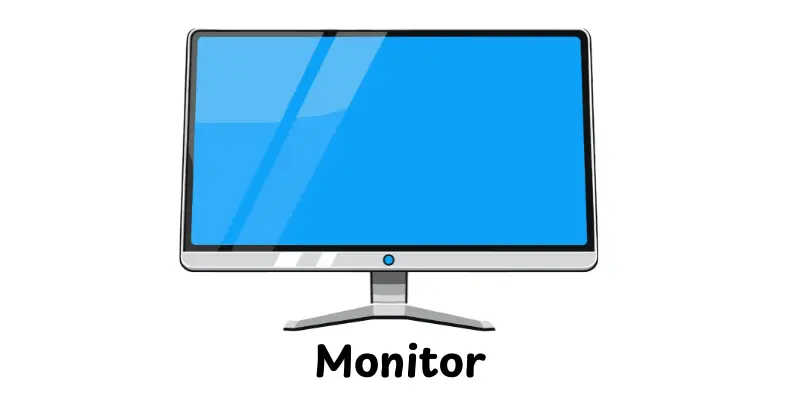
Monitor
A monitor is the screen of a computer that shows images, videos, and text. It allows you to see what the computer is doing in real time. Monitors come in different sizes and display qualities to suit various needs.
Features:
- Displays visual output from the computer clearly.
- Comes in LCD, LED, and OLED types for better image quality.
- Supports different screen resolutions for sharpness.
- Some monitors include touch screen capabilities.
- Adjustable brightness and contrast for comfortable viewing.
Keyboard
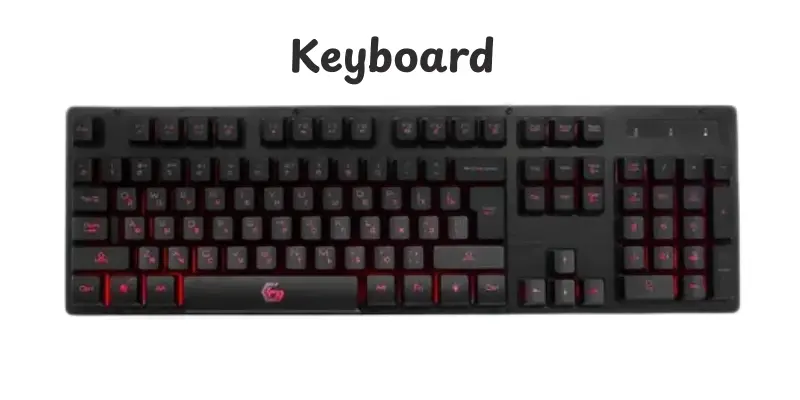
A keyboard is an input device that allows you to type letters, numbers, and commands into a computer. It is one of the primary tools for interacting with the computer and running programs. Keyboards come in various layouts and designs to suit different users and tasks.
Features:
- Contains keys for letters, numbers, and special functions.
- Can be wired or wireless for flexible use.
- Includes multimedia keys for quick access to volume, play, and other controls.
- Some keyboards have backlighting for use in low-light environments.
- Ergonomic designs reduce strain during long typing sessions.
Mouse
A mouse is an input device that helps you control the computer cursor on the screen. It allows users to click, drag, and select items quickly and efficiently. Different types of mice are available to suit tasks like gaming, office work, or general use.
Features:
- Provides accurate control of the on-screen pointer.
- Available in wired and wireless versions.
- Includes multiple buttons for additional functions.
- Ergonomic designs offer comfort during long use.
- Some models have adjustable sensitivity (DPI) for precise movements.
CPU (Central Processing Unit)
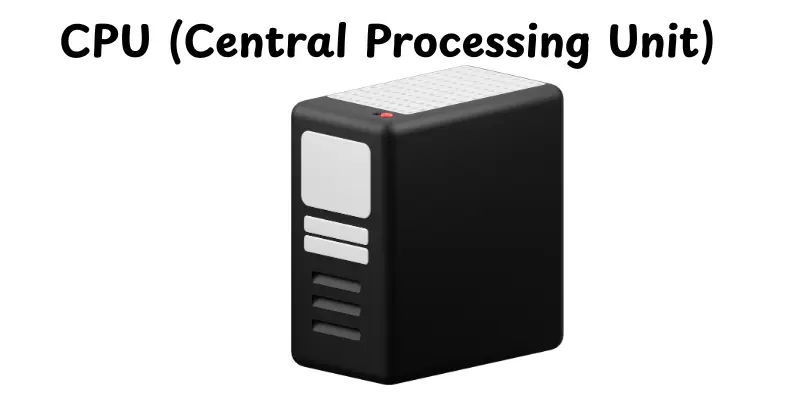
The CPU is the brain of a computer that processes all instructions and performs calculations. It controls how the computer responds to input and manages tasks for software and hardware. A faster CPU improves overall performance and efficiency.
Features:
- Executes instructions from programs and applications.
- Handles arithmetic and logical operations quickly.
- Coordinates communication between all computer parts.
- Comes in multiple cores for better multitasking.
- Determines the overall speed and performance of the system.
RAM (Random Access Memory)
RAM is a part of computer memory that quickly stores data while the machine is in use.It helps the CPU access information quickly, making programs and applications run smoothly. More RAM helps your computer to do multiple tasks continuously without slowing down.
Features:
- Temporarily stores data for active programs and processes.
- Allows faster access to information compared to hard drives.
- Supports multitasking by handling multiple applications simultaneously.
- Volatile memory, meaning data is lost when the computer is turned off.
- Improves overall system speed and performance.
Hard Drive / SSD
A hard drive (HDD) or solid-state drive (SSD) is a storage device that keeps all your files, programs, and data permanently. While HDDs use spinning disks to read and write data, SSDs use flash memory for faster performance. Both are essential for saving information and running your computer efficiently.
Features:
- Stores operating system, applications, and personal files.
- SSDs are faster and more durable than traditional HDDs.
- HDDs usually offer larger storage at a lower cost.
- Enables quick access and retrieval of stored data.
- Essential for booting up the computer and running software smoothly.
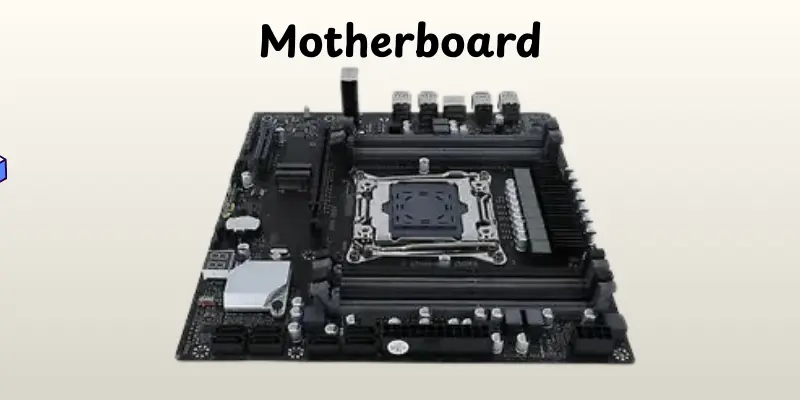
Motherboard
The motherboard is the main circuit board of a computer that connects all other components. It acts as the central hub, allowing the CPU, memory, storage, and other devices to communicate efficiently. A good motherboard ensures that all parts work together smoothly.
Features:
- Provides slots for CPU, RAM, and expansion cards.
- Includes ports for USB, HDMI, and other connections.
- Houses the chipset that manages data flow between components.
- Contains power connectors to distribute electricity to all parts.
- Supports cooling systems to prevent overheating.
Power Supply (PSU)
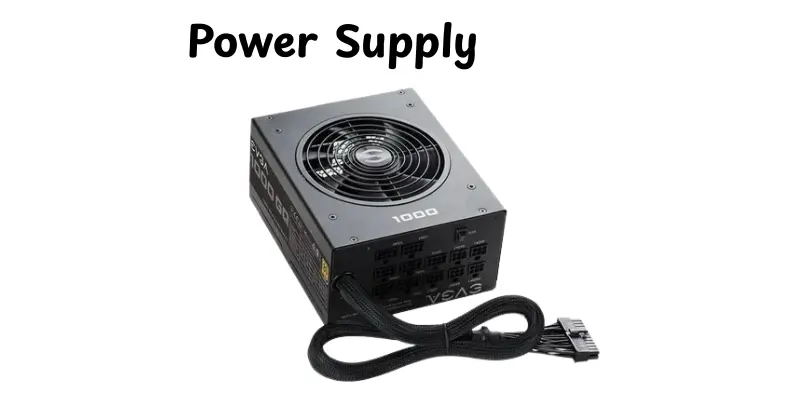
The Power Supply Unit (PSU) is a crucial component that provides electricity to the entire computer. It converts the electricity from a wall outlet into usable power for the CPU, motherboard, storage, and other components. A reliable PSU ensures that all parts receive stable and safe power.
Features:
- Converts AC power from the wall into DC power for the computer.
- Provides connectors for motherboard, CPU, GPU, and storage devices.
- Includes safety features like overvoltage and short-circuit protection.
- Supports different wattages to match the computer’s power needs.
- Helps maintain stable performance and prevents component damage.
Graphics Card (GPU)
A Graphics Processing Unit (GPU) is a part of a computer that handles rendering images, videos, and animations on your screen. It works alongside the CPU to deliver smooth visuals and enhance performance, especially in games and video editing. A good GPU ensures clear, fast, and detailed graphics.
Features:
- Renders high-quality images, videos, and 3D graphics.
- Reduces the workload on the CPU for better performance.
- Supports multiple monitors and high-resolution displays.
- Enhances gaming, animation, and video editing experiences.
- Handles graphical computations for software and applications efficiently.
Cooling Fan / Heat Sink
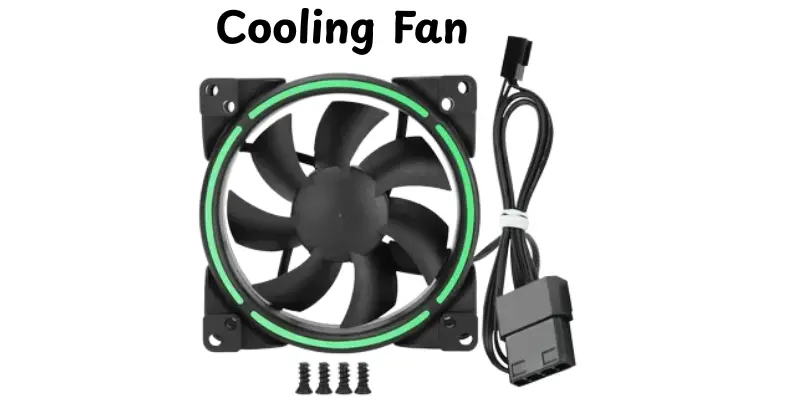
A cooling fan or heat sink is a computer component that keeps the system’s temperature under control. It removes excess heat from the CPU, GPU, or other parts to prevent overheating. Proper cooling helps the computer run smoothly and extends its lifespan.
Features:
- Keeps the CPU, GPU, and other components cool.
- Prevents overheating and system crashes.
- Enhances overall performance and stability.
- Reduces noise with efficient airflow designs.
- Helps maintain long-term durability of computer parts.
Speakers
Speakers are components of a computer that produce sound from your system. They transform digital audio signals into audible sound, enabling you to enjoy music, films, games, and notifications. Good speakers improve the whole working experience by producing clear, balanced audio.
Features:
- Produce clear and balanced sound for music and videos.
- Support various audio formats and outputs.
- Can be built-in or external for better quality.
- Enhance gaming, movies, and video call experiences.
- Often include volume and bass control options.
Printer
A printer is a computer device that produces physical copies of digital documents, images, or text on paper. It allows users to transform their work from the screen into tangible form quickly and efficiently. Printers are widely used at home, schools, and offices for both personal and professional tasks.
Features:
- Prints documents, photos, and graphics with high clarity
- Supports multiple paper sizes and types
- Can connect via USB, Wi-Fi, or Bluetooth for easy access
- Some models allow scanning, copying, and faxing in one device
- Offers different print speeds to suit various tasks
Webcam
A webcam is a small camera connected to a computer that captures video and images in real time. It allows users to participate in video calls, record videos, or take pictures directly from their computer. Webcams are commonly used for online meetings, streaming, and virtual learning.
Features:
- Captures live video and still images
- Can connect via USB or built-in on laptops
- Supports video calls and online meetings
- Often includes built-in microphone for audio recording
- Some models offer HD or Full HD video quality for clear visuals
Conclusion
In this guide, we covered everything about the parts of a computer, including their types, functions, and key features. Understanding these parts makes it easier to use, maintain, and troubleshoot your computer effectively. I highly recommend that you take some time to explore each component and see how it works together, as this knowledge is essential for both beginners and everyday users. So, continue learning, being interested, and enjoying the power of your computer!
FAQs
The five main parts of a computer are the CPU, monitor, keyboard, mouse, and storage device. These parts help the computer take input, process information, and give output. Each part has a specific role to make the computer work properly.
The seven essential parts are CPU, monitor, keyboard, mouse, RAM, storage device, and motherboard. They work together to process data, store information, and display results. Without any of these, a computer cannot function efficiently.
The most important parts are the CPU (brain), RAM (short‑term memory), storage drive (hard drive or SSD), motherboard (main board that connects everything), and power supply unit (PSU — gives power to the parts).
If PSU fails, the computer will not turn on, or it may shut down unexpectedly. The PSU gives electricity to all parts, so a bad PSU means the whole computer stops working.




- Be Respectful
- Stay Relevant
- Stay Positive
- True Feedback
- Encourage Discussion
- Avoid Spamming
- No Fake News
- Don't Copy-Paste
- No Personal Attacks
- Be Respectful
- Stay Relevant
- Stay Positive
- True Feedback
- Encourage Discussion
- Avoid Spamming
- No Fake News
- Don't Copy-Paste
- No Personal Attacks
