Top 10 Examples of Primary Storage Devices Explained Simply
Published: 10 Nov 2025
Have you ever tried to open 10 applications at once on your computer and noticed it slowed down? The problematic timing issue occurs because your system needs fast memory to keep everything working smoothly.Understanding the various types of memory can help you in selecting the right components and optimizing your computer’s performance.In this article, we’ll look at 10 examples of the primary storage devices in basic, simple language.
10 Examples of Primary Storage Devices
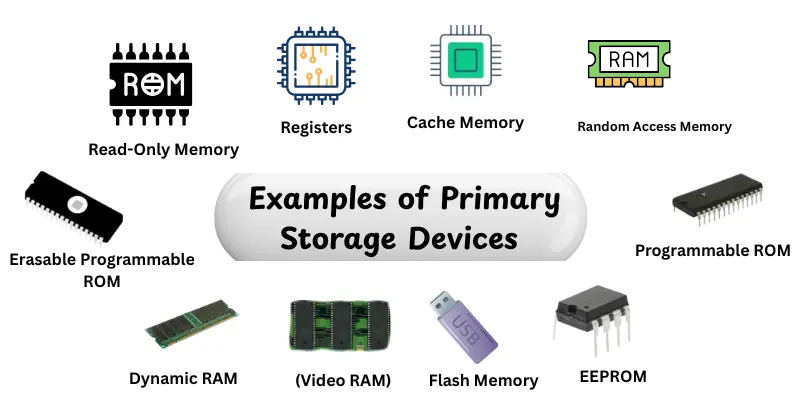
Knowing the different types of primary storage devices helps you understand how your computer stores and accesses data.It also makes it easier to choose the right memory for your needs, whether for gaming, work or everyday use.Here are the main types you should know:
- Random Access Memory (RAM)
- Cache Memory
- Registers
- ROM (Read-Only Memory)
- PROM (Programmable ROM)
- EPROM (Erasable Programmable ROM)
- EEPROM (Electrically Erasable Programmable ROM)
- Flash Memory
- VRAM (Video RAM)
- DRAM (Dynamic RAM) & SRAM (Static RAM)
Random Access Memory (RAM)
Random Access Memory (RAM) is the main temporary memory of a computer that stores data and instructions currently in use.It boosts up program and application performance by providing quick access to data.RAM is unstable, which means that it loses all stored data when the power is switched off.It is necessary for multitasking and good system performance.
Features:
- Fast access to data and programs
- Volatile memory, loses data when power is off
- Supports multitasking efficiently
- Upgradable in most desktops and laptops
- Works closely with CPU for quick processing
Real-world Examples:
- DDR4 RAM in laptops and desktops
- Gaming PCs with 16GB or 32GB RAM modules
- Servers using ECC RAM for stability
Cache Memory
Cache memory is a fast form of memory that is near to the CPU. It caches commonly used instructions and data to save CPU wait time. Cache improves overall system performance by allowing fast access to important data. Modern CPUs often use multiple levels of cache for performance.
Features:
- Extremely fast access speed
- Stores frequently used data for CPU
- Reduces CPU idle time
- Usually divided into L1, L2, L3 levels
- Enhances overall system performance
Real-world Examples:
- L1, L2, and L3 cache in Intel and AMD processors
- Gaming laptops with large cache for faster processing
- High-performance workstations
Registers
Registers are small storage areas inside the CPU that keep immediate data for processing.They keep track of instructions, addresses and intermediate results during calculations.Registers are the quickest kind of memory in a computer.They are essential to the CPU’s decision-making and processing speed.
Features:
- Ultra-fast memory inside the CPU
- Stores immediate data and instructions
- Small in size but critical for speed
- Temporary storage for calculations
- Works directly with CPU for processing
Real-world Examples:
- Instruction register in processors
- Accumulator in CPUs
- Program counter registers

Read-Only Memory (ROM)
Read-Only Memory (ROM) is a type of memory that holds the permanent instructions needed for a computer to start up.Data in ROM can’t be easily changed.Manufacturers install it with hardware and system-level instructions.ROM makes sure that the computer starts properly each time.
Features:
- Non-volatile, retains data without power
- Stores firmware and essential instructions
- Cannot be easily modified
- Pre-installed by manufacturers
- Critical for system boot-up
Real-world Examples:
- BIOS chips on motherboards
- Firmware in embedded devices
- ROM in old gaming consoles
Programmable ROM (PROM)
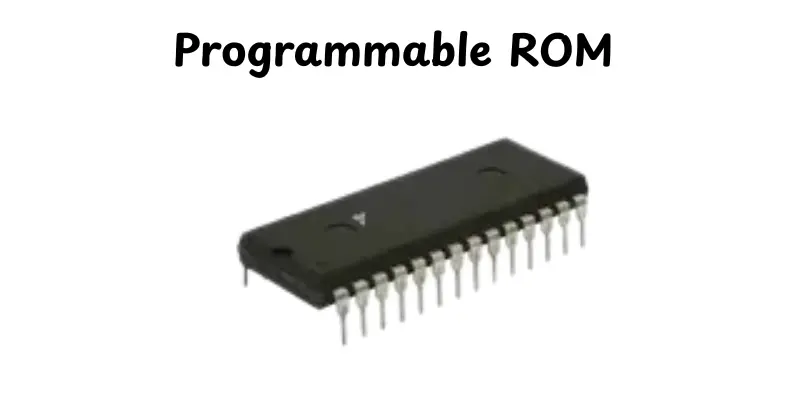
Programmable ROM (PROM) is a kind of ROM that can be programmed once it has been manufactured. Once data is written, it is permanent. PROM is useful for storing specific instructions or programming that doesn’t need regular upgrades.
Features:
- Can be programmed once
- Non-volatile memory
- Stores permanent instructions after programming
- Ideal for firmware applications
- Durable and reliable
Real-world Examples:
- Custom firmware chips in electronics
- Embedded systems in appliances
- Control units in automotive devices
Erasable Programmable ROM (EPROM)
EPROM is a type of ROM that can be deleted and reprogrammed with ultraviolet light.It allows use for updates and changes.EPROM is non-volatile and can store data without electricity. It is used in applications that require occasional updates.
Features:
- Can be erased with UV light
- Reusable and non-volatile
- Data remains without power
- Visible quartz window for erasing
- Useful for firmware updates
Real-world Examples:
- Old BIOS chips in computers
- Embedded systems in industrial devices
- Development boards for microcontrollers
Electrically Erasable Programmable ROM (EEPROM)
EEPROM is a type of read-only memory that can be destroyed and reprogrammed electrically without being removed from the circuit.It provides many rewrites and is flexible for firmware updates.EEPROM is non-volatile, which means it keeps data secure even when the power is turned off.
Features:
- Electrically erasable and rewritable
- Non-volatile memory
- Supports multiple updates
- Does not require removal from the system
- Flexible for firmware applications
Real-world Examples:
- Modern BIOS chips
- Microcontrollers in electronics
- Smart cards and embedded devices
Flash Memory
Flash memory is a type of non-volatile memory that can store data without the need for power and is portable.It is commonly used for storage, backups and quick information transfers.Flash memory is widely used in daily devices due to its speed, durability and simple use.
Features:
- Non-volatile and portable
- Fast read and write speeds
- Durable and reliable
- Supports large storage capacities
- Used for backups and file transfer
Real-world Examples:
- USB flash drives
- Solid-state drives (SSDs)
- Memory cards for cameras and smartphones
Video RAM (VRAM)
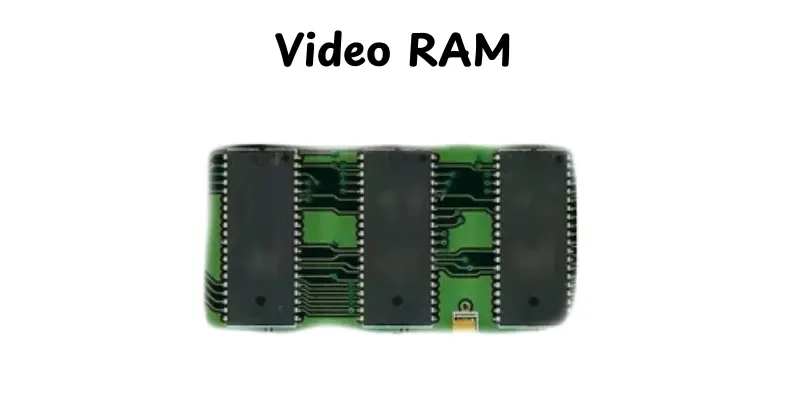
VRAM is a type of memory created specifically for graphics and video processing.It saves picture and video data to make sure that displays run smoothly.VRAM improves gaming, video editing and other graphically heavy applications.
Features:
- Fast memory for graphics
- Stores images, videos and textures
- Enhances display performance
- Dedicated GPU memory
- Supports high-resolution rendering
Real-world Examples:
- GPU memory in gaming laptops
- Graphics cards like NVIDIA GeForce or AMD Radeon
- Workstations for video editing
Dynamic RAM (DRAM) & Static RAM (SRAM)
DRAM and SRAM are two forms of RAM that differ in speed and use.DRAM is slower and requires refreshing, but it is inexpensive for primary memory.SRAM is faster, doesn’t need refreshing and is used for cache memory near the CPU.Both are volatile and necessary to computer performance.
Features:
- DRAM- slower, needs refreshing
- SRAM- faster, no refreshing required
- DRAM used for main memory
- SRAM used for CPU cache
- Volatile memory that works with CPU
Real-world Examples:
- DDR4 DRAM in personal computers
- SRAM in CPU cache of Intel and AMD processors
- High-performance workstations and servers
Conclusion
So, we’ve covered the 10 examples of primary storage devices, from RAM and cache memory to ROM and flash memory.Each kind serves differently in making your computer fast, responsive and dependable.Understanding how these devices work help you to make better decisions while updating or fixing your system.If you ask me, always focus on buying more RAM and fast storage for smoother multitasking and better performance; it’s totally worth it.Stay tuned, friends! Continue to study and discover new computer hardware features!
FAQs
Primary storage provides the CPU with rapid access to the instructions and data it needs right now.This means that applications function smoothly and moving between tasks is faster.Without necessary primary storage, your system will appear slow or unstable.
Primary storage is used for active tasks and is often volatile (the contents disappear when the power is turned off).Secondary storage is non-volatile and stores data for a longer period of time.The CPU has direct access to primary storage but uses secondary storage indirectly.
Yes, in many computers you can add more RAM or switch to faster RAM, which improves performance.In some systems, you may indirectly upgrade cache memory by selecting a CPU with a larger cache.But other components, like registers and ROM, are hardwired and cannot be upgraded.
Registers are small, high-speed storage locations within the CPU.They contain data, instructions or locations that the processor needs quickly.Imagine them quick-access memory that allows the CPU to work faster.Without registers, your computer would run very slowly.






- Be Respectful
- Stay Relevant
- Stay Positive
- True Feedback
- Encourage Discussion
- Avoid Spamming
- No Fake News
- Don't Copy-Paste
- No Personal Attacks
- Be Respectful
- Stay Relevant
- Stay Positive
- True Feedback
- Encourage Discussion
- Avoid Spamming
- No Fake News
- Don't Copy-Paste
- No Personal Attacks
