Types of Joystick: Must-Know Options for Gamers and Professionals
Published: 2 Dec 2025
Imagine settling down to play your favorite video game or try a flight simulator, only to discover that your Joystick doesn’t feel just right. It could be too stiff, too basic, or lack the buttons you require. Understanding the different types of joystick can make your gaming or work life easier and more enjoyable. From basic controllers to complex flying sticks, selecting a suitable one is very important.
In this article, we’ll look over various types of joystick in simple terms so you can choose the best one for your needs. A joystick is a popular input device for computers, allowing users to control games, simulations, and machines with precision and ease.
What is a Joystick?
A joystick is a device used to control movement or input in games, simulations, and machines. It usually has a stick that you push or tilt in different directions. Many joysticks have buttons for performing actions or commands. The movement of the stick sends messages to a computer, console, or machine.
Joysticks can detect how far or fast you move the stick, providing accurate control. They are used in video games, flight training, robotics, and industrial machinery. Some joysticks are small and portable, while others are larger and offer additional features for modern use. Overall, a joystick makes interaction with digital or mechanical devices easier.
Types of Joysticks
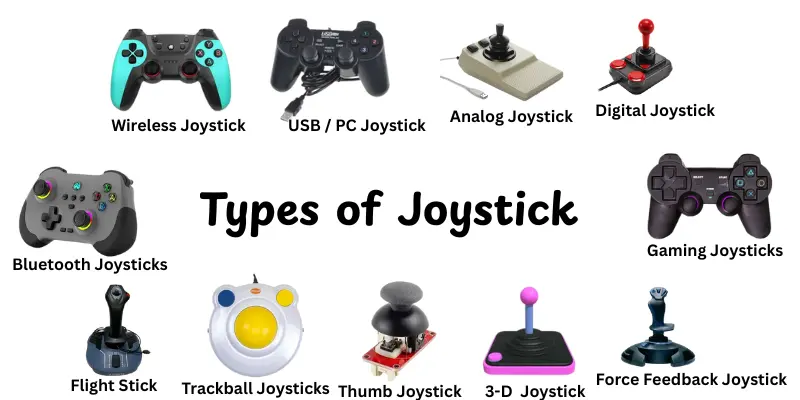
Joysticks come in many shapes, each designed for a specific activity, such as gaming, flight simulation, or industrial control. Knowing the many types helps you to select the best one for your needs. Here, we will explore all the main types of joystick:
- Digital Joystick
- Analog Joystick
- USB / PC Joystick
- Wired Joystick
- Wireless Joystick
- Gaming Joysticks
- Flight Stick / HOTAS (Throttle and Stick)
- Force Feedback Joystick
- 3-D / Multi-Axis Joystick
- Thumb / Compact Joystick
- Industrial / Machine Joystick
- Custom / Programmable Joystick
- Trackball Joysticks
- Bluetooth Joysticks
- VR Joysticks / Motion Controllers
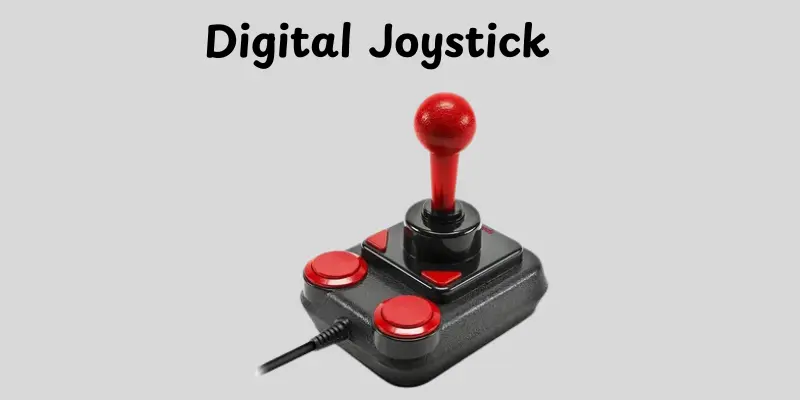
Digital Joystick
A digital joystick is a simple controller that detects movement only in particular directions. It uses basic on/off signals and doesn’t track action intensity. This kind is usually used in older games or devices that need simple input.
Features:
- Simple directional control (up, down, left, right)
- Quick response time for basic actions
- Usually has a few buttons for commands
- Affordable and easy to use
- Durable and low maintenance
Analog Joystick
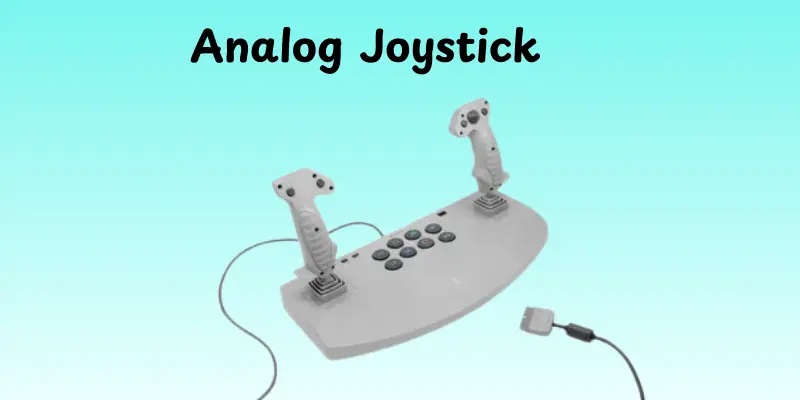
An analog joystick is a types of Joystick that detects movement in both degrees and direction, instead of just on/off. It provides smooth, accurate control, making it suitable for games, simulators, and other devices that require minor adjustments. Analog joysticks are often used in modern gaming and flight simulation applications.
Features:
- Provides precise, continuous movement control
- Detects intensity and direction of stick movement
- Often includes multiple buttons for extra commands
- Smooth and responsive input for detailed control
- Commonly used in gaming, simulations, and robotics
USB / PC Joystick
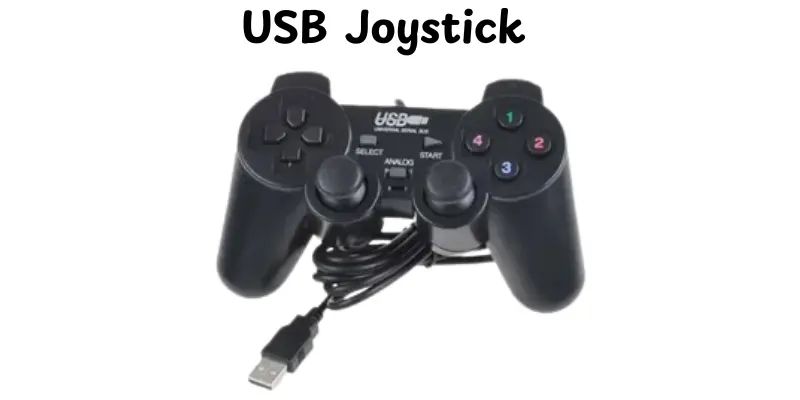
A USB/PC joystick is a controller that connects directly to a computer or console via a USB port. It allows easy plug-and-play use without extra adapters and works with most games and simulation software. These joysticks are popular for gaming and professional applications on PCs.
Features:
- Simple USB connectivity for quick setup
- Compatible with most computers and gaming consoles
- Supports analog or digital input, depending on the model
- Often includes multiple buttons and triggers for extra control
- Portable and easy to carry or store
Wired Joystick
A wired joystick is a popular types of Joystick that connects to a computer, console, or device via a physical cable. It offers a stable and reliable connection without the need for batteries or wireless signals. Wired joysticks are often preferred for fast-paced games and professional applications.
Features:
- Provides a stable and lag-free connection
- No need for batteries or charging
- Usually more affordable than wireless models
- Simple plug-and-play setup with USB or other ports
- Durable and reliable for long gaming or work sessions
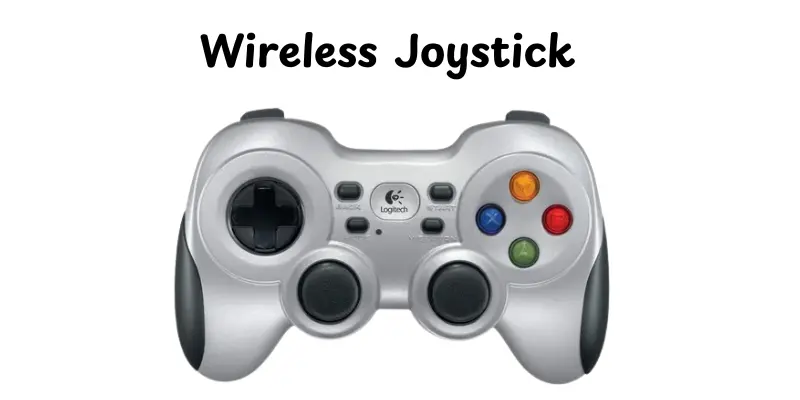
Wireless Joystick
A wireless joystick is a controller for a computer, console, or device that operates without cables. It gives freedom of movement and convenience, making it ideal for gaming or presentations. Wireless joysticks usually use Bluetooth or radio frequency signals to communicate with the device.
Features:
- Allows freedom of movement without being tethered by cables
- Connects via Bluetooth or RF for easy setup
- Requires batteries or a rechargeable power source
- Convenient for gaming, simulators, and presentations
- Portable and easy to use in different environments
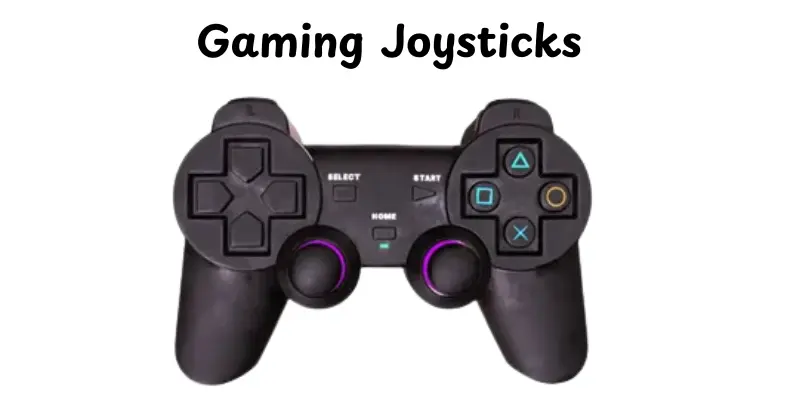
Gaming Joysticks
A gaming joystick is types of Joystick explicitly designed for use in video games. It gives excellent control and often incorporates additional buttons, triggers, or vibration feedback to provide an immersive experience. Gaming joysticks can be used with PCs, consoles, and flight simulators, depending on the model.
Features:
- Designed for smooth and precise gaming control
- Includes multiple buttons, triggers, or switches
- Often has vibration or force feedback for realism
- Compatible with PCs, consoles, or simulators
- Ergonomic design for comfortable long gaming sessions
Flight Stick / HOTAS (Throttle and Stick)
A Flight Stick or HOTAS is a joystick system designed for flight simulators and aviation controls. It has a stick for directional control and an additional control for speed adjustment. This arrangement offers accurate, realistic control to pilots and simulation users.
Features:
- Combines the Joystick and throttle for complete aircraft control
- Offers exact and smooth input for flight simulation
- Multiple buttons and switches for easy access to commands
- Ergonomic design for long simulation sessions
- Compatible with PC and flight simulation software
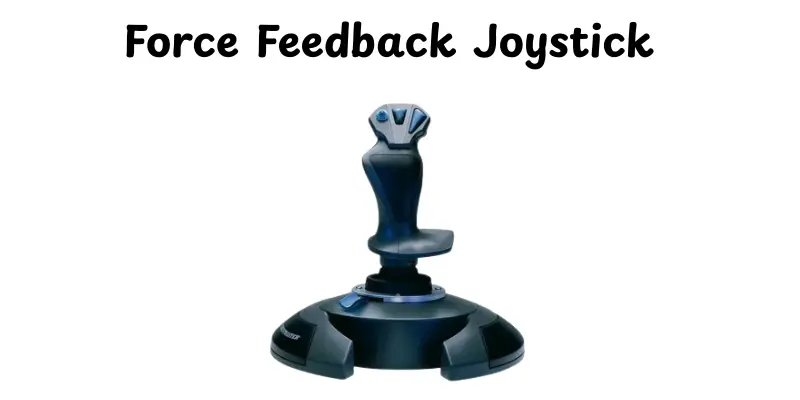
Force Feedback Joystick
A force feedback joystick is types of Joystick that responds physically to in-game or simulation activities. It provides a realistic environment by simulating the forces you could face in real life. This kind is often used in flight simulators, racing games, and training environments.
Features:
- Provides realistic resistance and vibration for immersive control
- Reacts to in-game events like collisions or turbulence
- Often includes multiple buttons and triggers for commands
- Enhances precision and control in simulations
- Compatible with PCs, simulators, and gaming consoles
3D Joystick
A 3-D or multi-axis Joystick is special types of joystick that can move along multiple axes simultaneously. It provides accurate control in three-dimensional situations, making it suitable for flight simulations, robotics, and complex gaming. This style of Joystick helps users to perform complicated actions easily.
Features:
- Supports movement along multiple axes simultaneously
- Provides precise control in 3D or simulation environments
- Often includes buttons and triggers for additional commands
- Enhances accuracy for gaming, robotics, and simulation tasks
- Ergonomic design for comfort during prolonged use
Thumb / Compact Joystick
A thumb or compact Joystick is a small controller designed to be operated using just your thumb. It is commonly seen on gaming controllers, computers, and mobile devices for easy navigation. Its small size makes it ideal for portable and lightweight arrangements.
Features:
- Small and easy to operate with one thumb
- Perfect for handheld devices, laptops, or controllers
- Simple directional control with minimal effort
- Lightweight and portable for travel or on-the-go use
- Often combined with buttons for extra functionality
Industrial / Machine Joystick
An industrial or machine joystick is a durable controller used in machinery, robotics, and heavy equipment. It is designed to handle challenging conditions and exact control needs. These joysticks are required for operators to safely and effectively control equipment.
Features:
- Durable and designed for harsh industrial environments
- Provides precise control for machinery and robotics
- Often includes multiple buttons or switches for complex operations
- Can handle heavy use over long periods
- Compatible with industrial control systems and machines
Programmable Joystick
A custom or programmable Joystick is a device that allows users to assign specific features to buttons and motions. It is highly versatile and suitable for gaming, models, and specific professional jobs. Programmable joysticks improve efficiency and personalize control based on user requirements.
Features:
- Allows custom button assignments and macros
- Suitable for gaming, simulations, and professional applications
- Supports advanced control setups for complex tasks
- Can store multiple profiles for different users or programs
- Often compatible with PCs and specialized software
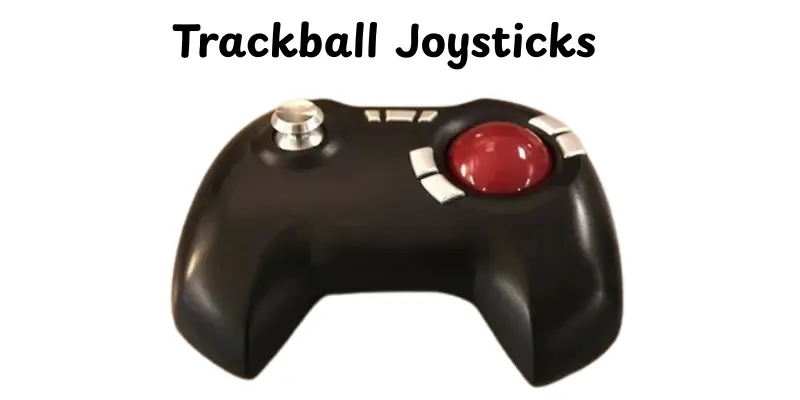
Trackball Joysticks
A trackball joystick is types of joystick that detects movement using a rolling ball rather than a traditional stick. It enables smooth, accurate control, particularly for cursor movement and certain simulation activities. Trackball joysticks are usually used in specialized gaming environments and industrial applications.
Features:
- Uses a rolling ball for precise movement control
- Provides smooth and accurate navigation in games or software
- Can reduce hand fatigue during long sessions
- Often includes programmable buttons for extra commands
- Suitable for gaming, simulations, and industrial control
Bluetooth Joysticks
A Bluetooth joystick is a wireless controller that communicates with devices via Bluetooth. It enables cable-free movement and is compatible with a wide range of devices, including PCs, tablets, and smartphones. Bluetooth joysticks are ideal for gaming, testing, and portable settings.
Features:
- Connects wirelessly via Bluetooth for easy setup
- Offers freedom of movement without cables
- Compatible with PCs, tablets, and smartphones
- Usually includes buttons and triggers for extra control
- Portable and convenient for on-the-go use
VR Joysticks
A VR joystick or motion controller is a device for interacting with virtual reality settings. It detects hand motions and gestures to provide an immersive experience. These controllers are widely used in virtual reality games, training simulations, and interactive applications.
Features:
- Tracks hand movements and gestures for VR interaction
- Provides immersive control in virtual environments
- Often includes buttons and triggers for additional actions
- Compatible with VR headsets and simulation software
- Lightweight and ergonomic for extended VR sessions
How to Choose the Right Joystick
Selecting the appropriate Joystick is essential for a smooth gaming, simulation, or work experience. You must consider elements such as purpose, connection type, and comfort. Choosing the best Joystick provides accurate control and long-term usage.
- Purpose first: Decide if it’s for gaming, flight simulators, robotics, or industrial use.
- Connection type: Choose between wired, wireless, Bluetooth, or USB depending on your setup.
- Features and buttons: Check how many buttons, triggers, or programmable options you need.
- Ergonomics: Ensure it is comfortable for long-term use and provides a good grip.
- Compatibility: Ensure it works with your PC, console, tablet, or VR headset.
- Budget: Balance features with price; high-end joysticks are better for advanced users, while basic ones are better for casual use.
Conclusion
In this article, we have covered everything about types of Joystick, including their uses, features, and how to choose the right one. Understanding the different types helps you pick the Joystick that fits your gaming, training, or professional needs. Consider your goal, comfort, and device compatibility before choosing to get the best experience. Keep exploring and stay curious about how the perfect Joystick can make your work and play easier!
FAQs
A 4-axis joystick can move in four directions: up, down, left, and right. Some models also detect rotation or twist for extra control. It is often used in flight simulators or advanced games for more precise movement.
Thumbsticks can be digital or analog. They include single-axis, dual-axis, and mini thumbsticks. Each type gives different control options for gaming or device navigation.
A 5-way joystick allows movement in four directions plus a press-down button. It is common in handheld devices and simple gaming controllers. It combines directional control with a selection option.
Joysticks are used in gaming, flight simulators, robotics, industrial machinery, and presentations. They provide precise control and easy navigation. They are helpful for both work and entertainment.
Digital joysticks detect simple on/off movements, like a switch. Analog joysticks detect gradual movement and direction for smoother control. Analog is usually better for precision tasks like gaming or simulation.
Yes, many flight simulation joysticks work with regular games. They provide extra buttons and precise control. However, some games may need configuration to work correctly.
Yes, modern wireless joysticks are reliable. They offer fast response and minimal lag. High-end models are best for competitive play.
It depends on your use. Gaming joysticks usually have 8–12 buttons. Flight simulators or industrial joysticks may be better suited for complex tasks.
Not always. Some joysticks are designed for specific consoles or PCs. Check compatibility before buying to make sure it works with your device.





- Be Respectful
- Stay Relevant
- Stay Positive
- True Feedback
- Encourage Discussion
- Avoid Spamming
- No Fake News
- Don't Copy-Paste
- No Personal Attacks
- Be Respectful
- Stay Relevant
- Stay Positive
- True Feedback
- Encourage Discussion
- Avoid Spamming
- No Fake News
- Don't Copy-Paste
- No Personal Attacks
