Types of Scanner: Features, Uses and How to Choose the Right One
Published: 22 Nov 2025
You are holding an old family photo in your hand. It’s getting older with cut edges and you’re worried that one day can disappear completely. Maybe you’re drowning in paper files at work and wish you could keep everything on your laptop instead.That’s when a scanner becomes useful. But not every scanner works the same way and choosing the wrong one can waste time, money and quality. When you understand the types of scanner, you can pick the right one for photos, books, documents or business use without confusion. In this guide, we’ll explain each type in clear, simple language.
Main Types of Scanners
There are many types of scanners available today and each one is made for a different purpose. Some are great for photos, some scan books easily and others work fast for office documents. Knowing these major types of scanners helps you choose the best one for your needs.This list will help you understand each type of scanner in a simple and clear way.
- Flatbed Scanner
- Sheet-fed Scanner
- Portable / Handheld Scanner
- Photo Scanner
- Book / Overhead Scanner
- Drum Scanner
- Document Scanner (High-Speed Office Scanner)
- 3D Scanner
- QR / Barcode Scanner
- OCR Scanner (Software-Based)
- Network Scanner
Flatbed Scanner
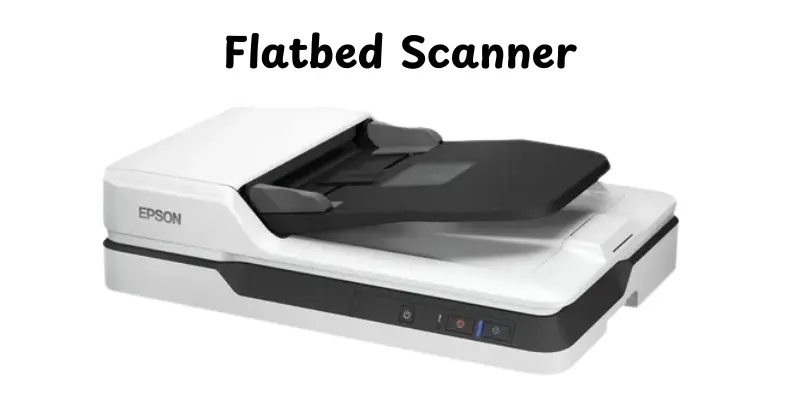
A flatbed scanner is a type of scanner that uses a flat glass surface to scan documents, images or books.Place the object face down on the glass and the scanner captures a clean digital image using a moving light and sensor. It is noted for producing high-quality pictures and is useful with a variety of paper sizes and textures.
Key Features
- Works with photos, papers, magazines, artwork and even thick books
- Produces high-resolution scans suitable for printing and archiving
- Easy to use, even for beginners
- Reduces damage to original documents since nothing is pulled through rollers
- Supports color, grayscale and high-detail image capture
Examples
- Scanning old family photos to store them on your computer
- Digitizing printed certificates, resumes and school projects
- Scanning pages from a textbook for study notes without tearing the spine
Sheet-fed Scanner
A sheet-fed scanner is types of scanner that uses the automated serving system to fast scan specific sheets. Unlike flatbed scanners, it doesn’t need you to place papers on a glass surface, making it perfect for scanning many pages. It is often used in offices where speed and efficiency are important.
Key Features
- Automatic Document Feeder (ADF) scans multiple pages at once
- Fast scanning speed, ideal for large volumes of documents
- Compact design saves desk space
- Often includes duplex scanning (scans both sides of a page)
- Supports basic resolution suitable for text and simple images
Examples
- Scanning contracts, invoices, and office forms in bulk
- Digitizing company reports or meeting handouts quickly
- Converting stacks of school or college papers into digital files
Portable / Handheld Scanner
A portable or handheld scanner is a small, lightweight device that can be used anywhere to scan papers, receipts or other data while on the go. Instead of placing the item on a flat surface, you slide the scanner over the paper or photo to capture it. This type is perfect for travelers, students or anyone needing quick scans outside the office.
Key Features
- Compact and lightweight, easy to carry in a bag or pocket
- Can scan receipts, notes, business cards, or small documents
- Simple plug-and-play operation with USB or wireless connection
- Often battery-powered for mobile use
Examples
- Scanning receipts during a business trip for expense tracking
- Digitizing handwritten notes in a classroom or lecture hall
- Capturing pages from books or magazines when a flatbed isn’t available
Photo Scanner
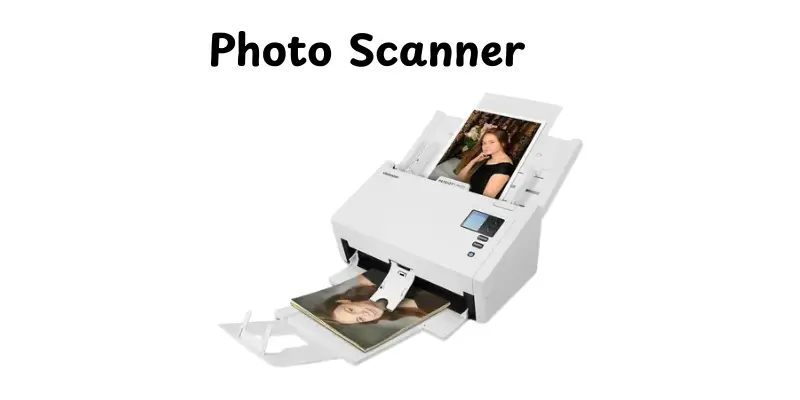
A picture scanner is a type of scanner that captures high-quality images from photographs, negatives and slides.It focuses on color accuracy and fine detail while saving memories or excellent images in digital form.This type is perfect for photographers, collectors and anybody who requires accurate picture reproduction.
Key Features
- High-resolution scanning for clear and detailed images
- Excellent color accuracy to match original photos
- Can scan photo prints, negatives and film slides
- Often includes dust and scratch removal features
- Supports multiple image formats like JPEG, PNG, or TIFF
Examples
- Digitizing old family photos to preserve memories on a computer
- Scanning professional photography prints for online portfolios
- Converting film negatives into digital images for editing or printing
Book / Overhead Scanner
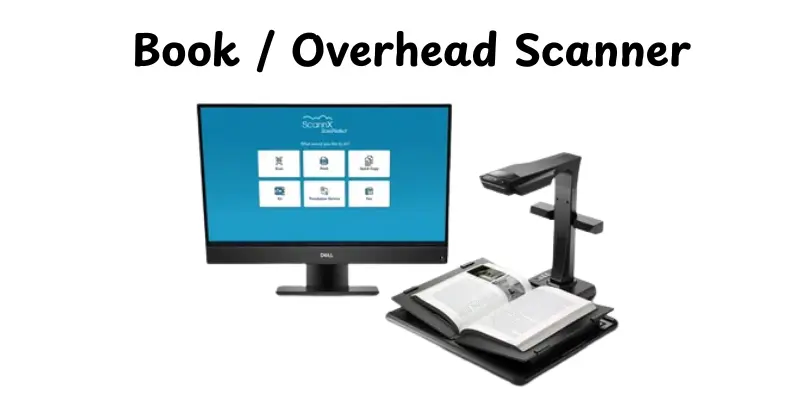
A book or overhead scanner is a device that saves images from books, magazines or bound documents without pressing them flat. It uses a camera positioned above the material, making it safe for delicate or thick papers. This type of scanner is ideal for libraries, students and researchers who need to convert books efficiently.
Key Features
- Scans books without damaging the spine or pages
- Captures high-quality images with minimal distortion
- Often includes automatic page-curvature correction
- Can handle large or thick documents easily
- Supports both color and grayscale scanning
Examples
- Digitizing textbooks for online study or reference
- Scanning rare or old books in a library for preservation
- Creating digital copies of research papers or academic journals
Drum Scanner
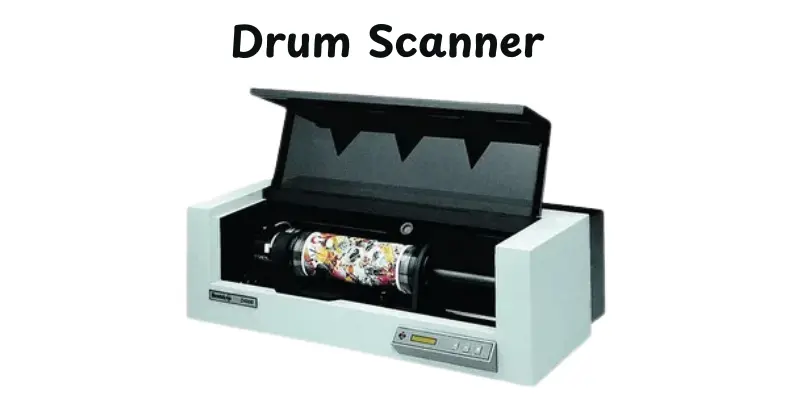
A drum scanner is a high-end scanner that produces highly accurate and high-resolution pictures by rotating a drum and using a photomultiplier tube. It is mostly used in professional printing, fine art reproduction and preservation applications where image quality is necessary. Drum scanners outperform ordinary scanners in terms of color accuracy and image quality.
Key Features
- Extremely high resolution and detail, suitable for large prints
- Superior color accuracy and dynamic range
- Ideal for scanning fine art, maps or detailed photographs
- Can handle large-format documents with precision
- Specialized and professional equipment, often expensive
Examples
- Reproducing high-quality artwork for printing or exhibition
- Scanning historical maps or rare documents for digital archives
- Capturing fine details of photographs for professional publishing
Document Scanner (High-Speed Office Scanner)
A document scanner is designed for the quick and efficient scanning of huge quantities of paper and information. It is widely used in offices and businesses to easily scan contracts, forms and reports. These scanners frequently contain features like duplex scanning and automated document transfer to save time and improve productivity.
Key Features
- High-speed scanning for multiple pages per minute
- Automatic Document Feeder (ADF) for bulk scanning
- Duplex scanning to capture both sides of a page at once
- Often includes OCR software for converting text to editable format
- Can connect to networks, computers or cloud storage for easy sharing
Examples
- Digitizing invoices, receipts, and contracts in an office setting
- Scanning employee records for HR or administrative purposes
- Converting stacks of printed forms into searchable digital files
3D Scanner
A 3D scanner is a device that uses the form and measurements of real-life objects to create a digital 3D image. Unlike typical scanners, it can record depth and surface details, making it perfect for design, engineering and artistic tasks. 3D scanners are often used in industries requiring exact measurements or digital models of real objects.
Key Features
- Captures depth, shape and surface texture of objects
- Creates accurate 3D digital models for printing or design
- Can scan objects of various sizes, from small parts to large structures
- Often supports multiple scanning technologies like laser or structured light
- Connects with CAD software for modeling, analysis, or prototyping
Examples
- Creating 3D models of products for manufacturing or prototyping
- Scanning sculptures or artifacts for museums or virtual exhibitions
- Designing custom medical implants or prosthetics based on patient anatomy
QR / Barcode Scanner
A QR or barcode scanner is a device that reads and interprets barcodes or QR codes to quickly retrieve digital information.These scanners transform the patterns into usable data for inventory, sales and payment systems. They are frequently used in retail, transport and business to improve speed and decrease human entry mistakes.
Key Features
- Reads various types of barcodes (1D) and QR codes (2D)
- Fast scanning speed for quick data capture
- Can connect via USB, Bluetooth, or Wi-Fi
- Often compatible with inventory or point-of-sale software
- Portable models available for mobile or on-the-go scanning
Examples
- Scanning product barcodes at a retail checkout
- Tracking shipments and inventory in warehouses
- Reading QR codes for digital payments or event tickets
OCR Scanner (Software-Based)
An OCR (Optical Character Recognition) scanner is a software-powered device that transforms scanned images of text into editable and searchable digital text. Unlike regular scanners, OCR identifies characters and words, making documents easier to edit, save and manage. It is commonly used in offices, libraries and companies to save time and reduce manual typing.
Key Features
- Converts scanned text into editable formats like Word, PDF or TXT
- Supports multiple languages and fonts
- Can process single pages or large batches of documents
- Often includes spell-check and layout retention features
- Works with both printed and handwritten text (depending on software quality)
Examples
- Digitizing printed contracts to create searchable PDF files
- Converting textbooks or research papers into editable digital documents
- Automating data entry from forms or invoices in office workflows
Network Scanner
A network scanner connects directly to a network, allowing several people to access it from various computers without the need for a physical connection. It is created for shared workplace spaces, increasing efficiency by helping everyone to scan papers to their devices or cloud storage. Network scanners bring speed, ease and teamwork to businesses of all sizes.
Key Features
- Connects via Wi-Fi, Ethernet or LAN for shared access
- Supports scanning to multiple destinations: email, cloud or network folders
- High-speed scanning for office productivity
- Often includes duplex and batch scanning capabilities
- Can integrate with document management systems
Examples
- Employees scanning contracts directly to a shared company folder
- Sending meeting handouts or reports to team members digitally
- Offices using cloud-connected scanners to store invoices and receipts centrally
How to Choose the Right Scanner
Choosing the right scanner can be tricky because there are so many types with different features. Knowing what you need and how you’ll use it makes the decision much easier. Here are some simple tips to help you pick the best scanner for your needs:
- Identify Your Purpose: Decide if you’re scanning documents, photos, books or 3D objects.
- Consider Speed and Volume: High-volume tasks need sheet-fed or document scanners; low-volume, high-quality scans are better with flatbed scanners.
- Check Resolution: Higher DPI is needed for photos and artwork; standard resolution works for text documents.
- Connectivity Options: USB is fine for home use; Wi-Fi or network scanners are ideal for offices.
- Look for Extra Features: OCR for editable text, duplex scanning for double-sided pages, and automatic document feeders save time.
- Set Your Budget:Choose a scanner that meets your needs, basic scanners are inexpensive, but professional versions are more expensive but have more advanced functions.
Conclusion
In this article, we explored numerous types of scanners, covering everything from flatbed and sheet-fed to 3D and OCR scanners. We discussed their characteristics, real-world applications, and how to choose the best one for your needs. Choosing a good scanner can help people save time, secure memories and organize their papers. My personal suggestion is to consider what you’ll scan the most and invest in a scanner that is appropriate for your daily tasks; it will pay off in terms of ease and quality.So, friends, keep learning and being interested about the technologies that will make your work and life more enjoyable.
FAQs
A flatbed or photo scanner works best for photos. They capture high-quality images and accurate colors without damaging the originals.
A book or overhead scanner is ideal for books. It scans pages from above, so the spine stays safe and the pages don’t get bent.
Sheet-fed scanners pull pages through automatically and are fast for multiple documents. Flatbed scanners scan items placed on a glass surface, giving better quality for photos and single pages.
Yes, some scanners come with OCR software. This lets you turn scanned text into editable and searchable digital documents.
There are several types of scanners, including flatbed, sheet-fed, handheld, photo, book/overhead, drum, 3D, OCR, and network scanners. Each type is designed for a specific purpose, like scanning documents, photos, books, or 3D objects. Choosing the right type depends on what you need to scan and how often.
For home use, a flatbed scanner or a small sheet-fed scanner works best. Flatbed scanners are great for photos, documents, and books. Sheet-fed scanners are handy if you have multiple pages to scan quickly.
Yes, some scanners like flatbed or multi-function scanners can handle both documents and photos. They provide good image quality for photos and work well for text documents. This makes them versatile for home or office use.
Not all scanners come with OCR, but many modern models include it or offer software support. OCR lets you turn scanned text into editable and searchable documents, which is useful for work, school, or organizing files.




- Be Respectful
- Stay Relevant
- Stay Positive
- True Feedback
- Encourage Discussion
- Avoid Spamming
- No Fake News
- Don't Copy-Paste
- No Personal Attacks
- Be Respectful
- Stay Relevant
- Stay Positive
- True Feedback
- Encourage Discussion
- Avoid Spamming
- No Fake News
- Don't Copy-Paste
- No Personal Attacks
