Uses of Computers: How Technology Makes Life Easier
Published: 9 Dec 2025
Computers play a useful role in our daily lives, often without us even noticing.From studying online and doing office work to shopping and banking, computers make many tasks faster and easier.Schools, businesses, hospitals and homes all depend on computers every day.A single computer can store huge amounts of information and process it in seconds.In this article, we will look the uses of computers in simple and practical ways.You will learn where they matter most and how they support everyday activities.By the end, everything will feel much clearer.Understanding the different types of computer helps you see how each one is used for specific tasks in daily life, from work and education to entertainment and research.
Basic Uses of Computers
Computers help us perform simple daily tasks quickly and accurately.The basic uses of computers make work easier at home, school and the workplace.These are some helpful uses of computers:
- Education
- Business
- Banking
- Healthcare
- Communication
- Entertainment
- Science and Research
- Government Services
- Online Shopping
- Office Work
- Data Storage
- Designing and Graphics
- Transportation
- Manufacturing
- Weather Forecasting
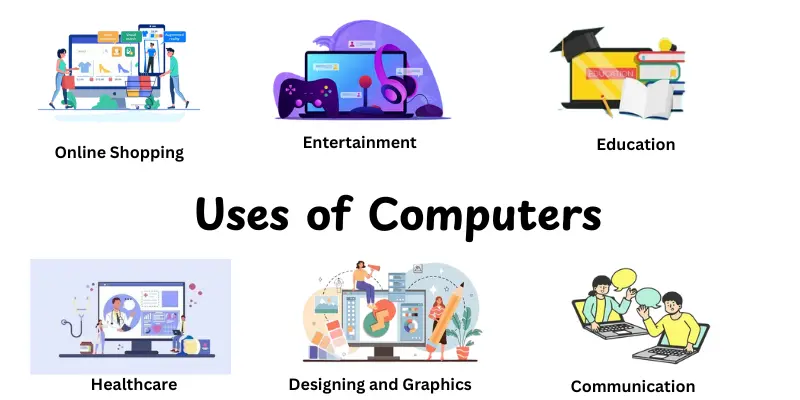
Education
Education refers to the uses of computers to support learning, teaching and academic management.Schools and colleges rely on computers to improve study methods and make education more interactive.They also help students access knowledge beyond textbooks.
Features
- Supports online classes and digital learning
- Provides quick access to study materials and research
- Helps teachers create lessons, tests and presentations
- Stores student records and academic data
- Makes learning more engaging with videos and visuals
Examples
- Students attend online classes using laptops or tablets
- Teachers prepare lessons and exams using computers
- Schools use computer systems to manage attendance and results

Business
A company is any organization or entity that sells items or services to clients in return for money. Businesses differ in size, structure and purpose, but their basic purpose is to make a profit while serving the demands of their target market.They play an important role in generating economic growth and creating job opportunities.
Features:
- Operates to make money by selling items or services.
- Can be small, medium or large in size, from local shops to multinational corporations.
- Often requires registration and legal compliance with government regulations.
- Involves management of resources, including employees, finances and materials.
- Can adjust to market changes and client requests to stay competitive.
Examples:
- Apple Inc. – A multinational technology company producing electronics and software.
- Starbucks – A global coffeehouse chain providing beverages and snacks.
- Local Grocery Stores – Small-scale businesses serving community needs.
Banking
Banking refers to the financial services sector that manages money, provides loans and facilitates transactions for individuals and businesses.Banks have an important role in the economy by offering safe storage for money, credit facilities and financial guidance. Understanding the uses of banking helps people and organizations manage finances efficiently.
Features:
- Offer a safe place to deposit and withdraw money.
- Offers loans, credit and mortgages to support personal and business needs.
- Facilitates online and offline transactions through accounts and cards.
- Helps in investment planning, savings and wealth management.
- Operates under strict government regulations to ensure security and trust.
Examples:
- JPMorgan Chase – A multinational bank offering a wide range of financial services.
- HSBC – Provides banking services globally with a focus on international trade.
- Local Community Banks – Small-scale banks catering to regional financial needs.
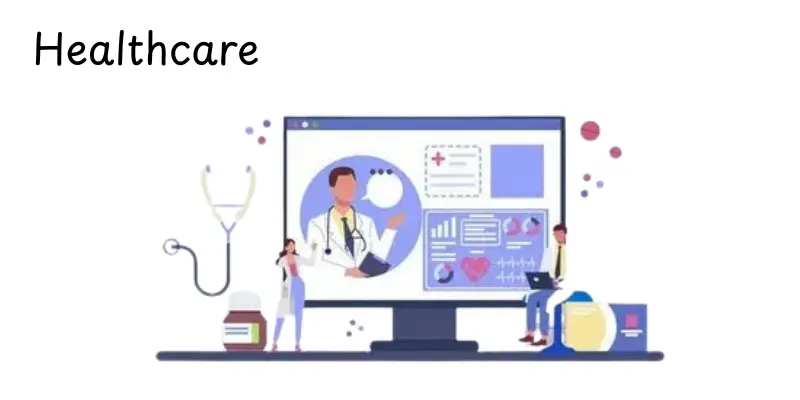
Healthcare
Healthcare refers to the system and services that maintain or improve people’s health through prevention, diagnosis, treatment and care.It plays a critical role to make sure the well-being of individuals and communities, using modern technologies and skilled professionals.Understanding the uses of healthcare highlights its importance in helping people and improving the quality of life.
Features:
- Provides medical treatment and preventive care for patients.
- Uses technology such as diagnostic machines, health records and telemedicine.
- Employs trained professionals like doctors, nurses and pharmacists.
- Focuses on promoting health awareness and disease prevention.
- Operates under strict ethical and regulatory standards to ensure safety.
Examples:
- Mayo Clinic – A renowned hospital providing advanced medical care and research.
- Apollo Hospitals – A leading healthcare provider in India with multiple specialties.
- Local Health Clinics – Community centers offering basic medical services and vaccinations.
Communication
Communication refers to the exchange of information between people or organizations using various tools and technologies.It plays a critical role in connecting individuals, businesses and communities across distances.Understanding the uses of communication helps improve relationships, collaboration and the flow of information in daily life.
Features:
- Enables instant messaging, emails, video calls and social networking.
- Supports business operations through professional correspondence and collaboration tools.
- Facilitates global connectivity and information sharing.
- Includes both verbal and non-verbal methods for effective interaction.
- Uses modern technologies like smartphones, computers and communication apps.
Examples:
- WhatsApp – A messaging app used worldwide for instant communication.
- Zoom – A video conferencing platform for businesses and education.
- Email Services (e.g., Gmail, Outlook) – Allow formal and informal digital communication.
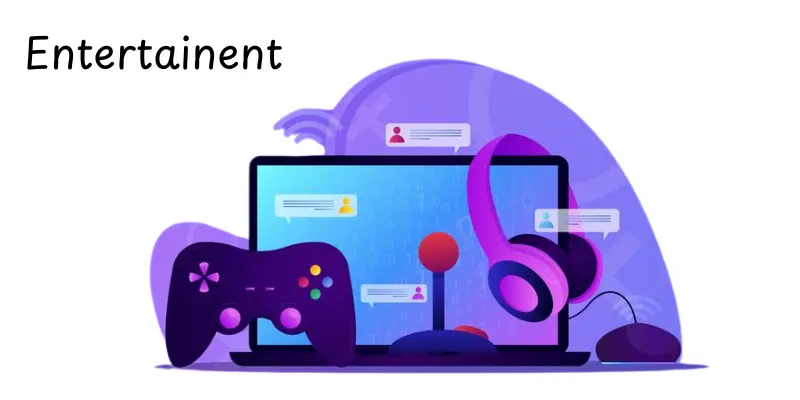
Entertainment
Entertainment refers to the use of technology and tools to provide amusement, enjoyment and relaxation to people.It helps an particular role in reducing stress, engaging audiences, and offering creative content. Understanding the uses of entertainment shows how computers and devices have transformed how we watch, play and listen to media.
Features:
- Enables streaming of movies, music and videos online.
- Supports gaming through computers, consoles and mobile devices.
- Provides platforms for content creation and sharing, like social media and video channels.
- Enhances virtual and augmented reality experiences for immersive enjoyment.
- Offers interactive learning and creative tools for hobbies and arts.
Examples:
- Netflix –An online service for movies and television shows.
- PlayStation / Xbox – Gaming consoles offering interactive entertainment.
- YouTube – A platform for videos, music, and creative content sharing.
Science and Research
Science and Research refers to the use of computers and technology to collect, analyze and interpret data for discoveries and innovation.It helps a crucial role in advancing knowledge across fields like medicine, engineering and environmental studies. Understanding the uses of science and research highlights how technology accelerates problem-solving and innovation.
Features:
- Supports data collection, storage and analysis for experiments and studies.
- Enables simulation, modeling and visualization of complex phenomena.
- Facilitates collaboration among researchers globally through digital platforms.
- Assists in publishing and sharing research findings quickly and widely.
- Uses advanced technologies like AI, machine learning, and supercomputers for complex research tasks.
Examples:
- CERN – Uses high-tech computing for particle physics research.
- NASA – Employs computers for space exploration and scientific simulations.
- PubMed / ResearchGate – Platforms for sharing scientific publications and studies.
Government Services
Government Services refer to the use of computers and technology to manage, deliver and improve public services efficiently.These services help governments operate smoothly, provide information and serve citizens effectively.Understanding the uses of government services shows how technology simplifies administration and enhances public access.
Features:
- Provides online portals for citizen services like tax filing, licenses and registrations.
- Supports data management and record-keeping for government departments.
- Facilitates secure communication between government agencies and the public.
- Enables digital governance, reducing paperwork and administrative delays.
- Assists in monitoring public projects, healthcare and emergency services.
Examples:
- USA.gov – Centralized portal for U.S. government services and information.
- India’s Digital India Initiative – Offers e-services like online tax filing and certificates.
- Local e-Government Portals – Municipal websites for paying bills and accessing community services.
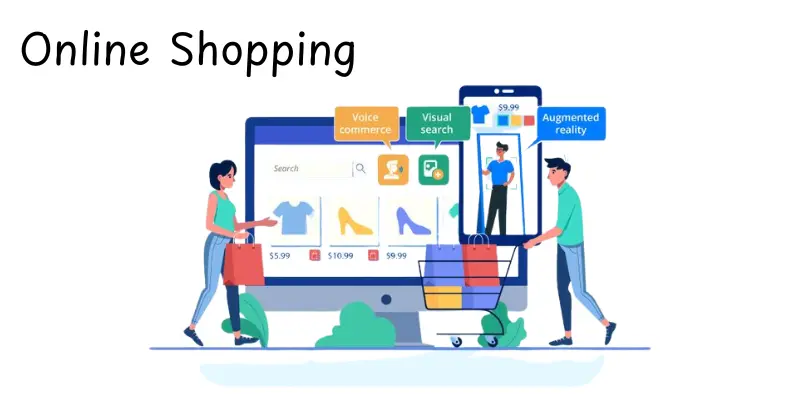
Online Shopping
Online Shopping refers to purchasing products or services over the internet using computers, smartphones, or other digital devices.It offers convenience, variety and easy access to items from anywhere in the world.Understanding the uses of online shopping shows how technology has changed the shopping experience for clients and businesses alike.
Features:
- Gives access to a diverse choice of items from both local and international sellers.
- Allows price comparison and reading of reviews before purchasing.
- Offers secure payment options, including digital wallets and cards.
- Enables home delivery or pick-up services for purchased items.
- Uses personalized recommendations and AI algorithms to improve shopping experience.
Examples:
- Amazon – A global e-commerce platform offering millions of products.
- eBay – An online marketplace for buying and selling goods.
- Alibaba – A leading platform connecting buyers and suppliers internationally.
Office Work
Office Work refers to the use of computers and technology to perform daily tasks in a professional environment.It includes activities like documentation, communication, scheduling and data management.Understanding the uses of office work highlights how technology improves productivity, organization and efficiency in workplaces.
Features:
- Facilitates document creation, editing, and storage using software like word processors and spreadsheets.
- Supports internal and external communication via emails, messaging apps, and video calls.
- Helps in scheduling, task management and collaboration among team members.
- Provides tools for data analysis, reporting and presentations.
- Ensures secure storage and sharing of sensitive company information.
Examples:
- Microsoft Office Suite – Widely used software for documents, spreadsheets and presentations.
- Slack – A team-focused communication and collaboration tool.
- Google Workspace – Cloud-based tools for office productivity and teamwork.
Data Storage
Data Storage refers to the use of computers and digital devices to save, manage and retrieve information efficiently.It is useful for people, businesses and organizations to securely store large volumes of data for future use.Understanding the uses of data storage highlights its importance in protecting valuable information and supporting decision-making.
Features:
- Allows secure saving of files, documents, images and videos.
- Supports cloud storage for easy access from anywhere.
- Enables data backup and recovery to prevent loss.
- Provides high-speed retrieval and management of large datasets.
- Protects sensitive information through the use of encryption and security methods.
Examples:
- Google Drive – Cloud-based storage for personal and business use.
- Dropbox – Online platform for storing and sharing files.
- External Hard Drives – Physical devices used for offline data storage.
Designing and Graphics
Designing and Graphics refers to the use of computers and software to create visual content, illustrations and digital designs.It plays a crucial role in advertising, media, branding, and artistic expression.Understanding the uses of designing and graphics shows how technology enhances creativity and communication through visuals.
Features:
- Enables creation of logos, banners, posters and digital artwork.
- Supports photo editing, vector graphics and 3D modeling.
- Provides tools for animation, video editing and multimedia design.
- Enhances marketing and branding with professional visuals.
- Allows collaboration on creative projects through cloud-based design software.
Examples:
- Adobe Photoshop – Widely used software for image editing and graphic design.
- Canva – Online platform for creating graphics, presentations and social media visuals.
- Autodesk Maya – Software for 3D modeling, animation and visual effects.
Transportation
Transportation refers to the use of computers and technology to manage, plan and operate the movement of people and goods efficiently.It plays a key role in logistics, travel and public transit by improving safety, scheduling, and resource management.Understanding the uses of transportation highlights how technology makes travel faster, safer and more convenient.
Features:
- Helps in route planning, navigation and traffic management.
- Supports fleet management and real-time tracking of vehicles.
- Enables online ticket booking and digital payment for travel services.
- Assists in logistics, supply chain management and cargo tracking.
- Uses automation and AI for smart transportation systems and safety monitoring.
Examples:
- Uber – Ride-hailing platform using GPS and app-based booking.
- FedEx / DHL – Logistics companies using technology for shipment tracking.
- Airline Reservation Systems (e.g., Amadeus) – Digital platforms for flight scheduling and ticketing.
Manufacturing
Manufacturing refers to the use of computers and technology to produce goods efficiently and accurately. It involves planning, designing and controlling production processes to ensure quality and productivity.Understanding the uses of manufacturing highlights how technology streamlines production and reduces errors in various industries.
Features:
- Supports automation of production lines and machinery control.
- Enables precise design and prototyping through CAD (Computer-Aided Design) software.
- Facilitates inventory management and supply chain coordination.
- Improves quality control and reduces waste during production.
- Uses robotics, IoT, and AI for efficient and safe manufacturing processes.
Examples:
- Toyota – Uses automated production lines and robotics in automobile manufacturing.
- Siemens – Implements digital manufacturing solutions in industrial operations.
- Local factories – Small to medium enterprises using computers for process management and monitoring.
Weather Forecasting
Weather Forecasting refers to the use of computers and technology to predict atmospheric conditions and provide accurate weather information.It plays a crucial role in planning, safety, and disaster management.Understanding the uses of weather forecasting highlights how technology helps people and organizations make informed decisions based on reliable data.
Features:
- Collects and analyzes data from satellites, radars and weather stations.
- Provides short-term and long-term weather predictions for regions.
- Supports disaster management and early warning systems for storms and floods.
- Enables mobile apps and online platforms to share real-time weather updates.
- Uses advanced models, AI, and simulation software to improve forecast accuracy.
Examples:
- The Weather Channel – Offers weather updates and forecasts worldwide.
- AccuWeather – Provides digital weather forecasting services for individuals and businesses.
- National Weather Service (USA) – Government agency for meteorological data and alerts.
Conclusion
Today, we discussed different uses of computers in fields like business, healthcare, education and entertainment.Each use shows how computers make our jobs simpler, faster, and more organized.My advice, guys, is to learn and apply these computer skills carefully because they can make your life and job more easier.Keep exploring, be interested, and learning, guys!
FAQs
Computers are used for education, business, communication, entertainment, online shopping, banking, healthcare, data storage, research, and transportation. They help make these tasks faster and easier.
Some common uses include writing documents, making presentations, sending emails, browsing the internet, video calling, gaming, graphic designing, programming, online banking, social media, data analysis, weather forecasting, ticket booking, healthcare monitoring, scientific research, virtual learning, digital marketing, stock trading, government services, and controlling machines.
The main uses are education, communication, business, healthcare, entertainment, banking, and government services. These areas show how computers touch almost every part of daily life.
Early computers were used for calculations, data processing, and solving scientific problems. Over time, they expanded to business, communication, and everyday tasks.
Computers are most used in offices, schools, hospitals, banks, homes, and businesses. Basically, they are everywhere in modern life.
Life would be very slow and difficult without computers. Many tasks like banking, communication, learning, and work rely on them.




- Be Respectful
- Stay Relevant
- Stay Positive
- True Feedback
- Encourage Discussion
- Avoid Spamming
- No Fake News
- Don't Copy-Paste
- No Personal Attacks
- Be Respectful
- Stay Relevant
- Stay Positive
- True Feedback
- Encourage Discussion
- Avoid Spamming
- No Fake News
- Don't Copy-Paste
- No Personal Attacks
