What Are Primary Storage Devices?Understanding RAM, ROM and Cache
Published: 8 Nov 2025
Have you ever wondered why your computer slows down when you open too many programs at once? It can be confusing to find out what’s really happening inside your device.Don’t worry, this guide will clarify issues for you.We’ll look at how primary storage devices work, why they’re important and how they keep your computer running smoothly.
What Are Primary Storage Devices?
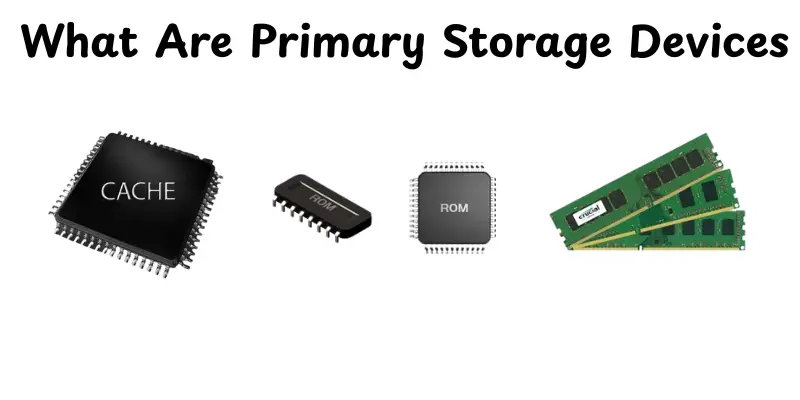
Primary storage devices are the main memory parts of a computer that store data for easy access.They store information that the CPU needs while running applications or performing tasks.This memory is very fast, but it only stores data while the computer is turned on.When the power cuts off, the saved data disappears.RAM, ROM and cache memory are some common examples.In short, the primary storage enable your computer to think and reply fast to your requests.
Importance of Primary Storage in a Computer
Primary storage devices are useful for smooth and fast computer performance.They help your system run tasks, load programs and reply quickly.Without them, your computer would struggle to run properly.
- Store data that the CPU needs instantly.
- Speed up program loading and system response time.
- Keep active files ready for processing.
- Improve multitasking and overall computer efficiency.
- Support the smooth running of applications and operations.
Working of Primary Storage Devices
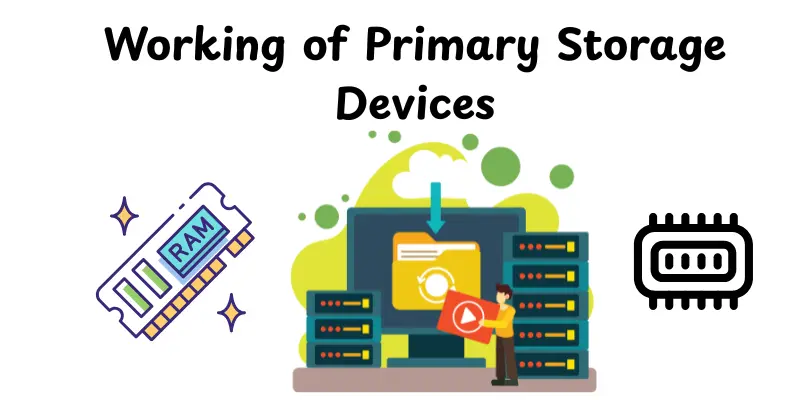
Primary storage devices work as the active memory of the computer, storing data that’s already in use.They temporarily store information so that the CPU can use it and complete tasks faster. Here’s how they work in a few simple steps:
- When you open a program, its data is loaded from the hard drive into primary storage.
- The CPU takes this data from memory and processes it instantly.
- As you work, any changes you make are temporarily stored in this memory.
- Once you save your work, it’s moved back to permanent storage like a hard drive.
- When the computer turns off, all data in primary storage is erased.
Characteristics of Primary Storage Devices
Primary storage devices are the computer’s primary memory, which handles data during active operations. They allow quick performance and fast processing. The following are the main characteristics defined simply:
- High Speed- Primary storage works very fast, allowing the CPU to access and process data instantly.This speed helps the system run smoothly.
- Volatile or Non-Volatile Nature- RAM is volatile, meaning data is lost when power goes off, while ROM is non-volatile and keeps data permanently.
- Direct Access by CPU- The CPU can read and write data directly from this memory without using any extra steps, saving time.
- Limited Storage Capacity- It can store only a small amount of data compared to secondary storage devices like hard drives.
- Temporary Data Storage- Primary storage mainly holds data while programs are running.Once the system shuts down, most of this data is erased.
Types of Primary Storage Devices
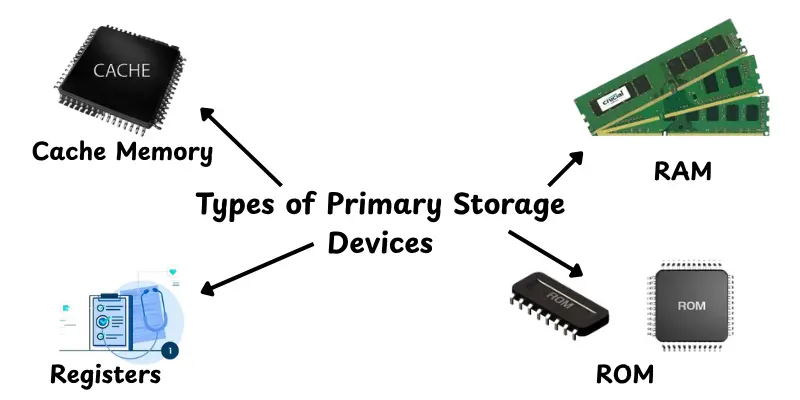
Primary storage devices come in many shapes and sizes, with each having specific purposes within the computer.They help the system in processing data, storing instructions and running applications fast. Let’s have a look at the main types of primary storage devices:
- RAM (Random Access Memory)- Temporarily stores data and programs that the CPU is currently using.
- ROM (Read-Only Memory)- Holds important instructions needed for the computer to start and run properly.
- Cache Memory- Provides quick access to frequently used data, helping the CPU work faster.
- Registers- Small storage units inside the CPU that hold data being processed instantly.
Applications of Primary Storage Devices
Primary storage devices are used in almost every computer task you perform. They help your system work smoothly, load software rapidly, and process data properly. Here are the main uses of primary storage devices:
- Running Programs: Store active programs and files while they are being used.
- Booting the System: Hold startup instructions needed to load the operating system.
- Processing Data: Provide quick access to data that the CPU needs for calculations.
- Temporary Storage: Keep information only while the computer is on.
- Speed Enhancement: Improve overall system performance by reducing data access time.
Advantages and Disadvantages of Primary Storage Devices
In this part, we’ll look at the advantages and disadvantages of primary storage devices.Understanding both sides enables you why they are important and where their limitations are.
| Advantages of Primary Storage Devices |
|---|
|
| Disadvantages of Primary Storage Devices |
|---|
|
Modern Trends in Primary Storage Technology
Primary storage technology is continually changing, with faster speeds, more efficiency and more advanced memory systems.Modern developments make devices more powerful and energy efficient, resulting in better performance on computers and mobile devices.
- DDR5 RAM and LPDDR versions- Offer higher speed, better bandwidth and improved power efficiency for laptops, desktops and smartphones.
- NVRAM and cache improvements- Help CPUs access data faster and reduce delays during processing tasks.
- AI-based memory management- Uses artificial intelligence to optimize memory usage, predict needs and improve overall system performance.
How to Choose the Right Primary Storage
The useful primary storage system depends on your system’s speed, capacity and performance needs.You should check if the technology will be used for gaming, work or general purposes.Here are a few basic ideas that can help you choose the correct one:
- Check speed requirements: Go for faster RAM if you use heavy software or games.
- Consider storage capacity: Pick enough memory to handle your tasks without slowing down your system.
- Match compatibility: Ensure your motherboard supports the storage type like DDR4 or DDR5.
- Think about future upgrades: Choose storage that can be easily expanded or upgraded later.
- Balance cost and performance: Find a good mix between price, speed and reliability for long-term use.
Conclusion
So, guys, we’ve covered all there is to know about Primary Storage Devices, from their definition and types to how they work, their uses and the most recent trends. These devices are necessary for keeping your system working smoothly and efficiently.If you ever update your computer, always look for reliable and high-speed storage to improve performance. Keep learning, friends and look out for more tech-friendly tips!
FAQs
Primary storage devices are the main memory units inside a computer.They include RAM and ROM, which store data and instructions the CPU needs quickly.This helps the system run smoothly and respond faster.
Both RAM and ROM are types of primary storage.RAM is temporary memory used while the computer is running, while ROM stores permanent instructions needed to start the system.
Common examples of primary storage like RAM, ROM, cache memory and registers. These help the CPU access data directly for faster work.
The main function of primary storage is to keep data and instructions the CPU needs while performing tasks.It allows easy data access for fast processing.
RAM is a primary storage device.It stores data temporarily while the computer is running and clears everything once the system is shut down.
Primary storage is important because it helps the computer process information quickly.Without it, your device would take much more time to open programs or complete tasks.
Primary storage provides data and instructions for ongoing tasks, but cache memory saves often used data for even faster access.Cache is smaller and faster than primary storage.






- Be Respectful
- Stay Relevant
- Stay Positive
- True Feedback
- Encourage Discussion
- Avoid Spamming
- No Fake News
- Don't Copy-Paste
- No Personal Attacks
- Be Respectful
- Stay Relevant
- Stay Positive
- True Feedback
- Encourage Discussion
- Avoid Spamming
- No Fake News
- Don't Copy-Paste
- No Personal Attacks
