What Is Thermal Printer? Types, Features, and Uses Explained
Published: 29 Oct 2025
Ever wondered how stores print receipts instantly without using traditional ink? It can be confusing to see such fast, clean prints and not know how it works. In this guide, we’ll cover everything about thermal printers, including how they work, the main types, key features, practical uses, advantages and disadvantages, setup tips, and common FAQs to help you choose and use one easily.
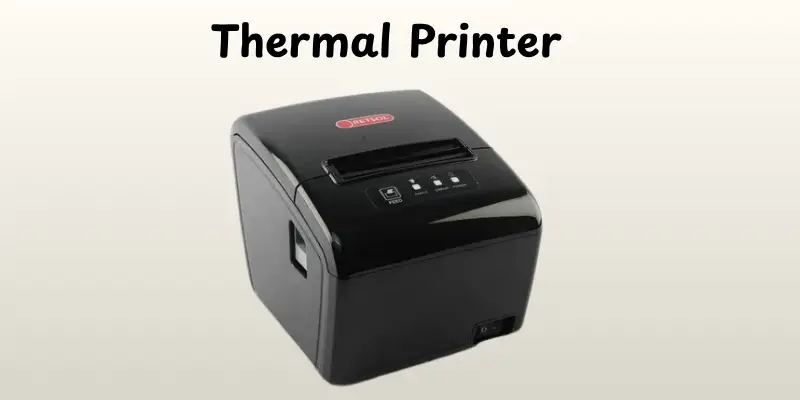
What Is a Thermal Printer?
A thermal printer uses heat to print pictures or text on specific paper. Instead of using ink or toner, it warms certain regions of the paper to produce the print. Thermal printers are often used to create receipts, labels, tickets, and barcodes. They function faster and require less maintenance compared to traditional printers. These printers are small and commonly used in stores, offices, and warehouses. Overall, a thermal printer is a quick and effective way to print basic documents and labels.
History of Thermal Printers
Thermal printers were first introduced in the 1970s, mostly for commercial and industrial uses. Early models were basic, with labels, receipts, and tickets printed on heat-sensitive paper. They became more popular in shop and banking by the 1980s because of their speed and dependability when compared to dot matrix and impact printers.
Modern thermal printers have advanced greatly with faster printing, greater resolution, and more compact designs. Direct thermal and thermal transfer printing technologies are increasing their uses. Thermal printers are quieter than common printing technologies, need less maintenance, and do not require ink or toner, making them more effective for everyday use.
How Thermal Printers Work
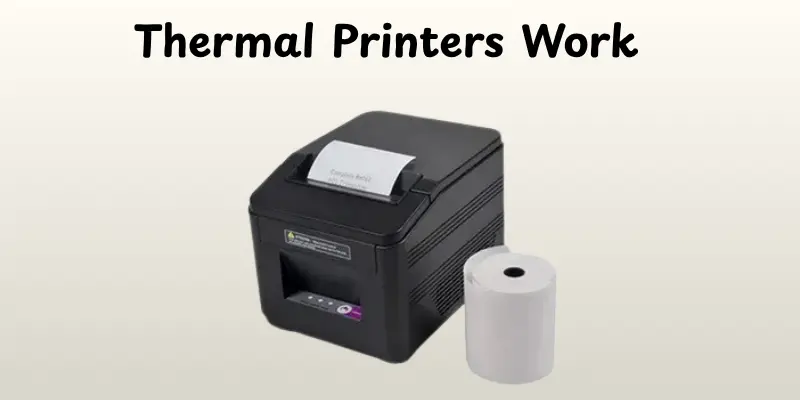
Thermal printers work differently than typical ink or toner printers. They use heat to form pictures or text on specialized paper, making printing faster, quieter, and easier. Here’s how the method works in simple steps:
- The printer receives the document or image from a computer, phone, or POS system.
- A thermal print head heats up in specific patterns to form letters, numbers, or images.
- The heat reacts with the thermal paper, turning it black or colored in the heated areas.
- The paper moves forward line by line as the print head continues its work.
- The final print emerges instantly, dry and ready to use.
- Some models use thermal transfer ribbons to print on regular paper or labels for longer-lasting prints.
Types of Thermal Printers
Thermal printers come in different styles to suit various printing needs. Knowing the types helps you pick the right printer for home, business, or industrial use.
- Direct Thermal Printers – Print by applying heat directly to special thermal paper.
- Thermal Transfer Printers – Use a ribbon to transfer ink onto paper or labels.
- Mobile Thermal Printers – Small, portable printers for on-the-go printing.
- Industrial Thermal Printers – Heavy-duty printers for large-scale or harsh environment use.
- Desktop Thermal Printers – Compact printers for small office or home tasks.
Key Features of Thermal Printers
Thermal printers come with features that make them ideal for businesses, retail, or home use. These features help save time, reduce costs, and ensure smooth, reliable printing for daily tasks.
- Fast Printing Speed – Quickly produces receipts, labels, or tickets, saving time.
- Compact and Lightweight Design – Easy to place anywhere and move when needed.
- High-Resolution Print Quality – Produces clear text and sharp images.
- Low Maintenance – Fewer moving parts mean less frequent repairs and servicing.
- Supports Various Paper Sizes – Works with receipts, labels, or other custom formats.
Uses of Thermal Printers
Thermal printers are widely used because they are fast, reliable, and low-maintenance. They are perfect for businesses, retail, and even home use where quick and clear printing is needed.
- Retail Receipts – Print customer receipts quickly at stores and supermarkets.
- Shipping Labels – Produce clear labels for packages and logistics.
- Tickets – Print event, movie, or transport tickets instantly.
- Barcode Printing – Create barcodes for products, inventory, or assets.
- Healthcare Labels – Print patient wristbands, prescriptions, and lab samples.
- Restaurant Orders – Quickly print kitchen orders and bills in restaurants.
Advantages and Disadvantages of Thermal printers
Thermal printers are popular for their speed and reliability, making them ideal for business, retail, and home use. Like any device, they have benefits as well as a few limitations to keep in mind.
| Advantages |
|---|
|
| Disadvantages |
|---|
|
Tips for Using a Thermal Printer
Using a thermal printer correctly helps it last longer and keeps your prints clear and sharp. A few simple habits can save you time, paper, and maintenance costs.
- Keep the printer clean and dust-free
- Use the recommended thermal paper for best results
- Avoid exposing paper to direct sunlight or heat
- Regularly check and replace the printer’s thermal head if needed
- Keep the printer in a cool, dry place
- Test print before important jobs to ensure accuracy
- Turn off the printer when not in use
- Avoid overloading the paper tray to prevent jams
Conclusion
So now you know all you need to know about thermal printers, including how they function, the many types, major features, uses, and benefits and drawbacks. If you ask me, buying a decent thermal printer is an intelligent choice for businesses, retail, or even personal usage because it saves time, minimizes maintenance, and allows for rapid and dependable printing. Keep studying, people, and look out for more basic tech tips!
FAQs
A regular printer uses ink or toner to print, while a thermal printer uses heat to create images on special paper. Thermal printers are faster and quieter but usually print only on thermal paper.
Thermal printers can be more expensive initially, usually print in black and white, and require special paper. They may fade over time if exposed to heat or sunlight.
No, thermal printers do not need ink. They use heat-sensitive paper to produce the print.
Thermal printers either use heat to activate the special paper (direct thermal) or transfer colored ribbon onto paper (thermal transfer).
They are used for receipts, shipping labels, barcodes, tickets, and small office or retail printing tasks.
Thermal printers are usually very fast, printing anywhere from 4 to 12 inches per second depending on the model.
Most thermal printers print in black, but some thermal transfer printers can print limited colors using colored ribbons.
With proper care, thermal printers can last 5–10 years, especially in business or retail use.





- Be Respectful
- Stay Relevant
- Stay Positive
- True Feedback
- Encourage Discussion
- Avoid Spamming
- No Fake News
- Don't Copy-Paste
- No Personal Attacks
- Be Respectful
- Stay Relevant
- Stay Positive
- True Feedback
- Encourage Discussion
- Avoid Spamming
- No Fake News
- Don't Copy-Paste
- No Personal Attacks
