What is a Workstation Computer? Unlock Its Full Potential Today
Published: 28 Dec 2025
Did you know that many top designers, engineers and video editors depend on powerful systems to complete heavy tasks on time?A workstation computer helps experts to manage huge files, complex applications, and lengthy work hours without slowing down.In this guide, you will learn why these systems matter, who uses them and how they support serious work. By the end, you will know if this option fits your needs and budget.To learn more about the different types of computers, explore our detailed guide on computer types.
What Is a Workstation Computer?
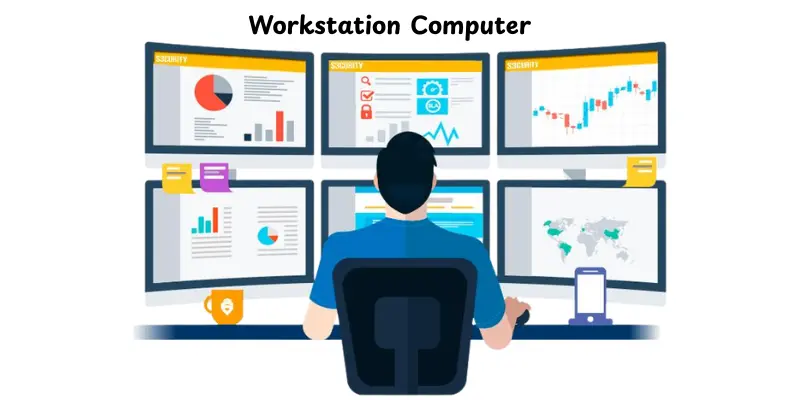
A workstation computer is a high-performance system made for demanding professional work. The term workstation stands for a computer built to handle heavy tasks without slowing down. It supports advanced software used in design, engineering, science and media work. This type of system focuses on speed, accuracy and long hours of use. It runs large files and complex programs more smoothly than a basic computer.Many professionals choose it when regular computers can’t keep up with their workload.
Why Workstations Matter Today
Workstation computers are useful for modern professionals who handle heavy tasks daily. They provide power, speed and reliability that regular computers cannot match.
- Handle Large Software: Run complex programs smoothly without slowing down
- Save Time: Perform tasks faster, improving productivity
- Reduce Errors: Provide accurate results for design, data and engineering work
- Work Long Hours: Built to stay stable during extended use
- Support Professional Growth: Enable work with advanced tools and technology
History of Workstation Computer
Workstation computers have changed greatly over time to meet increasing professional demands.These systems changed as work needs became more complex.Each stage improved speed, power and reliability.
- Early workstations appeared in the 1980s for scientific and engineering work
- They first used powerful processors and large memory for their time
- UNIX-based systems became popular in early workstation models
- Over time, workstations adopted standard PC hardware
- Modern workstations now support AI, 3D design and data-heavy tasks
Working of Workstation Computer
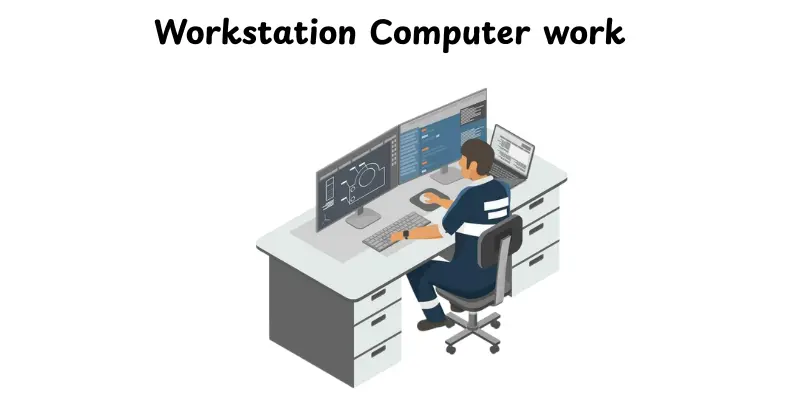
A workstation computer works by efficiently managing heavy tasks and large files. Each component plays a key role to ensure smooth and fast performance.
- The user gives commands through the keyboard and mouse
- The processor handles large tasks quickly and in order
- The memory stores active programs and files for fast access
- The graphics unit processes visuals and complex designs
- The storage saves data and loads files when needed
- The system sends the final output to the screen or files
Key Components of a Workstation Computer
A workstation computer works efficiently because of its strong and specialized components. Each part plays a key role in handling heavy tasks and improving performance.
- Processor (CPU): Handles all calculations and runs software quickly.
- Graphics Card (GPU): Processes visuals and complex designs accurately.
- Memory (RAM): Stores active programs for fast access and smooth multitasking.
- Storage (SSD/HDD): Saves files and loads data quickly when needed.
- Motherboard: Connects all components and allows them to work together.
- Cooling System: Keeps the system cool during long hours of heavy use.
- Power Supply: Provides stable energy to all components to ensure reliability.
Types of Workstation Computers
Workstation computers come in different forms to suit various professional needs. Each type offers unique features for specific work styles and environments.
- Desktop Workstation:A fixed system used in offices and studios that offers high power and easy upgrades.
- Mobile Workstation:A powerful laptop designed for professional work while traveling or working remotely.
- Rack Workstation:A system placed in server racks and used for data-heavy and shared work environments.
- Cloud Workstation:A virtual setup that runs on remote servers and allows access from different devices.
Key Features of a Workstation Computer
Workstation computers have special features that make them powerful and reliable for professional work. These features help handle heavy tasks smoothly and efficiently.They also improve speed and stability.
- It uses a powerful processor to manage large workloads
- It supports high memory to run many programs at once
- It includes a professional graphics card for accurate visuals
- It offers fast storage for quick file access
- It has strong cooling to support long working hours
- It delivers stable performance for demanding software
Workstation vs Desktop Computer
Workstation computers and regular desktops may look similar, but they serve different purposes. Workstations are built for heavy professional tasks, while desktops are for everyday use.
- Performance: Workstations have faster processors and more memory than desktops
- Graphics: Professional GPUs in workstations handle complex designs, but desktops usually have simple graphics
- Reliability: Workstations run long hours without crashing, unlike most desktops
- Storage: Workstations offer larger and faster storage options
- Price: Workstations cost more because they are made for professional work
- Use Case: Workstations are for engineers, designers and scientists, but desktops are for home or office tasks
Common Uses of a Workstation Computer
Workstation computers are designed to handle professional tasks that need speed and accuracy.Workstation computers uses in offices, studios and research environments.
- Graphic Design:Handles large design files and complex software smoothly.
- 3D Modeling and Animation:Supports rendering and creating detailed 3D objects.
- Video Editing:Processes high-resolution videos without slowing down.
- Software Development:Runs multiple development tools and large programs efficiently.
- Data Analysis:Handles large datasets for research or business intelligence.
- Engineering and CAD Work:Supports precise design and simulation tasks for engineers.
- Scientific Research:Runs simulations and calculations that need high processing power.
Advantages and disadvantages of Workstation Computer
In this section, we will look at the pros and cons of a workstation computer. Understanding both sides helps you decide if it fits your work needs.
| Advantages of Workstation Computer |
|---|
|
| Disadvantages of Workstation Computer |
|---|
|
Who Should Buy a Workstation Computer?
Not everyone needs a workstation computer. These systems are best for people who work with heavy software or large files.Choosing the right user ensures the system is fully used and worth the cost.
- Graphic Designers:Need powerful systems to handle large design projects.
- Video Editors and Animators:Require smooth processing for high-resolution videos and 3D animation.
- Engineers and Architects:Use CAD software and simulations that need accuracy and speed.
- Data Analysts and Scientists:Work with large datasets and complex calculations.
- Software Developers:Run multiple development tools and testing environments efficiently.
- Businesses and Studios:Require reliable systems for long hours of professional work.
How to Choose the Right Workstation Computer
Choosing the right workstation computer ensures it meets your work needs and budget. The right system saves time, improves performance, and lasts longer.
- Identify Your Work Needs: Decide which software and tasks you will use most often.
- Check the Processor (CPU): More cores and higher speed are better for heavy workloads.
- Consider the Graphics Card (GPU): Professional GPUs handle design, video, and 3D tasks accurately.
- Determine Memory (RAM): More RAM allows smooth multitasking and large file handling.
- Look at Storage: SSDs are faster, while HDDs provide more space for large files.
- Think About Upgrades: Choose a system that can be upgraded as your work grows.
- Set a Budget: Balance features with cost to get the best value for your needs.
Maintenance Tips for Workstation Computers
Proper maintenance keeps a workstation computer fast and reliable for a long time. Small steps every day can prevent problems and improve performance.
- Keep Software Updated:Install updates for the operating system and applications regularly.
- Clean Hardware Regularly:Remove dust from fans, vents, and components to prevent overheating.
- Monitor Temperature:Use tools to check CPU and GPU temperature during heavy tasks.
- Check Storage Health:Regularly scan SSDs and HDDs to avoid data loss.
- Backup Important Data:Keep copies of work files to prevent loss from crashes or errors.
- Manage Programs:Close unused programs to free up memory and processing power.
- Use a Reliable Power Supply:Protect the system from power surges with a good UPS or surge protector.
Future of Workstation Computers
Workstation computers are evolving to meet the growing demands of modern professionals. New technology is making them faster, smarter and more efficient for complex tasks.
- AI and Machine Learning Support:Workstations will handle AI programs and data analysis more easily.
- Cloud and Remote Workstations:Access powerful systems from anywhere without carrying heavy hardware.
- Better Energy Efficiency:Future models will use less power while delivering more performance.
- Advanced Graphics and VR Support:Workstations will improve 3D design, animation, and virtual reality work.
- Faster Storage and Memory:New storage and RAM technologies will make data access almost instant.
- Long-Term Reliability:Workstations will continue to focus on stability for heavy, continuous workloads.
Conclusion
In this guide, we have covered everything about the Workstation Computer, including its features, types, uses, key components, advantages, and how to choose the right one. We also looked at maintenance tips and the future of these powerful systems.
If you work with heavy software, large files, or professional projects, investing in a workstation computer is very important. It can save time, improve accuracy and make your work much easier.So guys, explore your options carefully, pick the right system for your needs and keep learning to get the most out of it. Stay tuned for more helpful tips!
FAQs
A workstation computer is a powerful computer made for heavy and professional work. It can handle tasks that normal computers cannot do easily. People use it for design, science, and technical jobs.
A workstation computer runs complex programs smoothly. It helps with tasks like 3D design, video editing, and data analysis. It works fast and stays stable during long work hours.
A workstation computer is usually larger than a regular desktop. It needs more space because of strong hardware parts. Some modern workstations also come in compact sizes.
A workstation computer is used for professional tasks that need high power. For example, an engineer uses a workstation for 3D modeling. Graphic designers also use workstations for heavy design software.
A workstation is a computer designed for professional use. It handles demanding programs and long hours of work without slowing down.
Workstations are faster, more reliable, and have better graphics than regular desktops. They are made for heavy professional tasks, while desktops are for everyday use.
Graphic designers, video editors, engineers, data analysts, and software developers use workstations. Businesses and studios also rely on them for professional work.
It can be used at home, but it is usually more powerful and expensive than needed for basic tasks.
Yes, you can, but workstations are designed for professional software, not games. Gaming PCs may be cheaper and more suited for that purpose.
A workstation can last 5–7 years or more with proper care. They are built to handle heavy work for a long time.




- Be Respectful
- Stay Relevant
- Stay Positive
- True Feedback
- Encourage Discussion
- Avoid Spamming
- No Fake News
- Don't Copy-Paste
- No Personal Attacks
- Be Respectful
- Stay Relevant
- Stay Positive
- True Feedback
- Encourage Discussion
- Avoid Spamming
- No Fake News
- Don't Copy-Paste
- No Personal Attacks
