What is Internet in Computer? Everything You Need to Know About Online Connectivity
Published: 10 Jan 2026
Have you ever wondered how the internet works in a computer? It can seem a bit confusing at first, but in this guide, we’ll make everything clear. We’ll show you how your computer connects to the internet to send and receive information like videos, news, and even messages to friends. Whether you’re using Wi-Fi or a modem, we’ll explain how these connections help you explore the digital world and go online, especially if you’re a beginner.By the end, you will feel confident about what is internet in computer and why it is important for daily tasks.
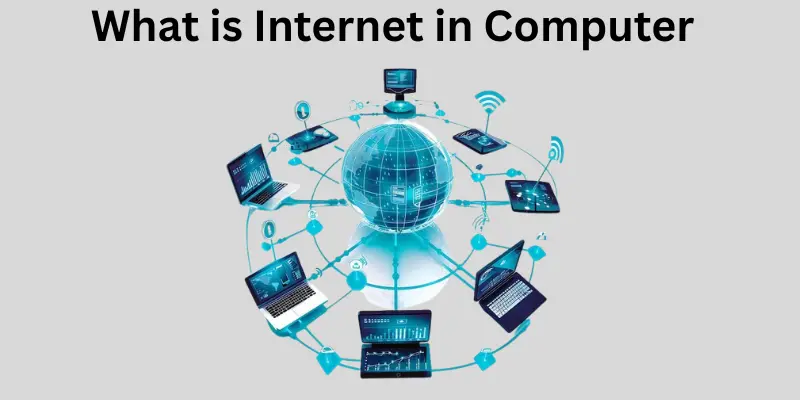
What is internet in computer?
The internet in a computer is essentially a network that connects millions of devices across the globe. It enables users to send and receive information quickly, whether it’s browsing news, watching videos, or engaging in a chat with friends. By using a modem or Wi-Fi, your computer can seamlessly connect to this vast digital world, allowing you to explore countless websites and online resources.
As a beginner, it might seem overwhelming, but once you learn how the system works, it will help you to easily go online and access almost any information you need. The internet makes it possible for computers to communicate and exchange data with one another in ways that were once unimaginable.
History of the Internet
The history of the internet began in the 1960s when the U.S. Department of Defense created a network called ARPANET to connect computers across different locations, including universities and research centers. The goal was to share information quickly between scientists and researchers. As ARPANET grew, it laid the foundation for the development of the TCP/IP protocol by Vint Cerf and Bob Kahn, which became the standard for all future networks, enabling them to communicate and connect seamlessly.
In the 1990s, Tim Berners-Lee introduced the World Wide Web, providing tools like HTML and URLs to make websites accessible and easy to use. This shift allowed people to watch videos, search for homework information, send emails, and play games every day from their homes, schools, and offices, revolutionizing how we interact with the digital world.
How is the Internet Set Up?
The internet operates through a complex physical infrastructure made up of optical fiber cables, copper wires, and various networking systems. These systems form the backbone of LAN, WAN, and MAN networks that allow devices to connect across local, regional, and global scales. Mobile technologies like 2G, 3G, and 4G, as well as Wi-Fi, enable wireless access to the internet. The internet also relies on physical cable networks and global protocols to maintain its function. ICANN, the Internet Corporation for Assigned Names and Numbers based in the USA, is essential in managing IP addresses and the Domain Name System (DNS), ensuring proper connectivity and routing of data across the globe.
How Does the Internet Work in a Computer?
When you use the internet on your computer, the data you access connects from one point to another across a vast network of servers and devices. Whether you’re browsing the web or sending an email, this process involves multiple steps that allow you to get and share information from websites or Cloud storage. Here’s how it works:
- When you enter a request in your browser (like Chrome or Firefox) for a website or a file, the request is sent out over the internet.
- This request passes through your router, which directs it to the right destination.
- The server hosting the requested data receives the request and sends the relevant data back to your computer.
- The data travels over cables or signals, taking the same path in reverse to get back to your device.
- Once the data reaches your computer, the browser shows the result, whether it’s a website, video, or another form of content.
- If you’re using mobile devices, the process works through mobile networks or via the Cloud, allowing you to access information quickly and efficiently.
- Search engines help locate the correct data, while computer hardware ensures that all this happens quickly, with powerful processing speeds that make accessing information seamless and efficient.
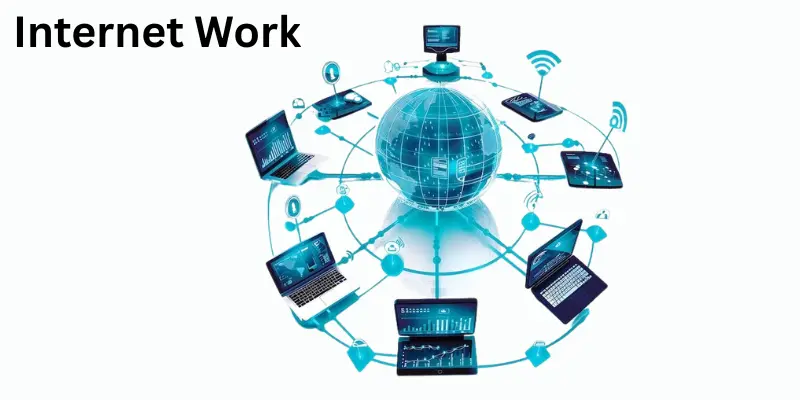
Types of Internet in computer
The internet comes in different forms that connect you to the vast network of data. Depending on your location and needs, some types are faster while others might be slower. Here’s a look at some of the most common types internet in computer:
- Dial-up: This uses a telephone line to connect to the internet, but it’s slow and can only send one signal at a time.
- DSL (Digital Subscriber Line): Still uses phone lines, but it’s faster than dial-up, allowing for simultaneous voice calls and internet access.
- Cable: Uses TV cables to send and receive data, offering speeds faster than DSL but can slow down with heavy usage.
- Fiber Optic: Transmits data using light, making it super fast and efficient, ideal for high-speed internet needs.
- Satellite: Uses signals from space to send and receive data, which is helpful in remote areas where other forms of internet aren’t available.
- Wireless (Wi-Fi): Allows you to connect to the internet without a physical cable, perfect for devices like laptops, phones, and tablets.
- Mobile Data: Mobile signals from 3G, 4G, or 5G networks allow you to use the internet on your phones and connect even when you’re on the go.
What is an IP Address?
An IP address (Internet Protocol Address) is a unique identifier assigned to every device connected to the internet. Think of it as a digital identity, much like Aadhaar or PAN for individuals. When you connect to the internet through your ISP, your device is assigned either a static or dynamic IP address, depending on the network configuration. The format of an IP address typically follows a structure like 192.154.3.29. There are two main types: private IP addresses, used within local networks, and public IP addresses, which are visible on the global internet and allow devices to communicate across different networks.
World Wide Web (WWW)
The World Wide Web (WWW) is a collection of interconnected web pages and documents that can be accessed through the internet using URLs (Uniform Resource Locators). It’s essentially an information retrieval system that allows users to click on hyperlinks embedded in hypertext or hypermedia to access related information. This system, created by Timothy Berners-Lee in 1989 at CERN, revolutionized how researchers collaborate by making documents easily linked and shared. The World Wide Web Consortium (W3C) played a crucial role in the ongoing development of web standards, ensuring that the web remains a cohesive, functional space for users worldwide.
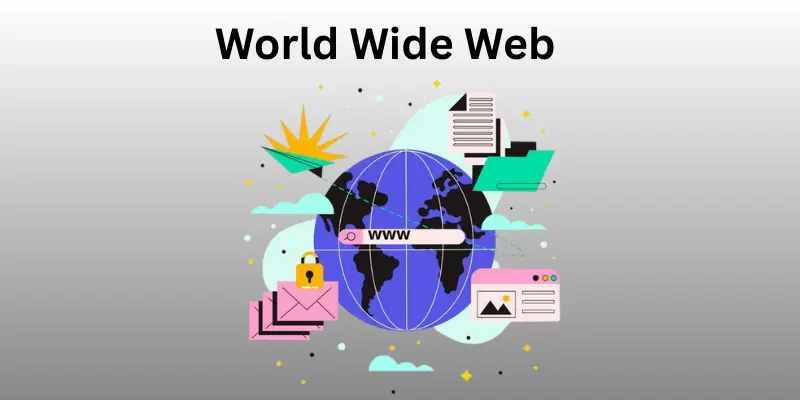
Difference Between World Wide Web and the Internet
Here is the comparison table for the Difference Between World Wide Web and the Internet using your provided entities and NLP keywords:
| World Wide Web | Internet |
| All the web pages and web documents are stored on the World Wide Web, and to find them, you will need a specific URL for each website. | The Internet is a global network of computers that is accessed by the World Wide Web. |
| The World Wide Web is a service. | The Internet is an infrastructure. |
| The World Wide Web is a subset of the Internet. | The Internet is the superset of the World Wide Web. |
| The World Wide Web is software-oriented. | The Internet is hardware-oriented. |
| The World Wide Web uses HTTP to transfer data. | The Internet uses IP addresses to route data. |
| The World Wide Web can be considered as a book, with different topics inside a library. | The Internet can be considered a library, containing all sorts of information and resources. |
| Examples: Websites, e-commerce, blogs. | Example: The network connecting all online services. |
Uses of the Internet in computer
The internet has become an essential part of daily life, providing countless benefits across various fields. It enables e-commerce, education, social connectivity, entertainment, health services, and much more. Here are some of the main uses of the internet in computer:
- E-commerce: Online shopping platforms like Amazon, Flipkart, and Myntra allow users to buy products with ease, offering a seamless shopping experience and home delivery. Digital payments via options such as UPI, Paytm, and Google Pay enable instant payments and cashless transactions, helping drive the cashless economy.
- Remote Education: Online learning platforms like Coursera, Khan Academy, and YouTube provide quality education through online courses, making it accessible to anyone with an internet connection.
- Social Connectivity: Social media platforms such as Facebook, Instagram, and LinkedIn help individuals stay connected with friends, family, and colleagues, allowing them to share content and build a network, both personally and professionally.
- Streaming and Entertainment: Platforms like Netflix, Spotify, and YouTube offer on-demand access to movies, TV shows, music, and other forms of entertainment, enhancing our daily lives with endless options for relaxation.
- Online Gaming: The internet allows people to engage in online gaming, connecting players across the globe and providing a unique social and competitive experience.
- Telemedicine: With the rise of health services and consultations online, the internet plays a crucial role in providing access to fitness apps, digital health tracking, and remote consultations with healthcare professionals, improving well-being management.
- Online Banking and Financial Services: Internet banking and online platforms like cryptocurrencies allow users to transfer funds, pay bills, and manage finances from the comfort of their homes.
- Access to News and Information: Real-time news, articles, blogs, and live updates are just a few clicks away, making the internet an indispensable source for staying informed on a variety of topics.
- Travel Planning: Google Maps, Waze, and other navigation tools help users plan trips, find accommodations, and avoid traffic, making travel more efficient and enjoyable.
- Remote Work and Collaboration: The internet enables remote work by providing cloud-based tools like Google Drive, Slack, and Zoom, allowing individuals to collaborate, store files, and work remotely, boosting productivity and communication across distances.
Security and the Internet
With the huge amount of data being constantly managed on the Internet, there is always a risk of data breaching and various security issues. Hackers and crackers continuously attempt to disrupt network systems and steal important information like login credentials and banking credentials, making online security a growing concern. It’s crucial to be aware of the potential threats and take steps to safeguard your personal and financial data while online.
Steps to Protect the Online Privacy
- Install antivirus and antimalware software to prevent malicious attacks.
- Create random and difficult passwords that are hard to guess.
- Always use a private browsing window when accessing sensitive information.
- Use a VPN and ensure the website uses HTTPS for enhanced protection when accessing accounts or conducting transactions online.
- For social media, make sure your account settings are private.
- Regularly log out from applications when you’re done.
- Turn off your GPS when not in use.
- Close tabs or log out from accounts, especially when using public Wi-Fi or hotspots.
- Be cautious when downloading files from unknown sources to avoid potential security risks.
Social Impact of the Internet
The social impact of the internet is undeniable, influencing both positive and negative aspects of our lives. On one hand, it allows individuals to connect and interact globally, providing a platform for people to engage in civic engagement and form relationships based on shared interests. Social media platforms like Facebook, Instagram, and LinkedIn serve both personal and business purposes, creating communities and networking opportunities.
On the other hand, the internet has contributed to online deception and social withdrawal, where individuals might find themselves more isolated despite being constantly connected. The balance between its advantages and challenges shapes the evolving landscape of modern communities.
Basic Internet Terms
Understanding basic internet terms is essential for navigating the digital world. A website is a place on the internet where you can find information, pictures, and videos, accessible through a browser like Chrome or Firefox. The URL (or web address) is the unique identifier used to visit a website, and links are clickable elements that lead you to other pages.
A search engine like Google helps you find things quickly on the web, while download refers to saving files like pictures and videos to your device. Upload is the opposite process, sending files over a network to share with others. Wi-Fi allows you to connect to the internet wirelessly, and email is used to send messages between millions of computers around the world.
Advantages and Disadvantages of the Internet
In this section, we will look at the pros and cons of the internet in computer. The internet has revolutionized the way we live, work, and interact, but it also brings certain challenges.
| Advantages of the Internet |
|---|
|
| Disadvantages of the Internet |
|---|
|
Conclusion
So guys, in this article, we’ve covered what is internet in computer in detail. The internet plays a crucial role in our daily lives, connecting us to a wealth of information and allowing for seamless communication and access to services. My personal recommendation is to make the most of the internet while being cautious about your online security and privacy. Always use strong passwords and be mindful of the sites you visit. I encourage you to explore more about internet safety and stay updated on the latest technologies. Take charge of your online experience and make it a safe and productive one!
FAQs about the Internet in computer
Here are some common asked questions about internet in computer:
The internet is a global network that connects billions of computers and electronic devices, allowing users to access and share information, communicate with anyone around the world, and do much more. It has revolutionized how we interact, work, and access services, making the world more connected than ever before.
The internet is a technology that allows computers to connect through a vast network, enabling communication and data exchange. It combines multiple small networks like LAN (Local Area Network), PAN (Personal Area Network), and MAN (Metropolitan Area Network), each serving different purposes and scales.
The internet has transformed the way we live, work, and learn globally. Here are 10 key uses of the internet:
- Instant communication
- Access to vast information
- Online shopping and banking
- Entertainment
- Gaming
- Formal and informal education
- Professional networking
- Remote work
- Social media
- Managing finances
The internet and Wi-Fi are not the same, although they are closely related. The internet is a global connection that allows you to access websites and various online services. On the other hand, Wi-Fi is a type of wireless technology that enables a device to connect to the internet without the need for physical cables. While the internet provides the actual access to online content, Wi-Fi simply allows you to connect to that content wirelessly.




- Be Respectful
- Stay Relevant
- Stay Positive
- True Feedback
- Encourage Discussion
- Avoid Spamming
- No Fake News
- Don't Copy-Paste
- No Personal Attacks
- Be Respectful
- Stay Relevant
- Stay Positive
- True Feedback
- Encourage Discussion
- Avoid Spamming
- No Fake News
- Don't Copy-Paste
- No Personal Attacks
