What is Scanner in Computer? Everything You Need to Know
Published: 21 Nov 2025
Did you know that millions of papers are scanned daily all over the world? Scanners are useful tools for converting paper documents, images and even small objects into digital form. They save time, minimize paperwork and help with the sharing and storage of data. If you’ve ever wondered how a paper document becomes a digital file, a scanner is the solution. In this article, we’ll explain what is scanner in a computer, how it works and why it’s so useful, all in simple and easy to understand language.
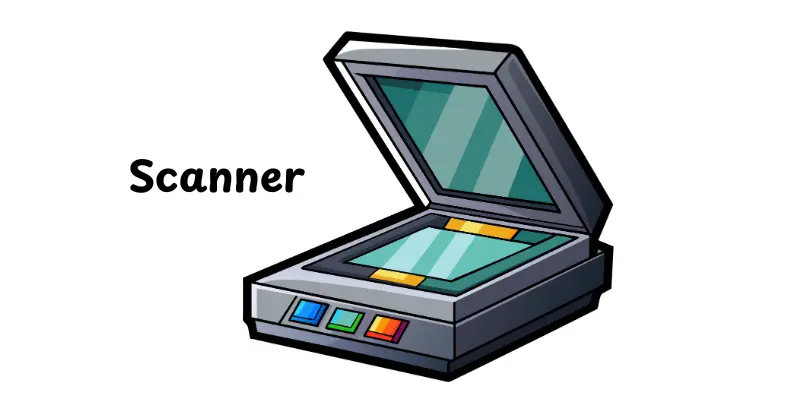
What Is Scanner?
A scanner is an input device that converts physical documents into digital information. It reads text, photos or graphics on paper and transfers them to a computer for storage or editing. The scanned file can be saved in JPEG, PDF, or another format. People use scanners to protect records, communicate papers online and keep paperwork. It helps to replace manual typing and decreases paper use. Simply put, a scanner creates a digital copy of everything you set on its screen surface.
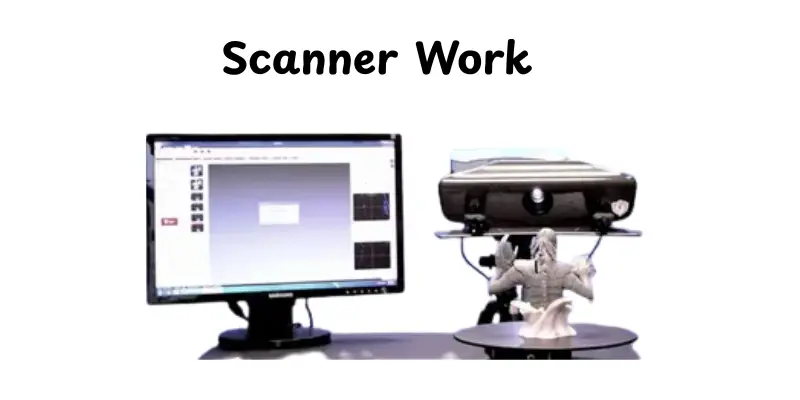
How does a Scanner Work
A scanner reads a physical document and turns it into a digital copy that your computer can store or edit. It uses light to record the details on the page and then converts that information into an image file. When you push the scan button, the process starts fast and automatically.
- You place the paper on the glass surface or feed it through the scanner tray
- A light source moves across the document and scans it line by line
- The reflected light is captured by sensors that read colors and shapes
- The scanner turns the captured data into digital pixels
- The final image is processed and sent to your computer in a file format like PDF or JPEG
- You can save, print, or share the scanned file instantly
Types of Scanner
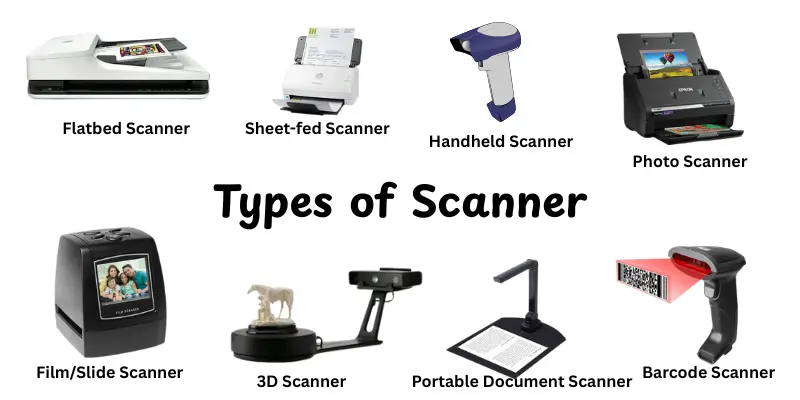
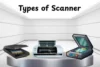
There are many types of scanners and each one works differently. Some are made for photos, some for documents and others for books or film. Knowing these types helps you choose the right scanner for your work.These are few types:
- Flatbed Scanner:Used for scanning paper, photos and books using a screen surface.
- Sheet-fed Scanner:Scans pages automatically through a feeding tray, good for fast document scanning.
- Handheld Scanner:Portable scanner that you move over the paper manually.
- Photo Scanner:Made for high-quality image scanning with better color accuracy.
- Film/Slide Scanner:Designed to scan film negatives and slides for photographers.
- Portable Document Scanner:Small, battery-powered scanner good for travel or office on the go.
- 3D Scanner:Record the shape of physical objects to create digital 3D models.
- Barcode Scanner:Reads and converts barcodes into digital data, used in retail and inventory.
Key Features of Scanner
Scanners computer provide lots of features that make scanning documents and photos easier and more efficient.Understanding the key features of a scanner helps you to select the best one for your needs.Here’s are some key features of scanner:
- High Resolution (DPI):Determines the clarity and detail of scanned images. Higher DPI gives sharper photos, while lower DPI is fine for text documents.
- Color Depth:Measures how accurately a scanner captures colors. More color depth means realistic and vibrant images.
- Scanning Speed:Important for handling multiple pages quickly. Sheetfed scanners are faster than flatbeds for large volumes.
- Automatic Document Feeder (ADF):Lets you scan multiple pages at once, saving time and effort.
- Connectivity Options:Includes USB, Wi-Fi, or network connection. Wireless scanning allows multiple devices to access the scanner easily.
- OCR (Optical Character Recognition):Converts scanned text into editable and searchable digital text, useful for documents.
- Size and Portability:Some scanners are compact and travel-friendly, while others handle larger or delicate items.
- Software Features:Advanced software helps with cropping, color correction, file management, and easy scanning.
Applications of Scanners
Scanners play an important role in our daily life. They make it simple to save documents, photos and even small items digitally on a computer. From homes to offices, scanners help us work faster, stay organized and provide important information.Here’s are some main uses of scanner:
- Document Digitization – Convert paper documents into digital files for easy storage.
- Photo Scanning – Preserve old photographs in digital format.
- OCR (Text Recognition) – Make printed text editable and searchable on computers.
- Business Cards Scanning – Quickly store and manage contacts digitally.
- Barcode Scanning – Read barcodes for inventory and sales management.
- Medical Imaging – Scan X-rays or reports for digital patient records.
- Art and Design – Capture sketches or artwork digitally for editing.
- ID and Passport Scanning – Digitize identification documents for verification.
- Book Scanning – Convert books into e-books or digital archives.
- Industrial Inspection – Scan objects or products for quality control.
Advantages & Disadvantages of Using Scanners
In this section, we will look at the pros and cons of scanners. Scanners have many benefits, but they also come with some limitations.Here’s are some benefits and drawbacks of scanners:
| Advantages of Scanners |
|---|
|
| Disadvantages of Scanners |
|---|
|
How to Choose the Right Scanner
Choosing the right scanner can save time and improve your work. Selecting a scanner that best suits your needs makes sure better quality, speed and ease of use.
- Identify Your Purpose: Decide if you need it for documents, photos or both.
- Check Resolution: Higher DPI gives sharper images, especially for photos.
- Consider Speed: Look for fast scanning if you handle many pages.
- Automatic Document Feeder (ADF): Useful for scanning multiple pages quickly.
- Connectivity Options: USB, Wi-Fi, or network connectivity for easy access.
- Size and Portability: Choose a compact scanner for small spaces or travel.
- OCR Capability: Needed if you want editable and searchable text.
- Software Support: Ensure the scanner works well with your computer and has easy-to-use software.
- Budget: Balance features with what you can afford.
- Maintenance and Durability: Check if it’s easy to clean and built to last.
Future Trends in Scanning Technology
Scanners are becoming smarter and faster with new technology. Future trends will make scanning more efficient, accurate and easy to use.
- AI-Powered Scanning: Smarter recognition and automatic adjustments for better results.
- Cloud Integration: Directly save scanned files to cloud storage for easy access.
- Mobile Scanning: High-quality scanning using smartphones and portable devices.
- 3D Scanning: Capture objects in three dimensions for design and manufacturing.
- High-Speed Scanners: Faster scanning for large volumes of documents.
- Enhanced OCR: More accurate text recognition in multiple languages.
- Wireless Connectivity: Easy scanning without cables, supporting multiple devices.
Eco-Friendly Scanners: Energy-efficient models reducing power consumption. - Touchless Scanning: Scan documents without physically touching the scanner.
- Advanced Image Processing: Automatic color correction, cropping and enhancement.
Conclusion
So guys, in this article, we’ve covered what is scanner in computer in detail. Scanners help convert documents, photos and even small objects into digital form, making work and storage more easier. Personally, I recommend selecting a scanner that meets your specific needs, whether for home, office or professional use. Look for features like high resolution, OCR and fast scanning to get the best results.Buying in a good scanner can help you save time and manage your information. Start your search for accurate scanners today and learn how they can help you with your everyday tasks!
FAQs
A scanner is a device that copies documents or images and saves them on a computer in digital form.
A scanner in a computer is an input device that converts paper documents, photos or objects into digital files that the computer can store and use.
A scanner is an input device because it sends information from paper or images into the computer for editing, storing, or sharing.
Yes, many scanners can scan books and magazines. Flatbed scanners work best because they allow you to place thick pages easily.
For old photos, 300 to 600 DPI is usually good. Higher DPI gives more detail if you want to enlarge the photo.
Yes, a sheetfed scanner is faster for scanning many documents at once. Flatbed scanners are better for photos or thick items.
Normal scanners usually cannot scan film or slides. You need a scanner designed for negatives or slides to get good quality.
A scanner is a device that copies text or pictures from paper into a computer. It turns printed pages into digital files. People use it to save, share, or edit documents easily.
Scanning is the process of copying paper documents or images into a computer. The scanner reads the page and creates a digital copy. This copy can be stored, emailed, or edited.
A scanner is an input device used to enter images and text into a computer. It captures information from paper and changes it into digital form. Offices, schools, and homes use scanners every day.




- Be Respectful
- Stay Relevant
- Stay Positive
- True Feedback
- Encourage Discussion
- Avoid Spamming
- No Fake News
- Don't Copy-Paste
- No Personal Attacks
- Be Respectful
- Stay Relevant
- Stay Positive
- True Feedback
- Encourage Discussion
- Avoid Spamming
- No Fake News
- Don't Copy-Paste
- No Personal Attacks
